
Beskrivelse
View WPListCal plugin information using the JSON API plugin with this simple WordPress plugin.
After installing and activating you can use the upcomming events in your external applications.
Skjermbilder
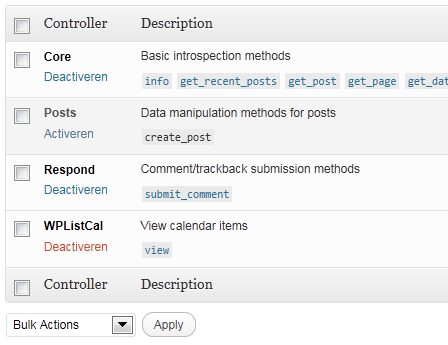
Installasjon
The automatic plugin installer should work for most people. Manual installation is easy and takes fewer than five minutes.
- Create a wplistcal-json directory in your plugins directory. Typically that’s wp-content/plugins/wplistcal-json/.
- Into this new directory upload the plugin files (wplistcal-json.php, etc.)
- Activate the plugin through the ‘Plugins’ menu in WordPress.
- Activate the ‘WPListCal’ controller through the ‘JSON API’ options page.
Ofte stilte spørsmål
- Does it work with older versions of WordPress?
-
I don’t know, try it and let me know.
Vurderinger
Det er ingen omtaler av denne utvidelsen.
Bidragsytere og utviklere
«WPListCal JSON» er programvare med åpen kildekode. Følgende personer har bidratt til denne utvidelsen:
Bidragsytere
Oversett «WPListCal JSON» til ditt språk.
Interessert i utvikling?
Bla gjennom koden, sjekk ut SVN-repositoriet, eller abonner på utviklingsloggen med RSS.
Endringslogg
1.1
- Bugfix: Sorting results
1.0
- Initial release