
Beskrivelse
A block displaying sidebar widgets on front-end of your website.
What problem does it solve?
You can display a specific sidebar (a widgetized area) in a page content built with block editor.
Got a question or suggestion?
In case of any question or suggestion regarding this plugin, feel free to ask at support section, or at GitHub repository issues.
Skjermbilder

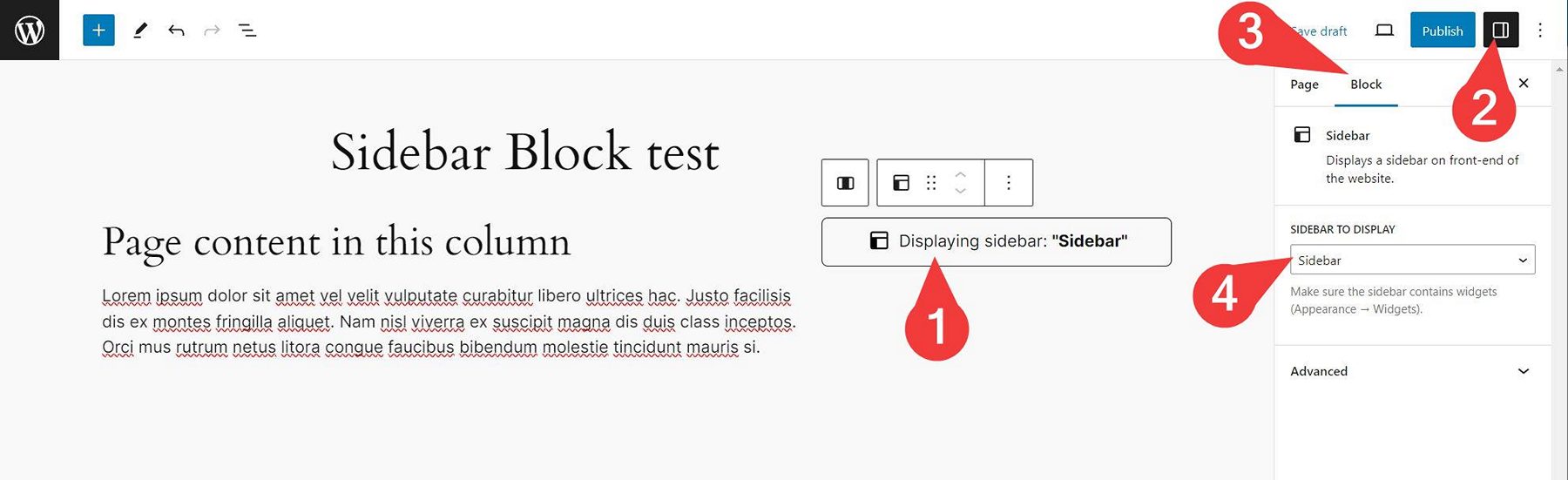

Blokker
Denne utvidelsen gir 1 blokk.
- Wmd Sidebar
Installasjon
- Unzip the plugin download file and upload
sidebar-blockfolder into the/wp-content/plugins/directory. - Activate the «Sidebar Block» plugin through the «Plugins» menu in WordPress.
- Plugin works immediately after activation by adding new «Sidebar» block into WordPress native block editor. You can use the block in your page/post content then. Simply select a sidebar in block options and the sidebar will be displayed on your website front-end (if it contains widgets).
Ofte stilte spørsmål
-
How does it work?
-
- Insert «Sidebar«» block into your page/post content (or into Site Editor) where you want to display the sidebar.
- In block options select a sidebar to display.
- Save the post/page/Site Editor.
- Watch the sidebar appear on your website front-end.
Please note that the sidebar has to contain some widgets you can add in Appearance Widgets admin screen.
-
Yes. The plugin creates a new «Sidebar» widget area for you, if your theme does not create such sidebar (with ID of
sidebar) for you. -
Yes. This is possible by using additional sidebar management plugin.
Vurderinger
Det er ingen omtaler av denne utvidelsen.
Bidragsytere og utviklere
«Sidebar Block» er programvare med åpen kildekode. Følgende personer har bidratt til denne utvidelsen:
Bidragsytere
«Sidebar Block» har blitt oversatt til 1 språk. Takk til oversetterne for deres bidrag.
Oversett «Sidebar Block» til ditt språk.
Interessert i utvikling?
Bla gjennom koden, sjekk ut SVN-repositoriet, eller abonner på utviklingsloggen med RSS.
Endringslogg
Please see the changelog.md file for details.