

Beskrivelse
Luzuk – Multi Slider is a simple and user-friendly slider plugin. It is designed to avoid any confusion for users. Simply install the plugin and add your favorite slider. All sliders are pre-designed, so no customization is needed. Fully responsive, SEO-optimized, and works with any WordPress theme. Just activate the one you like, and you’re ready to go!
Responsive, Mobile-Ready Sliders
Create fully responsive, mobile-ready sliders that look flawless on any device. Designed to adapt seamlessly, your sliders will deliver a consistent and engaging user experience across desktops, tablets, and smartphones.
Features:
- Static Overlay
- Touch Swipe, Scroll, Keyboard Navigation
- Full-Width And Boxed Responsive Layouts
- Slide-Switching Animations: Horizontal, Vertical, Fade
- Slider Controls: Arrow, Bullet, Autoplay, Bar, Thumbnail And Shadow
- Seo Optimized
- Layers: Image, Heading, Text, Button
- WordPress Multi Site Compatible
- Custom Responsive Breakpoints
- Intuitive Slide Creation: Choose Images, Select WordPress Posts
- Carousel Sliders
- Slider Plugin Integrations
- Easy To Use Interface
- Auto-Height Slider
- Vertical And Horizontal Direction Navigation
- Translate Ready
- Compatible Browsers.
Support
For any questions or assistance, feel free to reach out to our support team at Contact Us. We’re here to help you every step of the way!
Third Party Libraries/Resources
This plugin uses the following third-party libraries:
-
Owl Carousel
License: MIT License -
FontAwesome
License: Font Awesome Free License -
Swiper
License: MIT License -
Bootstrap
License: MIT License
All external libraries are loaded via their respective CDNs or bundled in the plugin with adherence to their licenses.
Skjermbilder



Installasjon
Check our official documentation for more information
Automatic Installation
- Search for Luzuk – Multi Slider through the ‘Plugins > Add New’ interface.
- Locate the plugin box for Luzuk – Multi Slider and click the ‘Install Now’ button.
- Activate the Luzuk – Multi Slider plugin. It will appear in the side panel.
- Go to ‘Add New Post’, add the slider content, and publish. This allows you to add as many sliders as you want.
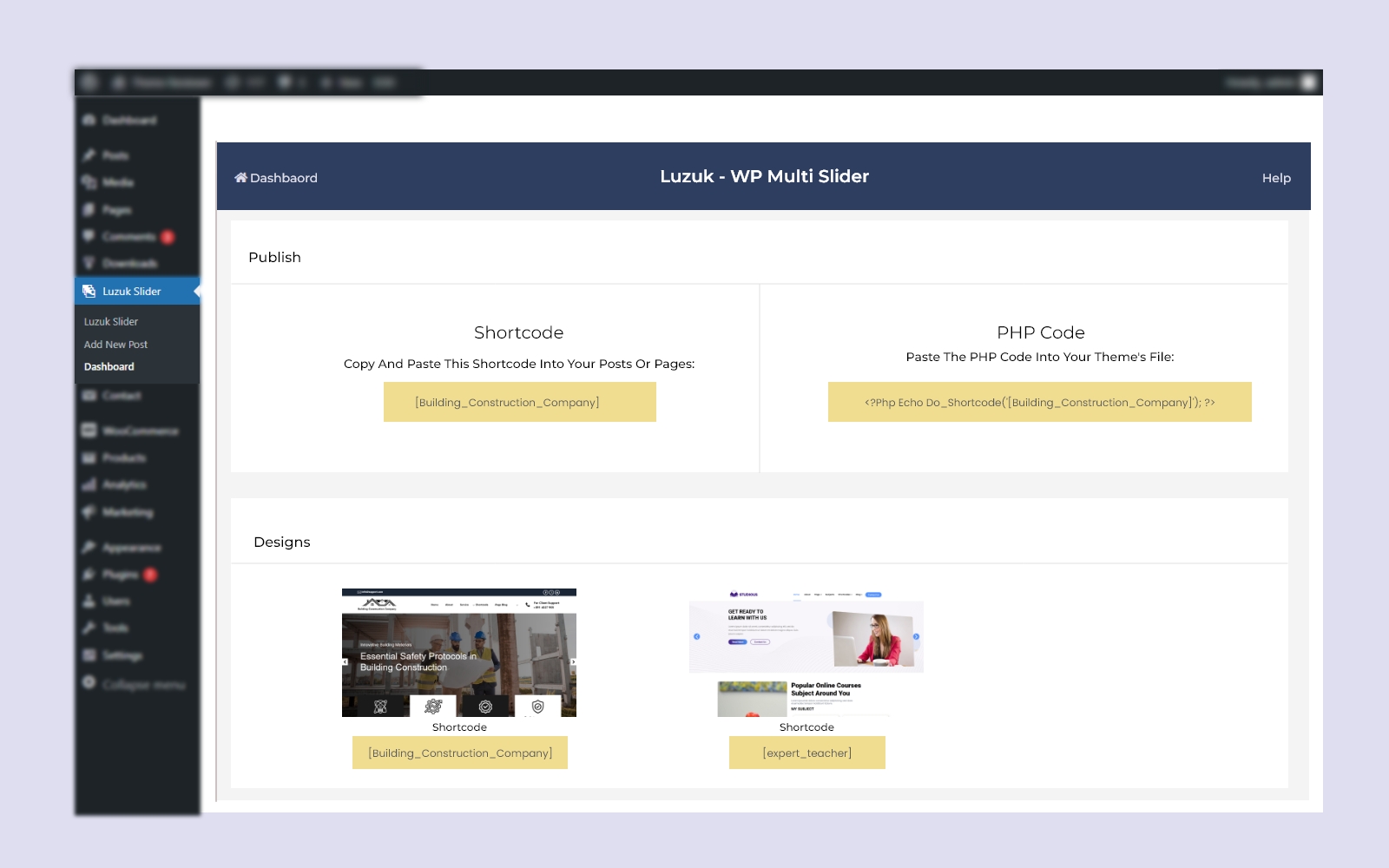
- Navigate to the plugin Dashboard and choose a slider design.
- Copy the shortcode from the Publish Slider box and paste it into a post, page or wherever you want.
Manual installation
- Download the Luzuk – Multi Slider plugin.
- Upload the Luzuk – Multi Slider through the ‘Plugins > Add New > Upload’ interface, or upload the luzuk-multi-slider folder to the /wp-content/plugins/ directory.
- Activate the Luzuk – Multi Slider plugin through the ‘Plugins’ menu in WordPress.
- Copy the shortcode from the Publish Slider box and paste it into a post or page.
Vurderinger

Bidragsytere og utviklere
«Luzuk – Multi Slider» er programvare med åpen kildekode. Følgende personer har bidratt til denne utvidelsen:
Bidragsytere
«Luzuk – Multi Slider» har blitt oversatt til 1 språk. Takk til oversetterne for deres bidrag.
Oversett «Luzuk – Multi Slider» til ditt språk.
Interessert i utvikling?
Bla gjennom koden, sjekk ut SVN-repositoriet, eller abonner på utviklingsloggen med RSS.
Endringslogg
0.0.5 – 15 April 2025
- Fixed Fontawesome Icon Error.
- Added New Slider.
0.0.4 – 01 April 2025
- Added New Slider.
0.0.3 – 28 Feb 2025
- Fixed Errors.
0.0.2 – 18 Feb 2025
- Fixed Errors.
0.0.1 – 4 Feb 2025
- Initial Released