

Beskrivelse
User Login Tracker helps WordPress site administrators monitor and analyze user login activity with powerful analytics and detailed reporting. Perfect for membership sites, e-commerce platforms, and any website that needs to track user engagement and activity patterns.
Key Features
- Visual Analytics Dashboard – Interactive charts showing login trends and user activity patterns
- Real-time Login Tracking – Automatically track every user login with detailed information
- User Activity History – View complete login history for any user with timestamps and IP addresses
- Dashboard Widget – Quick overview of recent activity right on your WordPress dashboard
- Data Export – Export login data in CSV format for external analysis
- Activity Status Indicators – Instantly see which users are active or inactive
- Performance Optimized – Fast, efficient database design that won’t slow down your site
- Mobile Responsive – Works perfectly on all devices and screen sizes
Why Choose User Login Tracker?
✅ Easy Setup – Install and start tracking immediately, no configuration required
✅ Lightweight – Minimal impact on site performance with optimized code
✅ Secure – Built with WordPress security best practices
✅ User-Friendly – Clean, intuitive interface that anyone can use
✅ Comprehensive – Track everything you need without overwhelming complexity
Perfect For
- Membership Sites – Monitor member engagement and login patterns
- E-commerce Stores – Track customer activity and identify trends
- Business Websites – Understand user behavior and site usage
- Educational Platforms – Monitor student login activity
- Community Sites – Track member participation and engagement
Skjermbilder
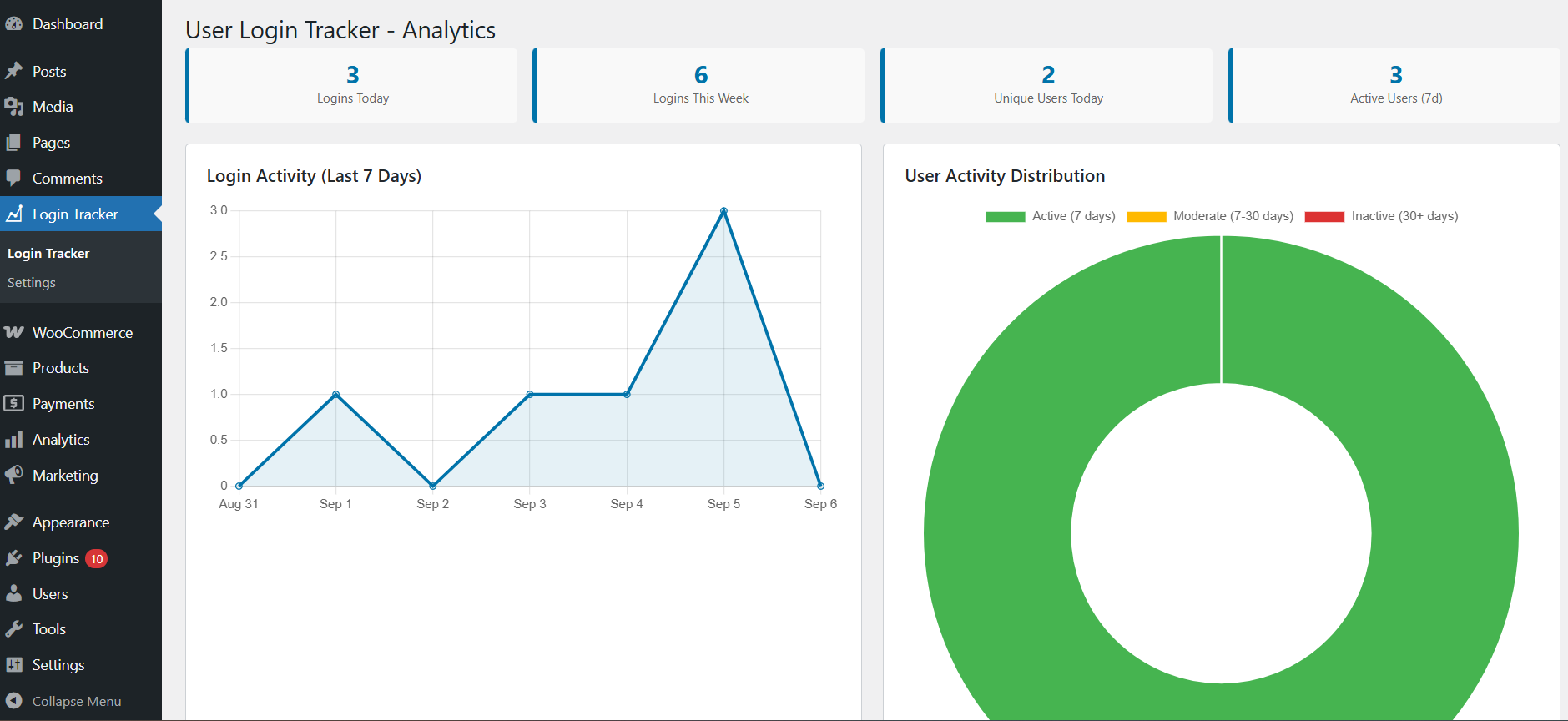
Analytics dashboard with login charts and activity overview 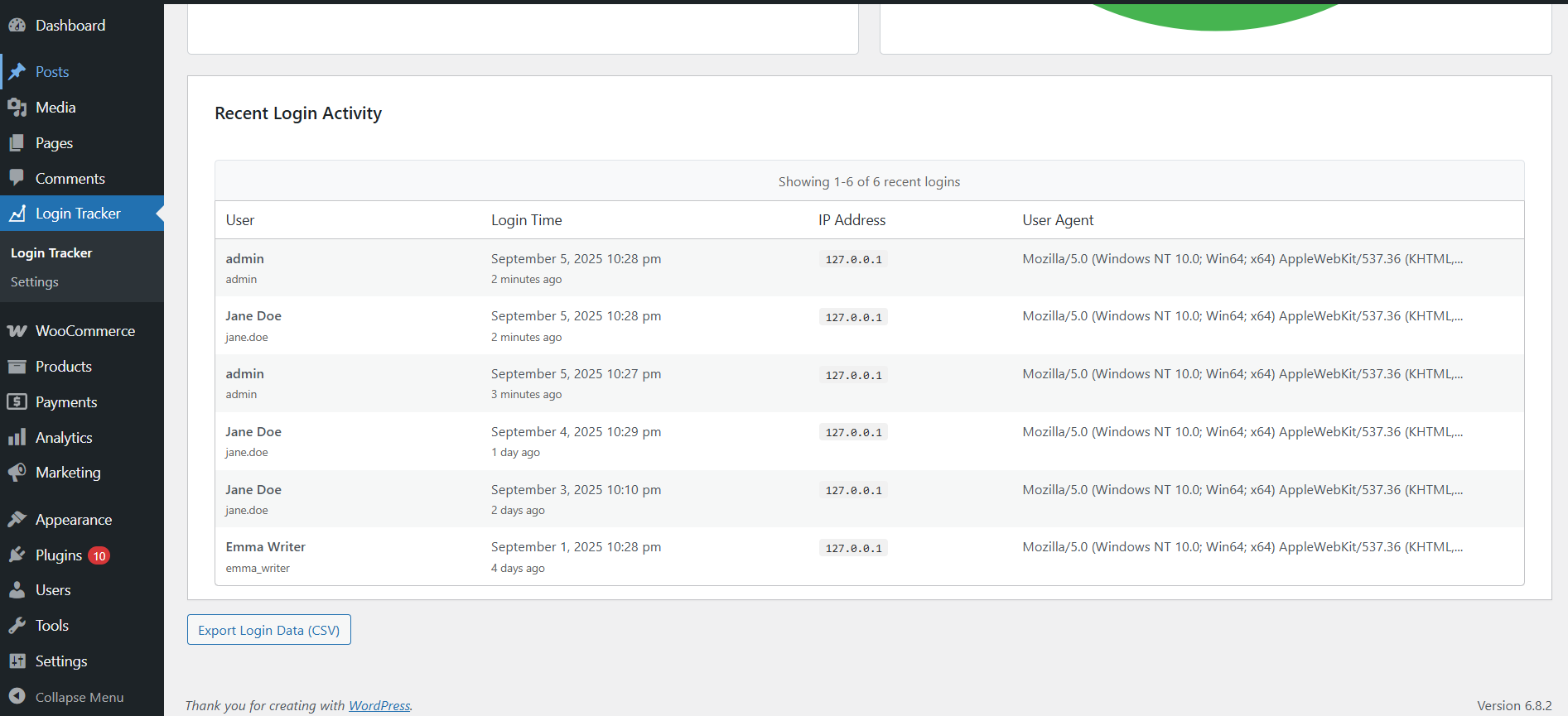
Recent login activity table 
User management screen with login history and activity indicators 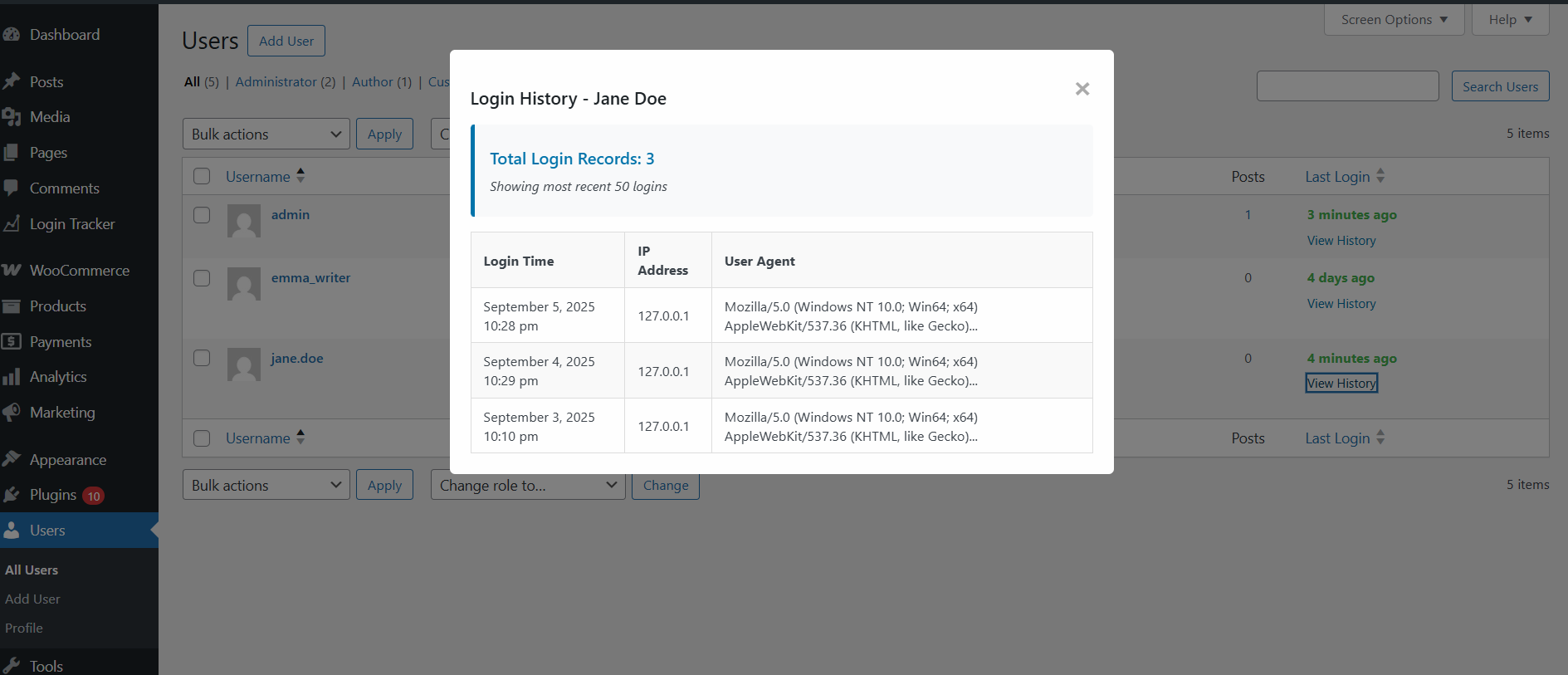
Detailed user login history with timestamps and IP addresses 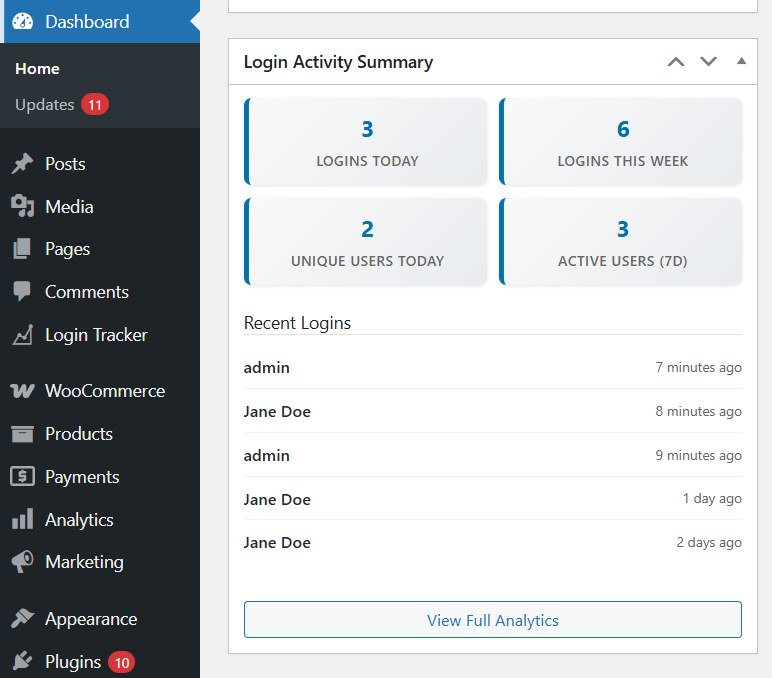
Dashboard widget showing recent activity and key metrics 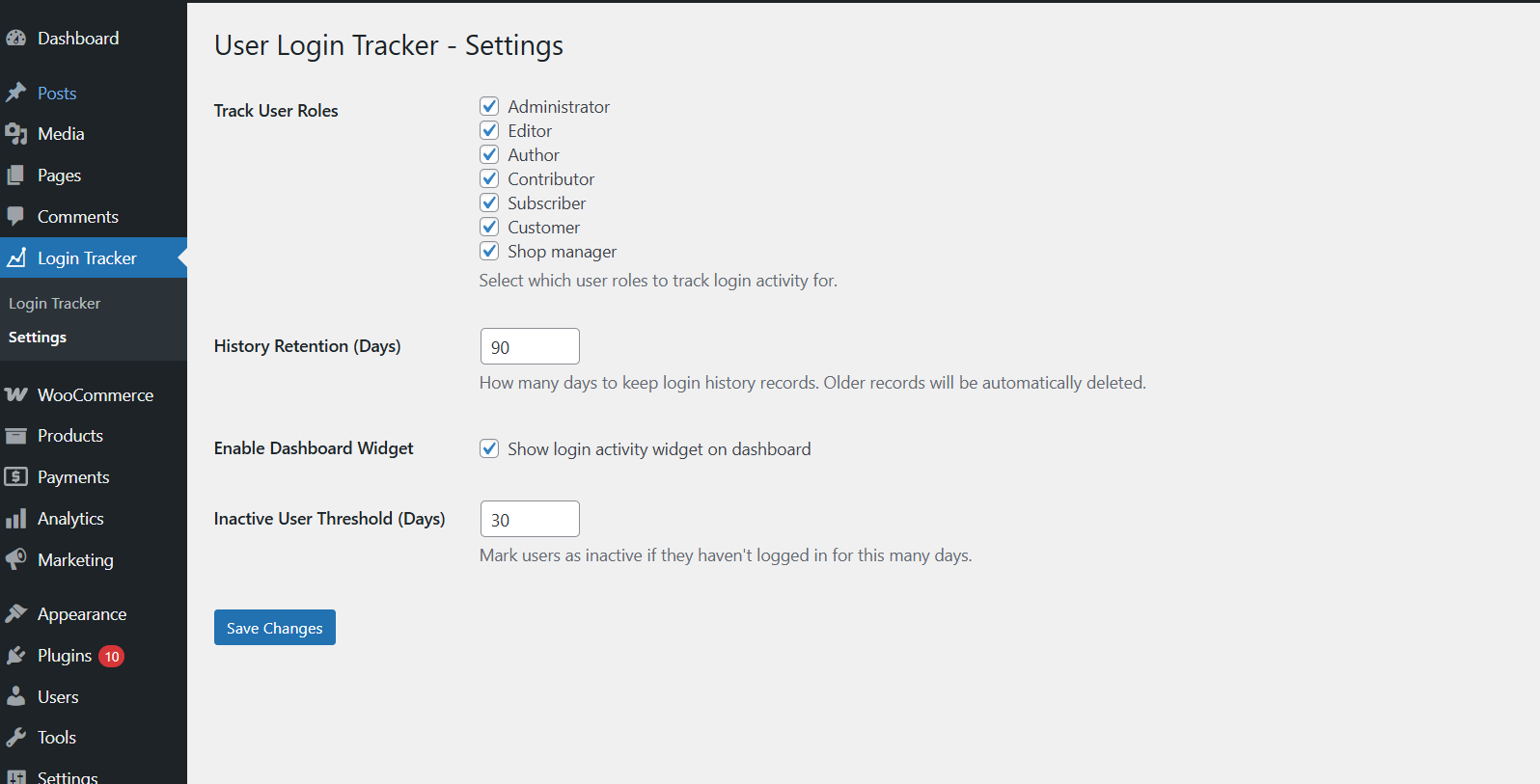
Settings page with customization options
Installasjon
- Upload the plugin files to
/wp-content/plugins/user-login-tracker/or install through WordPress admin - Activate the plugin through the ‘Plugins’ screen in WordPress
- Navigate to ‘Login Tracker’ in your WordPress admin menu
- Login tracking will begin immediately for new user logins after activation
Ofte stilte spørsmål
-
Does this plugin slow down my website?
-
No! The plugin is designed for minimal performance impact. Login tracking happens efficiently in the background, and the database is optimized for fast queries.
-
What information does the plugin track?
-
The plugin tracks login timestamps, usernames, user roles, IP addresses, and login status. No sensitive information like passwords is ever stored.
-
Can I export the login data?
-
Yes! You can export all login data in CSV format directly from the admin interface, perfect for external analysis or record keeping.
-
Will this work with my theme?
-
Yes! The plugin works entirely within the WordPress admin area and is compatible with all themes.
-
Is it compatible with other plugins?
-
Yes! The plugin is built using WordPress standards and is compatible with virtually all other plugins.
-
Can I track specific user roles only?
-
Yes! You can configure which user roles to track and customize the tracking behavior in the settings.
-
Will I see historical login data from before I installed the plugin?
-
No, the plugin only tracks login activity that occurs after it’s activated. It cannot retrieve historical login data from before installation. You’ll start seeing data as users log in after the plugin is active.
Vurderinger
Det er ingen omtaler av denne utvidelsen.
Bidragsytere og utviklere
«User Login Tracker» er programvare med åpen kildekode. Følgende personer har bidratt til denne utvidelsen:
Bidragsytere
Oversett “User Login Tracker” til ditt språk.
Interessert i utvikling?
Bla gjennom koden, sjekk ut SVN-repositoriet, eller abonner på utviklingsloggen med RSS.
Endringslogg
2.0.1
- Fixed data retention issues and improved accurate cleanup of old login records based on retention settings.
2.0.0
- Complete rewrite with advanced analytics dashboard
- Added interactive charts showing login trends and patterns
- New user activity history with detailed session information
- Dashboard widget with real-time metrics
- Data export functionality (CSV format)
- Performance optimized with custom database table
- Mobile responsive admin interface
- Enhanced security and better user experience
1.0.0
- Initial release with basic login tracking
- Last login time display in Users table
- Simple login count tracking