

Beskrivelse
All’s Well is an uptime monitoring service that also keeps an eye on the inside of your WordPress sites. Connect a site and it is checked from outside around the clock; this plugin adds what an outside check can’t see.
Uptime and SSL
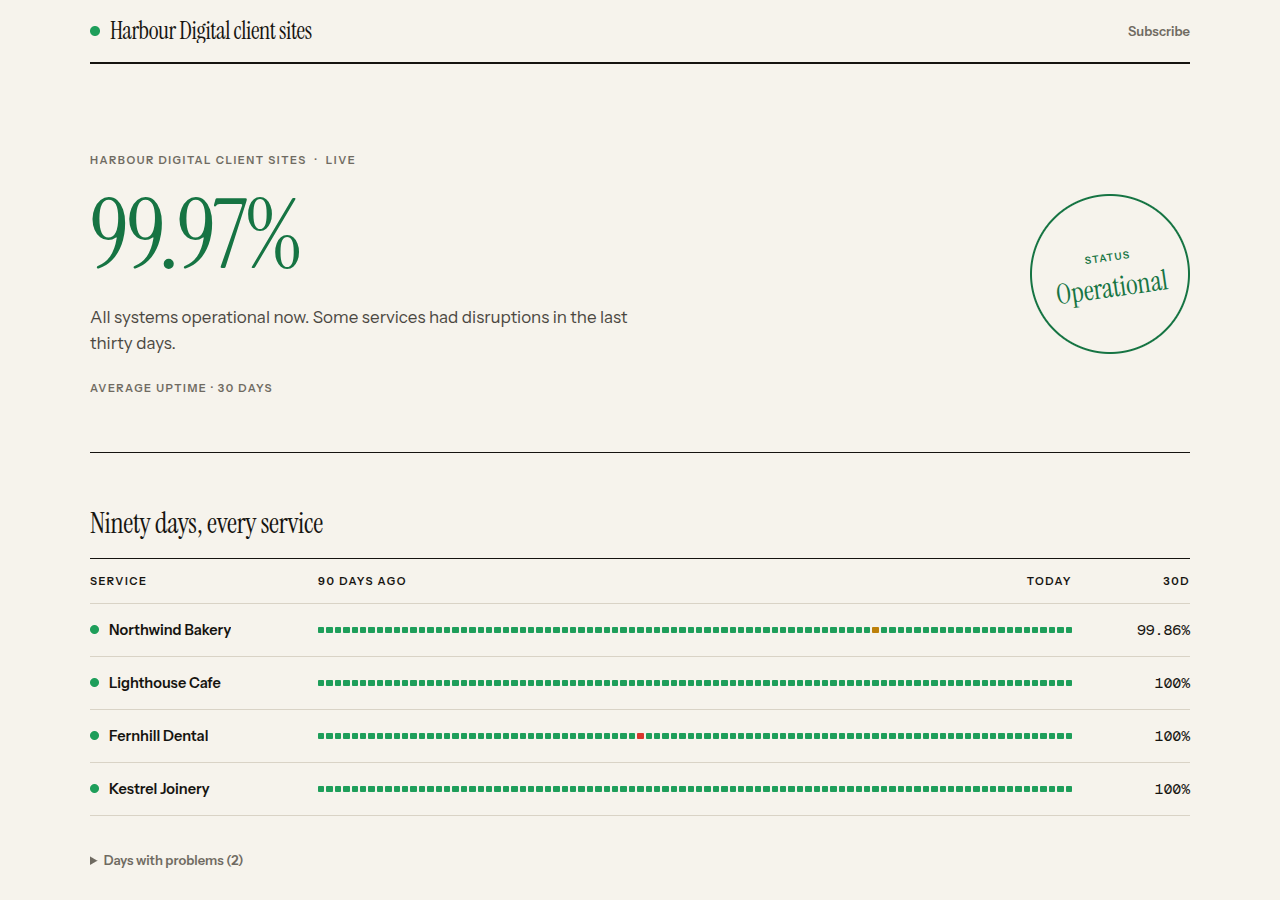
Connecting a site adds two checks on its address, unless your team already has them or your plan’s monitors are all in use. All’s Well checks the site is up every 5 minutes on the free plan and every minute on paid plans (as often as every 30 seconds on Pro and Business), and it warns you 30, 14 and 7 days before the SSL certificate expires. Alerts go to email, Slack, Discord, Telegram or a webhook, and every plan includes public status pages.
What the plugin reports
Once an hour, and whenever something changes, the plugin reports:
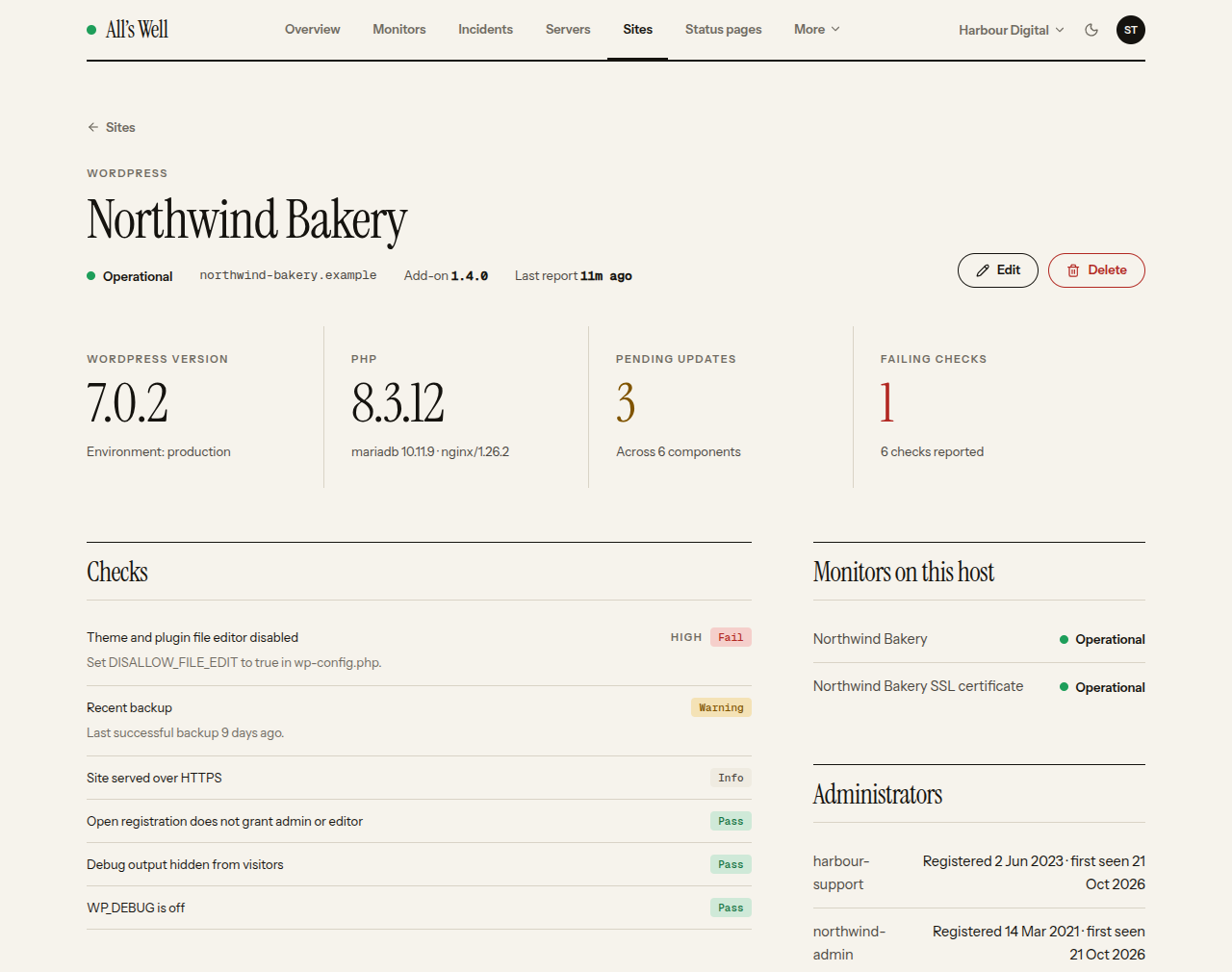
- WordPress, PHP and database versions
- installed plugins and themes, with pending updates
- risky settings, such as debug output shown to visitors or the file editor left on
- administrator accounts, so a new administrator raises an alert
- the time of the last backup, when UpdraftPlus or BackWPup is active
All’s Well alerts you when the plugin stops reporting, when a new administrator appears and when a setting becomes risky.
Many sites, one place
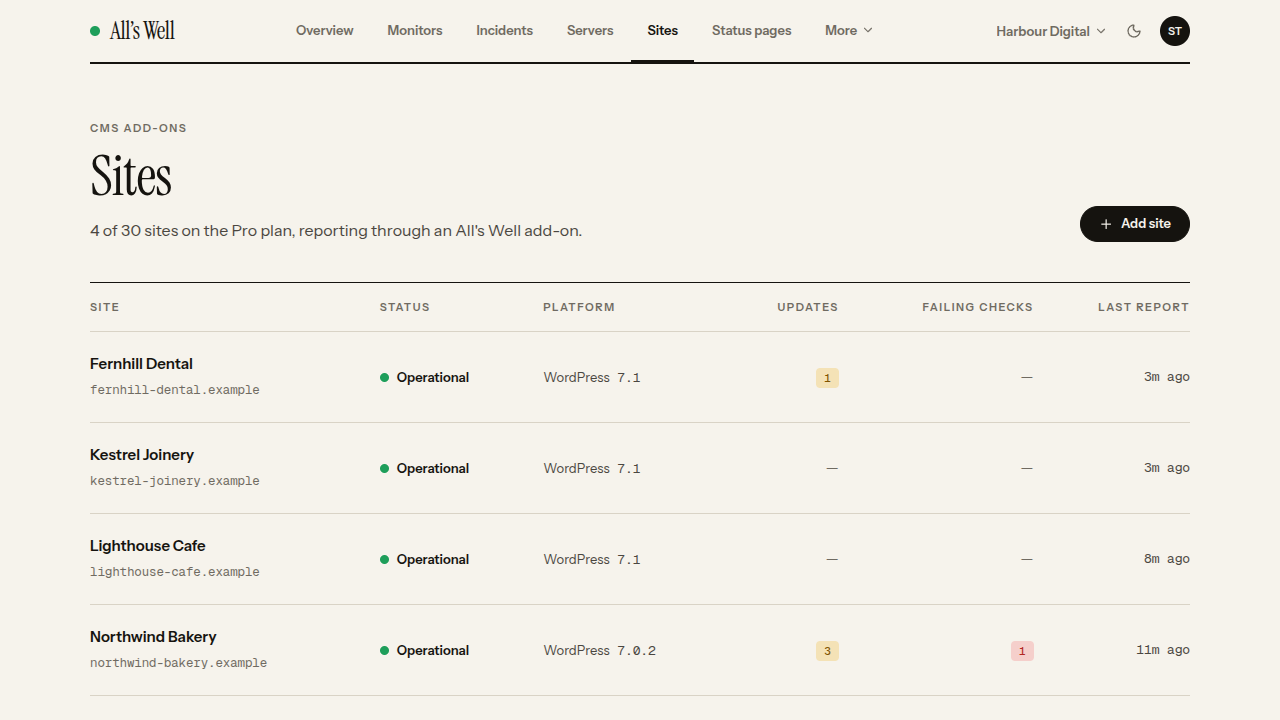
Freelancers and agencies connect every client site to one team, with the Connect button or a team enrolment key, and see them all on one dashboard. Each plan includes its own allowance of sites, separate from its monitors.
Light on your site
The plugin reads; it never changes anything. On WordPress 6.9 and later, reports run through Action Scheduler. You can see them under Tools Scheduled Actions, in the «alls-well» group. On older WordPress they run through WP-Cron.
External services
This plugin sends the information listed above to All’s Well (https://alls-well.io, or the address set in the ALLS_WELL_URL constant), once an hour and when plugins, themes or administrators change. No information about the site is sent until you connect it. Administrator email addresses are never sent; logins that are email addresses are masked.
When you click Connect, your browser goes to All’s Well with this site’s address and name, the address of this settings page to come back to, and two one-time values that tie the answer to your request. After you approve the site there, the plugin sends All’s Well the one-time code it came back with, a secret that proves the request started here, and the site’s address, name and plugin version. All’s Well answers with the site’s token.
Once the site is connected, All’s Well’s own servers request its home page every few minutes to check it is up, and read its SSL certificate, as any uptime monitor does. These checks come from outside the site; the plugin takes no part in them.
Terms: https://alls-well.io/terms. Privacy policy: https://alls-well.io/privacy.
Third-party libraries
- Action Scheduler (https://actionscheduler.org), GPLv3 or later. It is bundled in vendor/woocommerce/action-scheduler and loaded only on WordPress 6.9 and later.
Skjermbilder
Installasjon
- Install and activate the plugin.
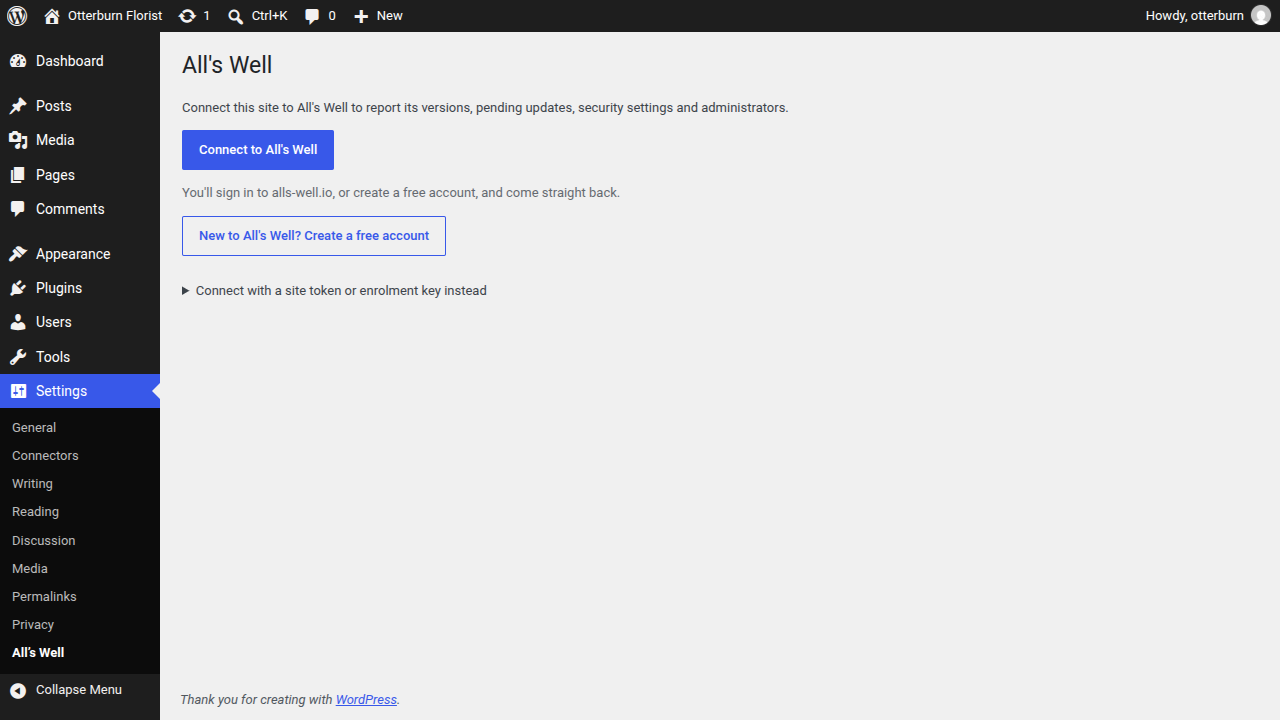
- Go to Settings All’s Well and click «Connect to All’s Well».
- Sign in to alls-well.io, or create a free account, and approve the site for your team. You come straight back to WordPress, connected.
Agencies can connect sites without the button. Under «Connect with a site token or enrolment key instead», paste a site token or your team’s enrolment key from the Sites page in All’s Well. Or set the ALLS_WELL_KEY constant in wp-config.php, or run wp alls-well connect.
Ofte stilte spørsmål
-
Do I need an account?
-
Yes. The plugin reports to your team in All’s Well, where the alerts and the dashboard are. If you don’t have an account yet, clicking Connect lets you create a free one, and then brings you back to WordPress.
-
Is it free?
-
The plugin is. The All’s Well free plan includes five monitors and three WordPress sites, checks every 5 minutes and keeps three days of history, with no credit card. Paid plans start at $5 a month: https://alls-well.io/pricing.
-
Does it check that my site is up?
-
Yes. Connecting a site adds an uptime check on its home page and an SSL certificate check, which count towards your plan’s monitors. If your plan has no room for them, add them later from the site’s page in All’s Well. A site that misses three hourly reports in a row is marked down too.
-
Does it change anything on my site?
-
No. It reads and reports; updates and every other change stay in your hands.
Vurderinger
Det er ingen omtaler av denne utvidelsen.
Bidragsytere og utviklere
«All’s Well» er programvare med åpen kildekode. Følgende personer har bidratt til denne utvidelsen:
Bidragsytere
Oversett «All’s Well» til ditt språk.
Interessert i utvikling?
Bla gjennom koden, sjekk ut SVN-repositoriet, eller abonner på utviklingsloggen med RSS.
Endringslogg
1.4.0
- Connect with one click. Settings All’s Well «Connect to All’s Well» takes you to alls-well.io to sign in, or create a free account, and approve the site. Then you come straight back, connected. Pasting a site token or enrolment key still works, under «Connect with a site token or enrolment key instead».
- Sites that have never been connected show a notice on the Dashboard and Plugins screens, which you can dismiss.
- On the Plugins screen, the plugin’s link reads «Connect» until the site is connected.
1.3.0
- Updates now come from WordPress.org. Sites on 1.1 or 1.2 move over with this update.
1.2.0
- All’s Well now lives at https://alls-well.io: new connections and updates use it. Sites connected to the old address move over by themselves on their next report.
1.1.0
- AgileMonitor is now All’s Well. This plugin replaces the AgileMonitor plugin: activating it keeps that plugin’s connection, deactivates it quietly, and still reads the AGILEMONITOR_KEY and AGILEMONITOR_URL constants. Delete the old plugin afterwards.
1.0.0
- First release.