
Beskrivelse
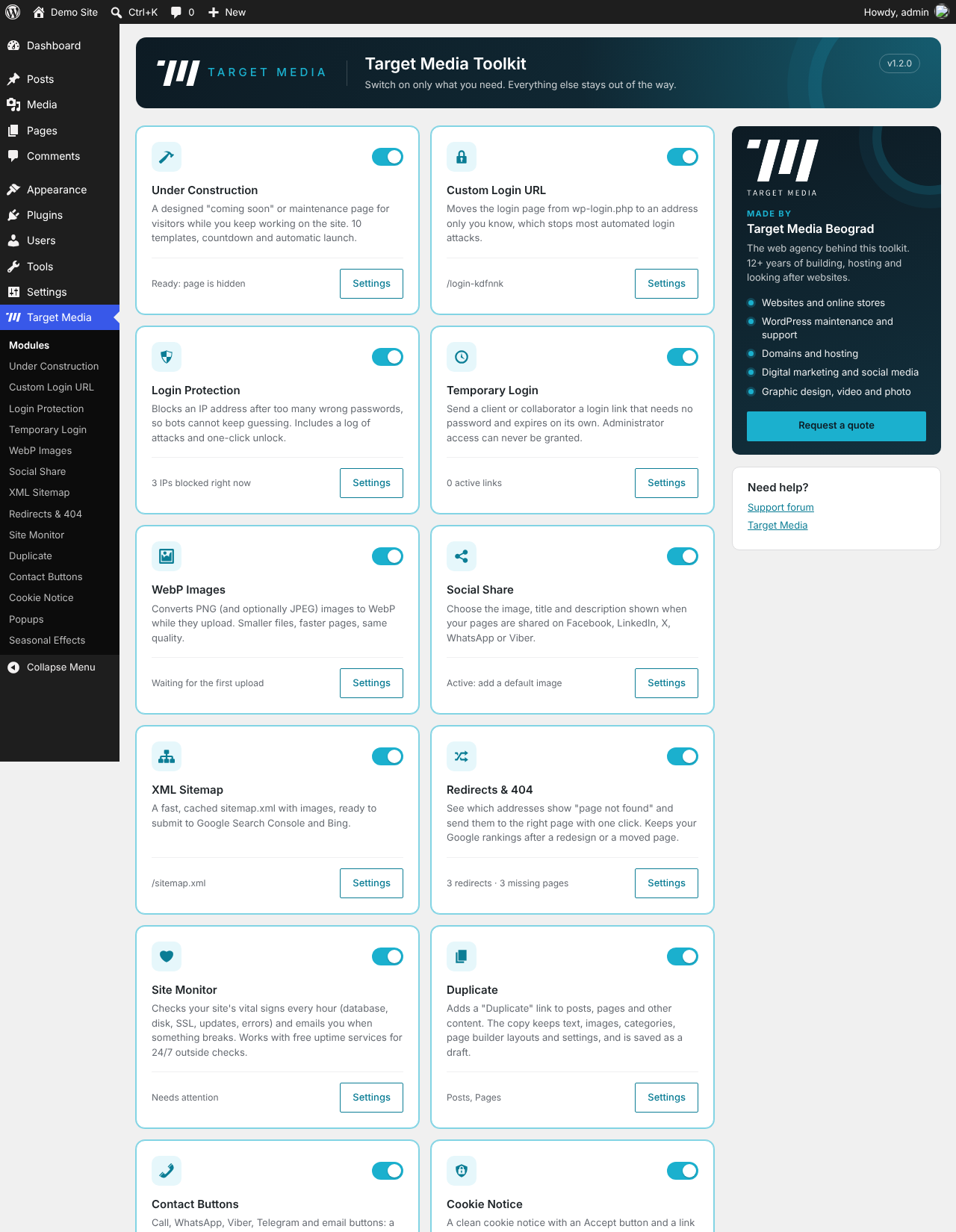
Most new WordPress sites end up with a long list of small plugins for small jobs. Target Media Toolkit does fourteen of them in one light package, and you switch on only the modules you need. Modules that are off load no code on your site.
Everything is free. No «Pro» version, no locked features, no ads across your dashboard.
Made in Belgrade by Target Media, a web agency that builds, hosts and maintains WordPress sites.
Under Construction / Coming Soon
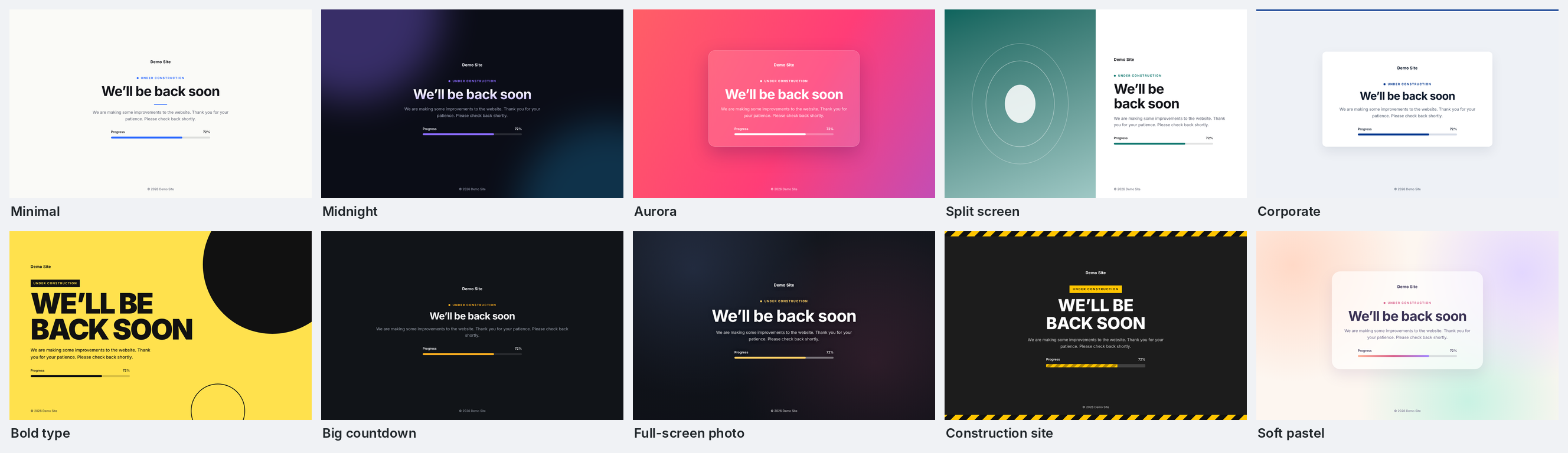
- 10 ready-made templates: Minimal, Midnight, Aurora, Split screen, Corporate, Bold type, Big countdown, Full-screen photo, Construction site and Soft pastel.
- Change the headline, message, logo, colours, font and background image.
- Countdown timer with automatic launch: the page switches itself off when the timer ends.
- Progress bar, contact details and links to Facebook, Instagram, X, LinkedIn, YouTube and TikTok.
- Correct SEO: Maintenance mode sends HTTP 503 with Retry-After so Google keeps your rankings; Coming soon mode sends 200.
- Administrators always see the real site. Choose extra roles, allow IP addresses, keep chosen pages public, or send clients a secret preview link.
- Purges the most common page caches automatically when you switch the page on or off.
- System fonts only: nothing is loaded from Google or other servers.
Custom Login URL
- Moves wp-login.php to an address only you know, for example
example.com/my-door. - Logged-out visitors to wp-login.php and wp-admin get a 404 page (or the home page).
- The new address is emailed to the site admin.
- Emergency switch: add
define( 'TMEDIA_DISABLE_LOGIN_URL', true );to wp-config.php to restore the normal login page.
Login Protection
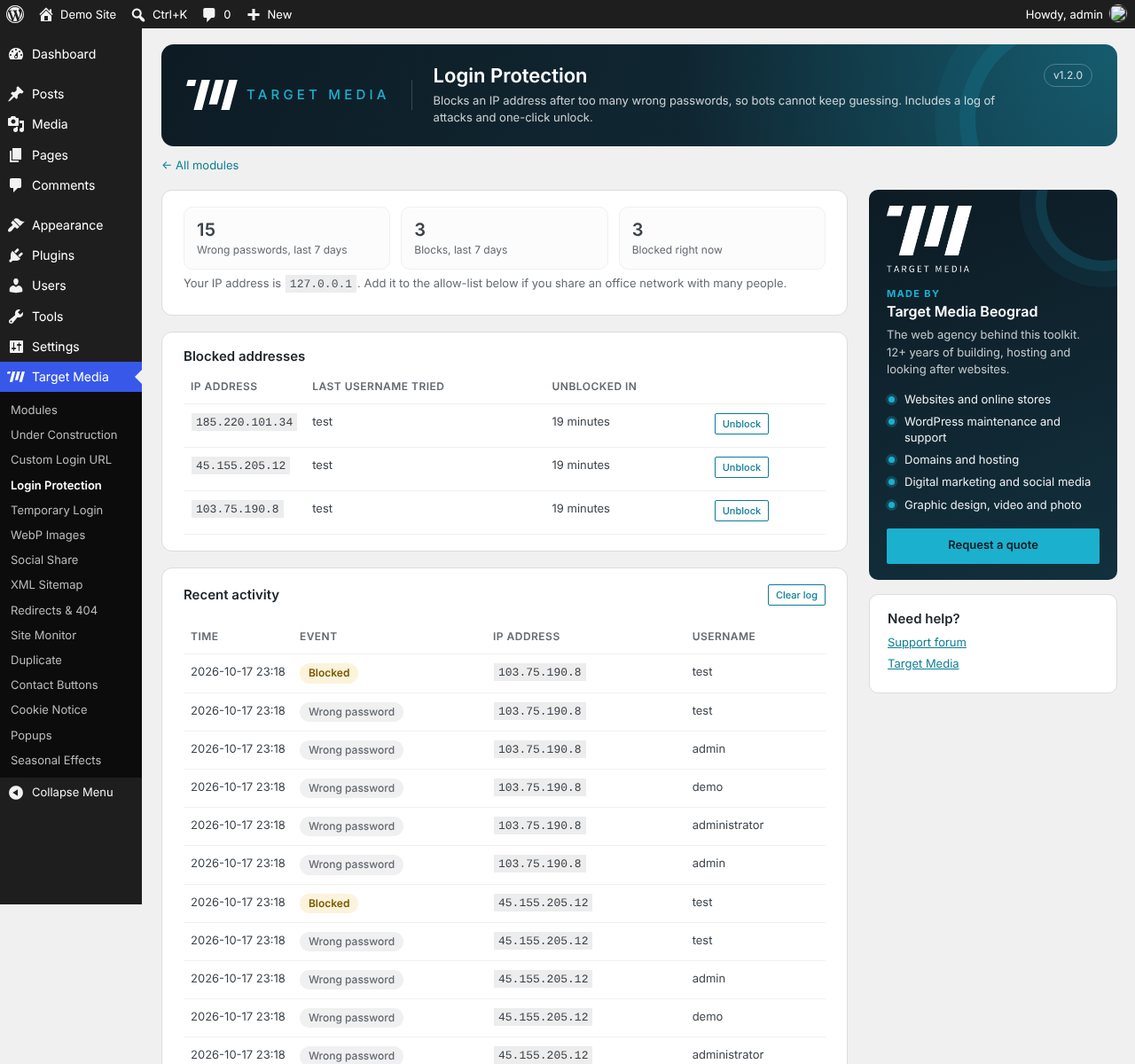
- Blocks an IP address after too many wrong passwords (5 by default) for 20 minutes, and for 24 hours if it keeps trying.
- Shows how many attempts are left, never checks passwords from a blocked address, and can treat any try with the username «admin» as an attack.
- Turns off XML-RPC, the back door most password-guessing bots use.
- Log of failed logins and blocks, one-click unblock, allow-list for your office, and an email when an attack gets a long block.
- Works with Cloudflare and other proxies.
Temporary Login
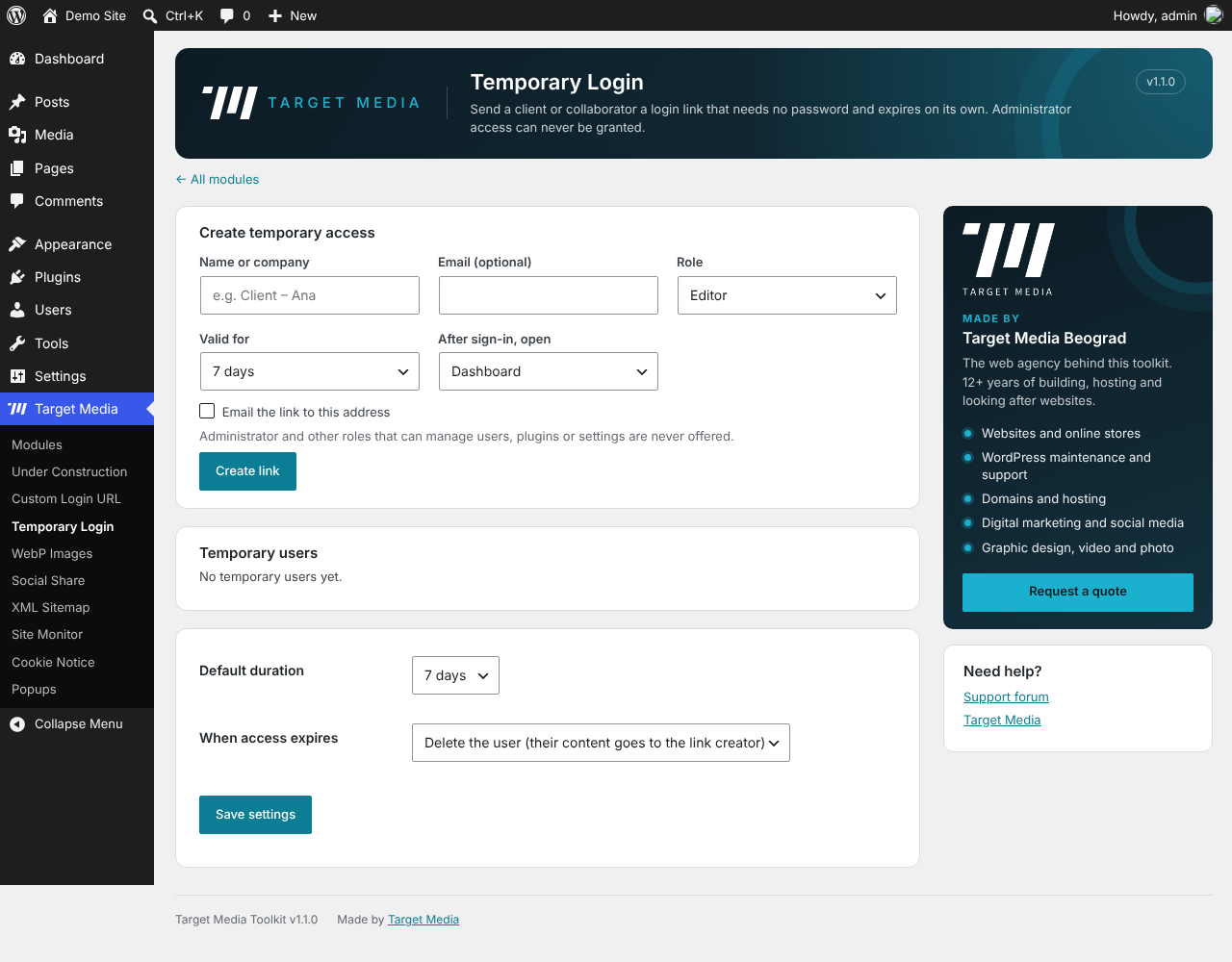
- Send a client or collaborator a login link that needs no password and expires on its own (1 hour to 30 days).
- Administrator access can never be granted: only roles without user, plugin, theme or settings rights are offered, and those rights are blocked for temporary users even if a role is changed later.
- Temporary users cannot sign in with a password, reset it, or edit their profile.
- Extend, create a new link, revoke (signs the user out at once) or delete with one click. See when each link was last used.
- Expired users are deleted automatically and their content goes to the person who created the link.
- Works with Custom Login URL, and clients with a link always see the real site while Under Construction is on.
WebP Images
- Converts PNG uploads (and optionally JPEG) to WebP before WordPress creates thumbnails.
- Keeps transparency, fixes JPEG rotation, skips animated PNGs.
- Smart skip keeps the original when WebP would be larger.
- Uses your server’s GD or Imagick; no external service.
Social Share
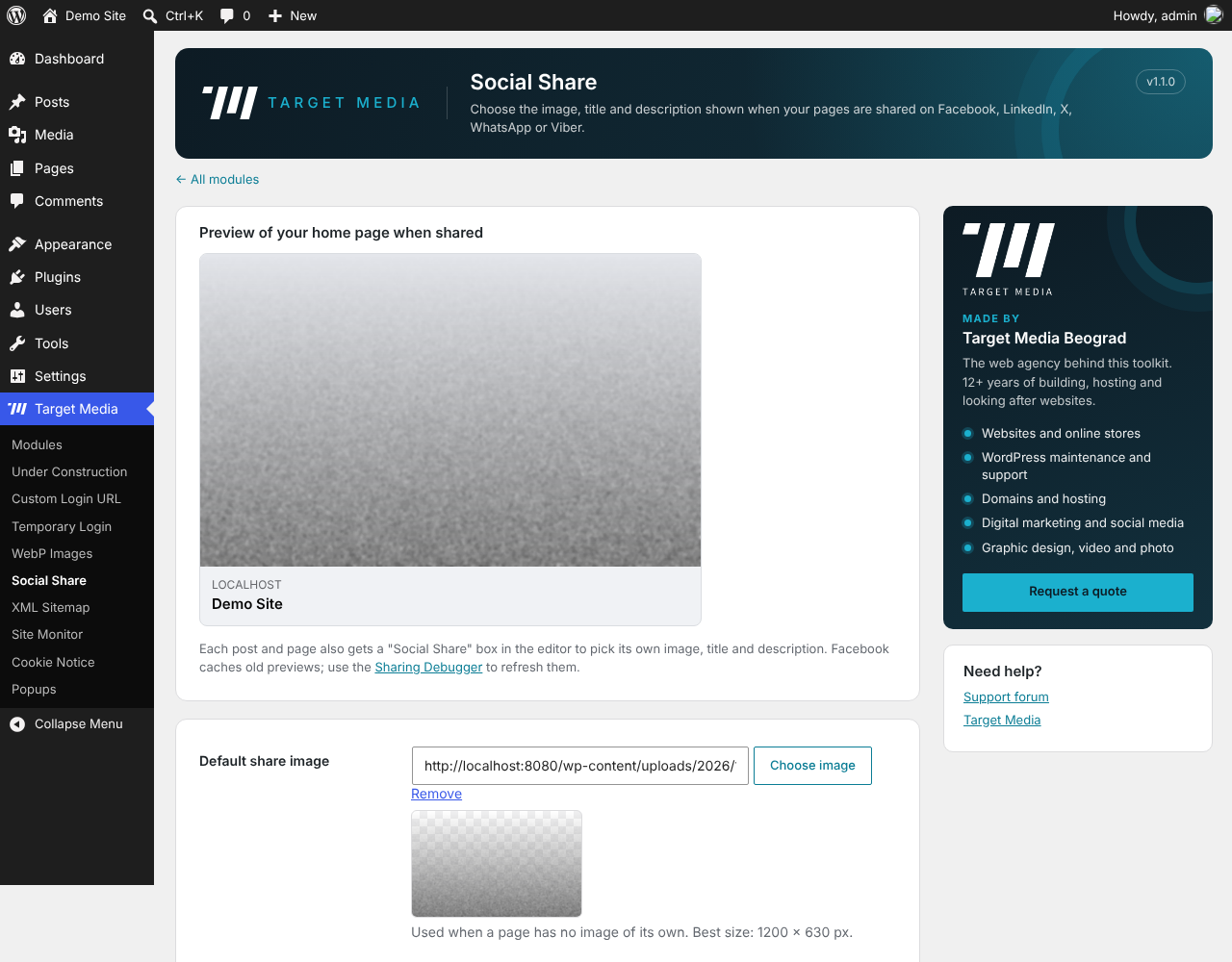
- WordPress has featured images, but it does not tell Facebook, LinkedIn, X, WhatsApp or Viber which image, title and description to show. This module does.
- A «Social Share» box in the editor lets you pick a share image, title and description for every post and page.
- Falls back to the featured image, then to a default image for the whole site.
- Outputs OpenGraph and X (Twitter) card tags with image size and alt text.
- Pauses automatically when an SEO plugin that adds the same tags is active.
XML Sitemap
example.com/sitemap.xmlwith your posts, pages, products, categories and featured images.- Cached and split into files for large sites.
- Adds itself to robots.txt and replaces WordPress’s basic wp-sitemap.xml.
- Pauses automatically when Yoast SEO, Rank Math, All in One SEO, SEOPress, The SEO Framework or Slim SEO is active, so you never get two sitemaps.
Redirects & 404
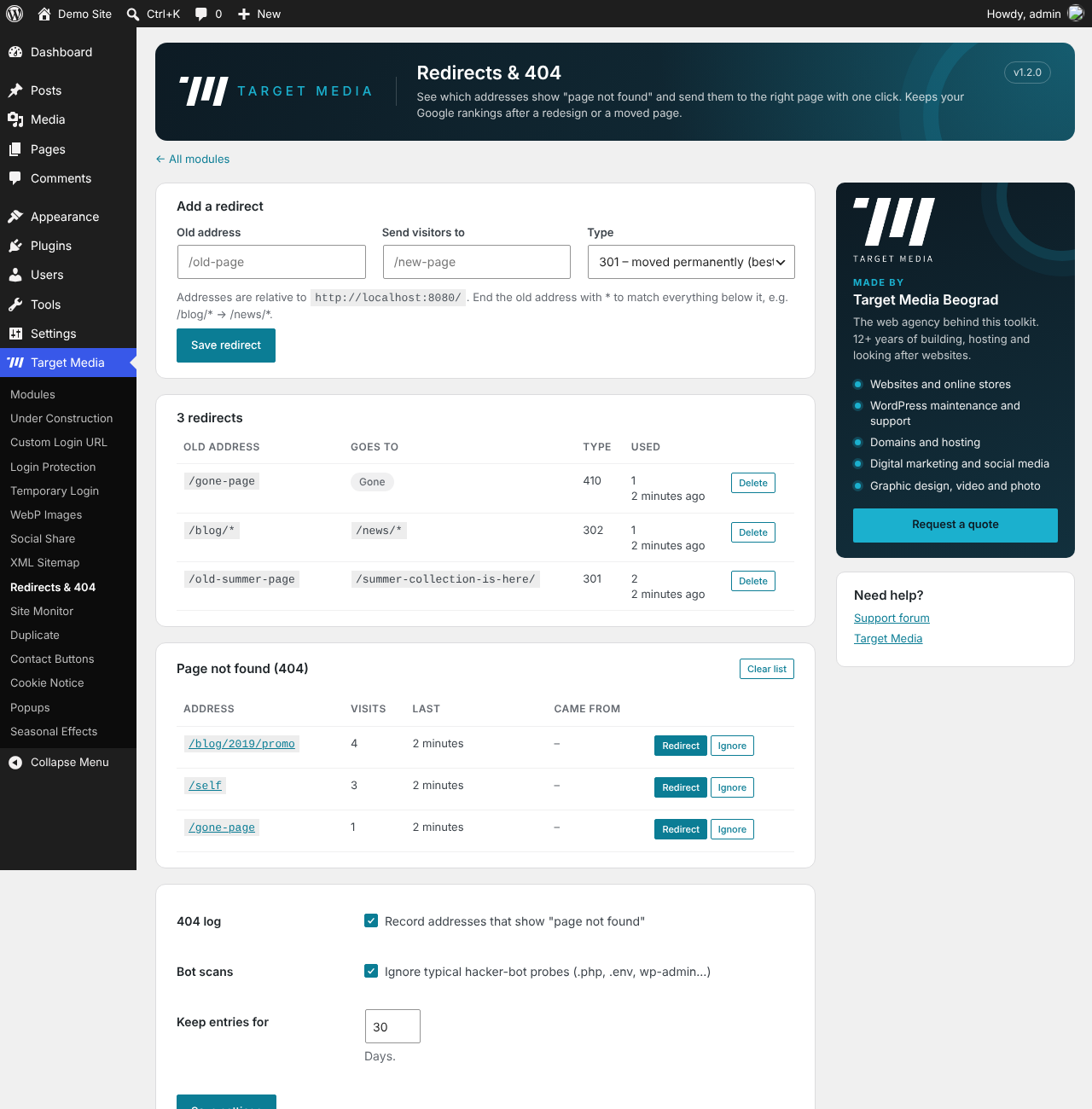
- Lists every address that shows «page not found», most visited first, with where visitors came from.
- Click «Redirect» next to a missing page, choose the new address, done. 301, 302, 307 and 410 (gone for good).
- Wildcards:
/blog/*/news/*moves a whole section at once. - Hit counter for every redirect, case-insensitive matching, protection against redirect loops.
- Ignores hacker-bot probes (.php, .env, wp-admin…) so the list stays useful.
Site Monitor
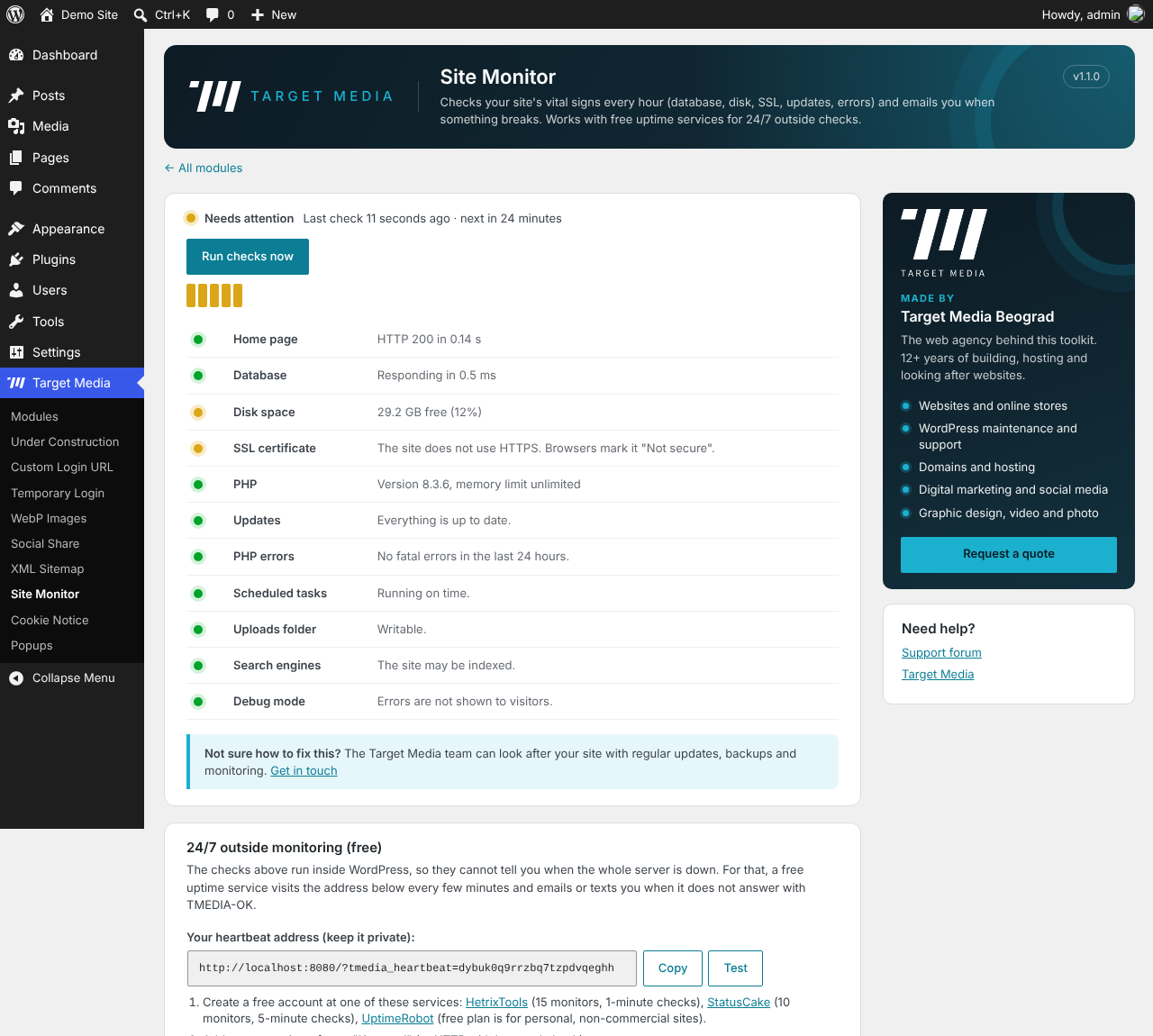
- Checks every hour: home page response, database, disk space, SSL certificate expiry, PHP version and memory, pending updates, fatal PHP errors, scheduled tasks, uploads folder, search engine visibility and debug output.
- Emails you when a problem appears and when it is resolved.
- Dashboard status widget and history of recent checks.
- 24/7 outside monitoring: a private heartbeat address answers
TMEDIA-OK, ready for free uptime services such as HetrixTools, StatusCake or UptimeRobot, so you are alerted even when the whole server is down. - Optional: show your UptimeRobot uptime percentages in WordPress.
Duplicate
- «Duplicate» link next to every post, page and other content type, in the admin bar and in Bulk actions.
- The copy keeps text, featured image, categories, tags, custom fields and page builder layouts, and is saved as a draft.
Contact Buttons
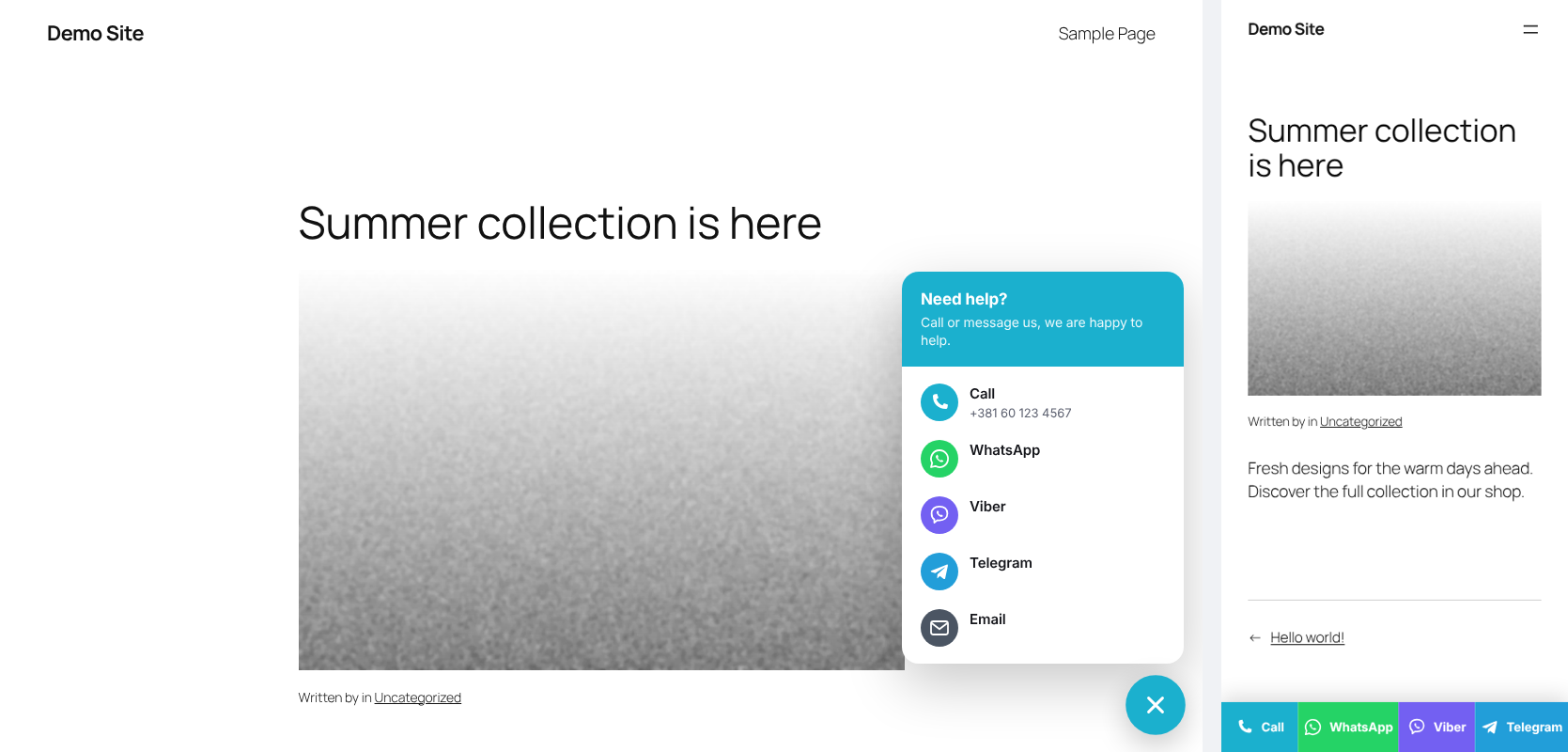
- Call, WhatsApp, Viber, Telegram and email buttons.
- On phones: a sticky bar at the bottom of the screen (Call · WhatsApp · Viber). On computers: a round button that opens a small contact card.
- Optional first WhatsApp message, your colour, left or right corner, hide on chosen pages.
- Working hours: outside them show an «offline» note, hide only the Call button, or hide everything.
Cookie Notice
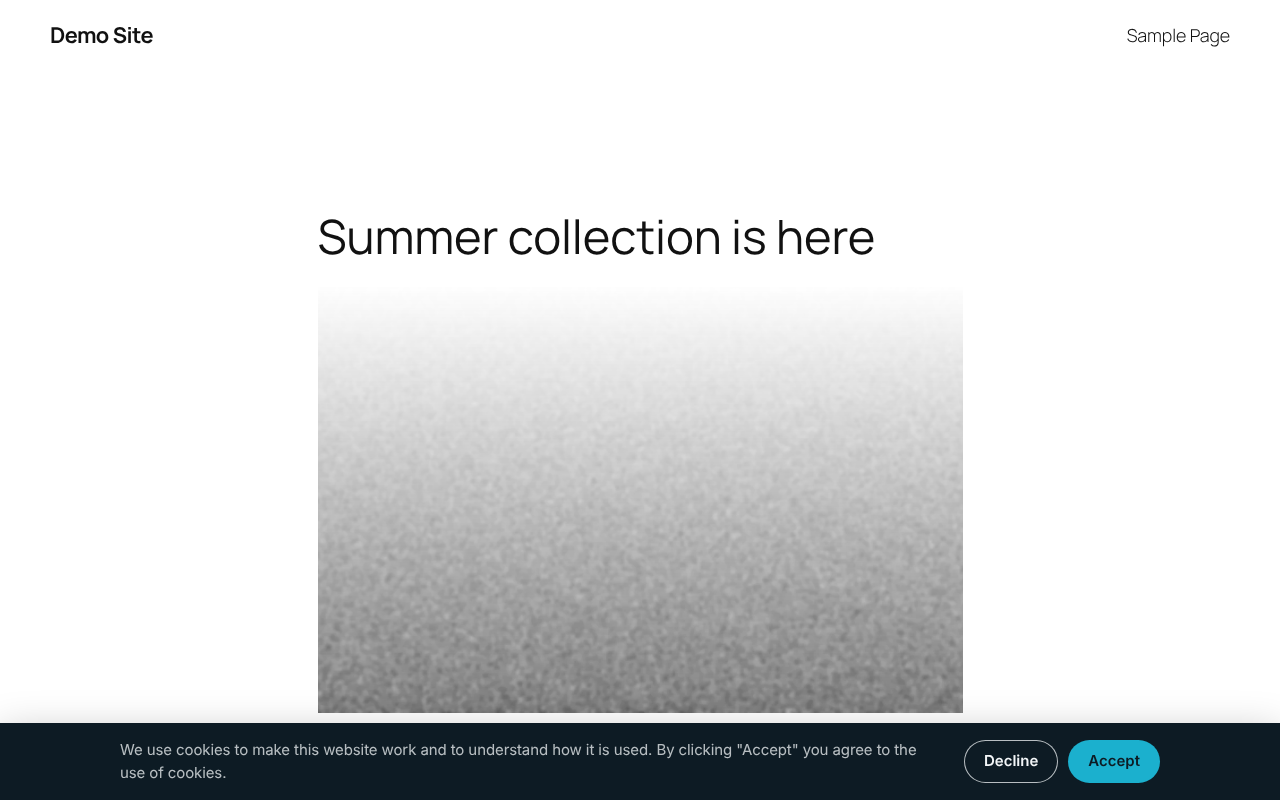
- A clean notice with an Accept button (and an optional Decline button) and a link to your privacy policy.
- Bottom bar or corner box, dark or light, your button colour.
- Remembers each visitor’s choice and works with page caching.
- Developers can read the choice with
tmedia_cookie_consent()in PHP or thetmedia:consentevent in JavaScript. - This is a simple notice: it does not block analytics or advertising scripts by itself.
Popups
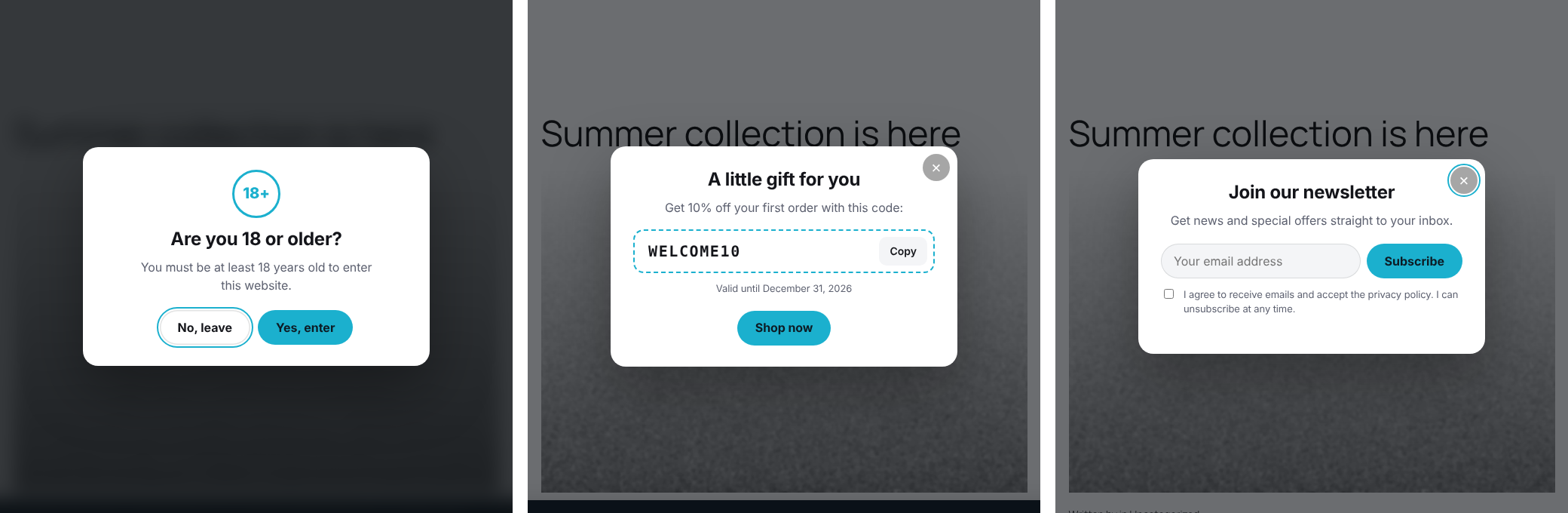
- Age verification (e.g. 18+) with «Yes, enter» and «No, leave» buttons. It asks the visitor to confirm; it is not a legal identity check.
- Announcement for news, opening hours or a new product.
- Discount coupon with a one-click Copy button and an automatic end date.
- Newsletter sign-up with a required consent checkbox and an optional reward coupon. Subscribers are stored in your WordPress database, listed in the plugin and exported as CSV. No outside service.
- Show after a few seconds, after scrolling, or when the visitor is about to leave. Choose pages, devices and how often a popup may return.
- Only one marketing popup per page view, keyboard accessible, and mobile friendly.
- Admin preview of every popup.
Seasonal Effects
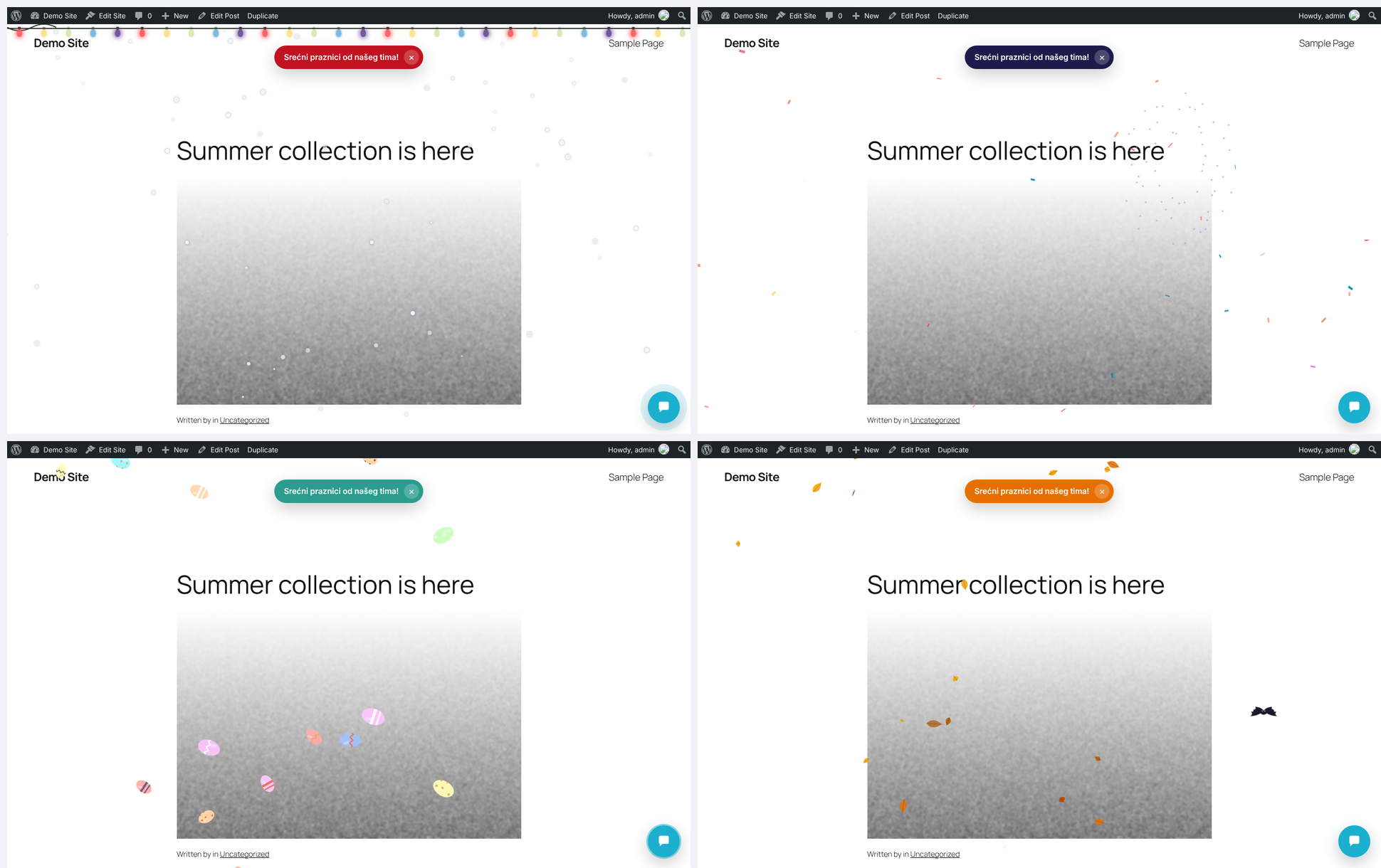
- Christmas: falling snow and a twinkling string of lights.
- New Year: fireworks and confetti. Easter: colourful painted eggs. Halloween: bats and autumn leaves. Valentine’s Day: hearts.
- Turns itself on and off by the calendar, with Orthodox and Western dates for Christmas and Easter, or run one theme manually.
- Change the dates of every holiday, e.g. keep the New Year fireworks running until 7 January.
- Optional greeting ribbon («Happy holidays from our team!»); visitors can close it.
- Light on resources: one canvas, pauses in background tabs, fewer particles on phones, never blocks clicks, and respects «reduce motion».
- All artwork is drawn in code: no images to download.
External services
This plugin can connect to UptimeRobot (https://uptimerobot.com/), only if you enter an UptimeRobot API key in Target Media Site Monitor. It is used to show the uptime status and percentages of your UptimeRobot monitors inside WordPress.
- What is sent: your API key, to https://api.uptimerobot.com/v2/getMonitors, at most every 10 minutes while you view the Site Monitor page.
- No data about your visitors is sent.
- UptimeRobot terms: https://uptimerobot.com/terms/ and privacy policy: https://uptimerobot.com/privacy/
The Site Monitor page also links to HetrixTools, StatusCake and UptimeRobot. Those are plain links; the plugin does not contact them. Those services request your heartbeat address only after you add it to your account there.
Skjermbilder
Installasjon
- In WordPress go to Plugins Add New, search for «Target Media Toolkit» and click Install, then Activate.
- Open the new Target Media menu.
- Switch on the modules you want and click Save changes.
- Each module gets its own settings page in the menu.
Ofte stilte spørsmål
-
I changed the login address and forgot it. How do I get in?
-
Add
define( 'TMEDIA_DISABLE_LOGIN_URL', true );to wp-config.php, or rename the plugin folder in wp-content/plugins over FTP. The normal wp-login.php works again. The address was also emailed to the site admin. -
Visitors still see the old site after I turned on Under Construction.
-
The plugin purges WP Rocket, W3 Total Cache, WP Super Cache, WP Fastest Cache, LiteSpeed, SiteGround, Breeze, Autoptimize and Cachify automatically. If you use a CDN such as Cloudflare with «Cache Everything», purge it there too.
-
Does the WebP module change images I already uploaded?
-
No. It only converts new uploads, so existing posts are never broken.
-
My server cannot create WebP.
-
The settings page tells you. Ask your host to enable WebP support in the GD or Imagick PHP extension. Until then uploads keep working normally.
-
Why is the monitor’s «Home page» check a warning on my host?
-
Some hosts block a server from loading its own pages. That is why the plugin also offers the heartbeat address for an outside service, which is the reliable way to know your site is up.
-
In your own WordPress database only. Each record keeps the email, the date, the page and the consent text the visitor agreed to. Subscribers can be exported or erased with WordPress’s own Tools Export Personal Data / Erase Personal Data, and you can download the full list as CSV. Mention the newsletter in your privacy policy. Export the list before deleting the plugin, because uninstalling removes it.
-
It shows the notice and records the visitor’s choice. Full compliance also means not loading tracking scripts before consent, which depends on your other plugins and settings. We are not lawyers; check your obligations for your country.
-
Can a temporary login become an administrator?
-
No. Administrator and any role that can manage users, plugins, themes or settings is never offered, and those capabilities are removed from temporary users even if someone edits their role later.
-
I locked myself out with Login Protection.
-
Wait for the block to end (20 minutes by default), or log in from another network (e.g. your phone’s mobile data) and click Unblock in Target Media Login Protection. You can also add your IP to the allow-list.
-
Viber links open the Viber app. On phones that always works; on computers it works when Viber Desktop is installed.
-
Will the seasonal effects slow my site down?
-
No noticeable impact: the script loads only while a holiday is active, draws on a single canvas, pauses when the tab is hidden and uses fewer particles on phones.
-
Does the plugin send data anywhere?
-
No, with one opt-in exception: if you paste an UptimeRobot API key in Site Monitor, the plugin sends that key to api.uptimerobot.com to read your monitor statistics. See «External services» below.
-
Can I translate the plugin?
-
Yes. All text is translatable on translate.wordpress.org, and a .pot file is included in the languages folder.
Vurderinger
Det er ingen omtaler av denne utvidelsen.
Bidragsytere og utviklere
«Target Media Toolkit – Maintenance Mode, Hide Login, WebP & Sitemap» er programvare med åpen kildekode. Følgende personer har bidratt til denne utvidelsen:
Bidragsytere
«Target Media Toolkit – Maintenance Mode, Hide Login, WebP & Sitemap» har blitt oversatt til 1 språk. Takk til oversetterne for deres bidrag.
Oversett «Target Media Toolkit – Maintenance Mode, Hide Login, WebP & Sitemap» til ditt språk.
Interessert i utvikling?
Bla gjennom koden, sjekk ut SVN-repositoriet, eller abonner på utviklingsloggen med RSS.
Endringslogg
1.2.0
- New: Login Protection module. Limits wrong passwords per IP, long blocks for repeat attackers, XML-RPC off, log and one-click unblock.
- New: Redirects & 404 module. 404 log with one-click redirects, 301/302/307/410, wildcards and hit counts.
- New: Duplicate module. Copy posts, pages and other content as drafts, also in bulk.
- New: Contact Buttons module. Call, WhatsApp, Viber, Telegram and email, sticky bar on phones, working hours.
- New: Seasonal Effects module. Christmas, New Year, Easter, Halloween and Valentine’s Day animations with Orthodox and Western calendars and editable dates for every holiday.
- Improved: Popups settings are split into tabs (Age, Announcement, Coupon, Newsletter) with an On/Off badge on each.
- Improved: the contact button moves above the cookie notice while it is open.
1.1.0
- New: Temporary Login module. Passwordless links that expire, never with administrator rights.
- New: Social Share module. Share image, title and description per page, with OpenGraph and X card tags.
- New: Cookie Notice module with optional Decline button.
- New: Popups module. Age verification, announcement, discount coupon and newsletter sign-up stored in WordPress.
- Clients signed in with a temporary link see the real site while Under Construction is on.
1.0.0
- First release: Under Construction (10 templates), Custom Login URL, WebP Images, XML Sitemap and Site Monitor.