

Beskrivelse
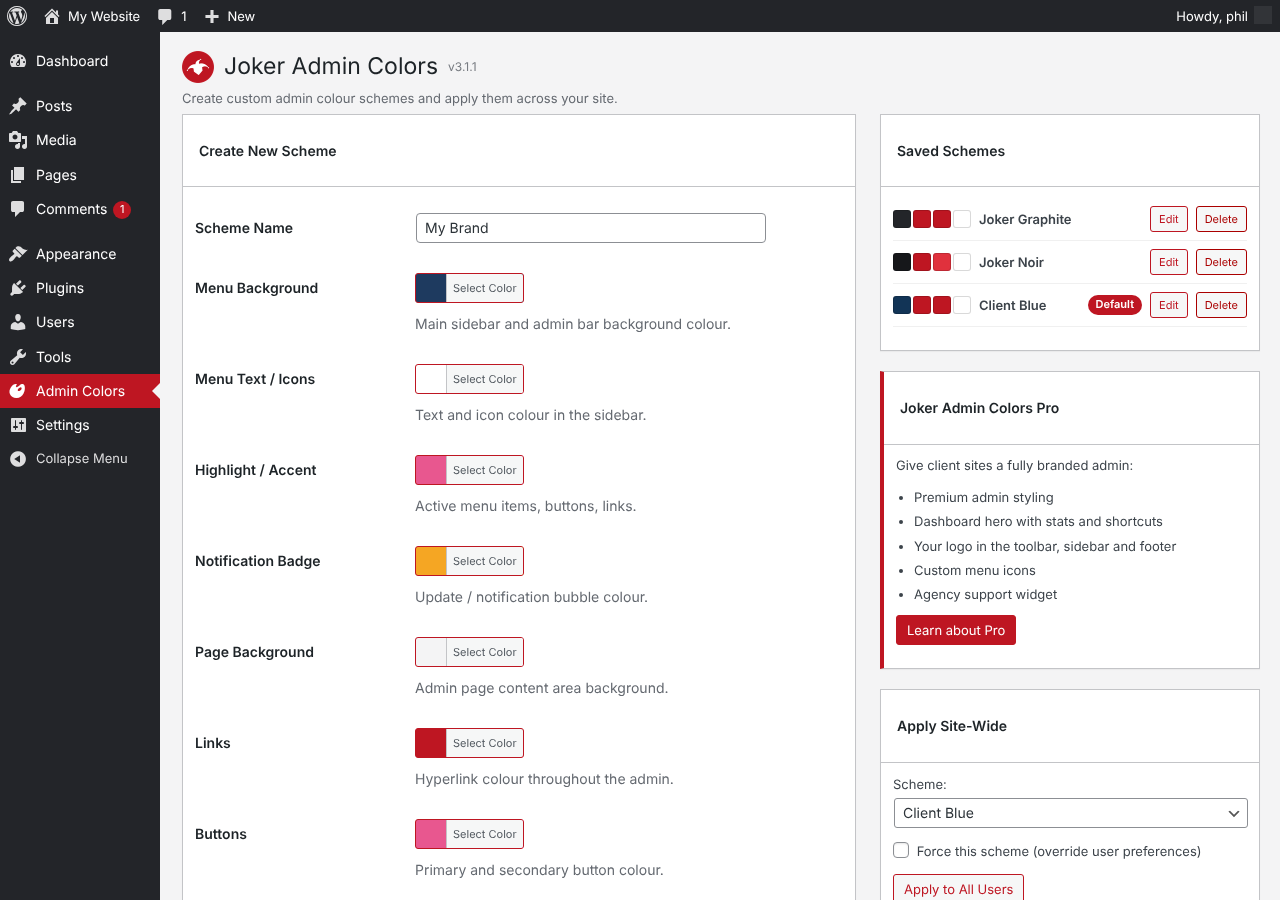
Joker Admin Colors lets you design your own WordPress admin colour schemes without writing any code.
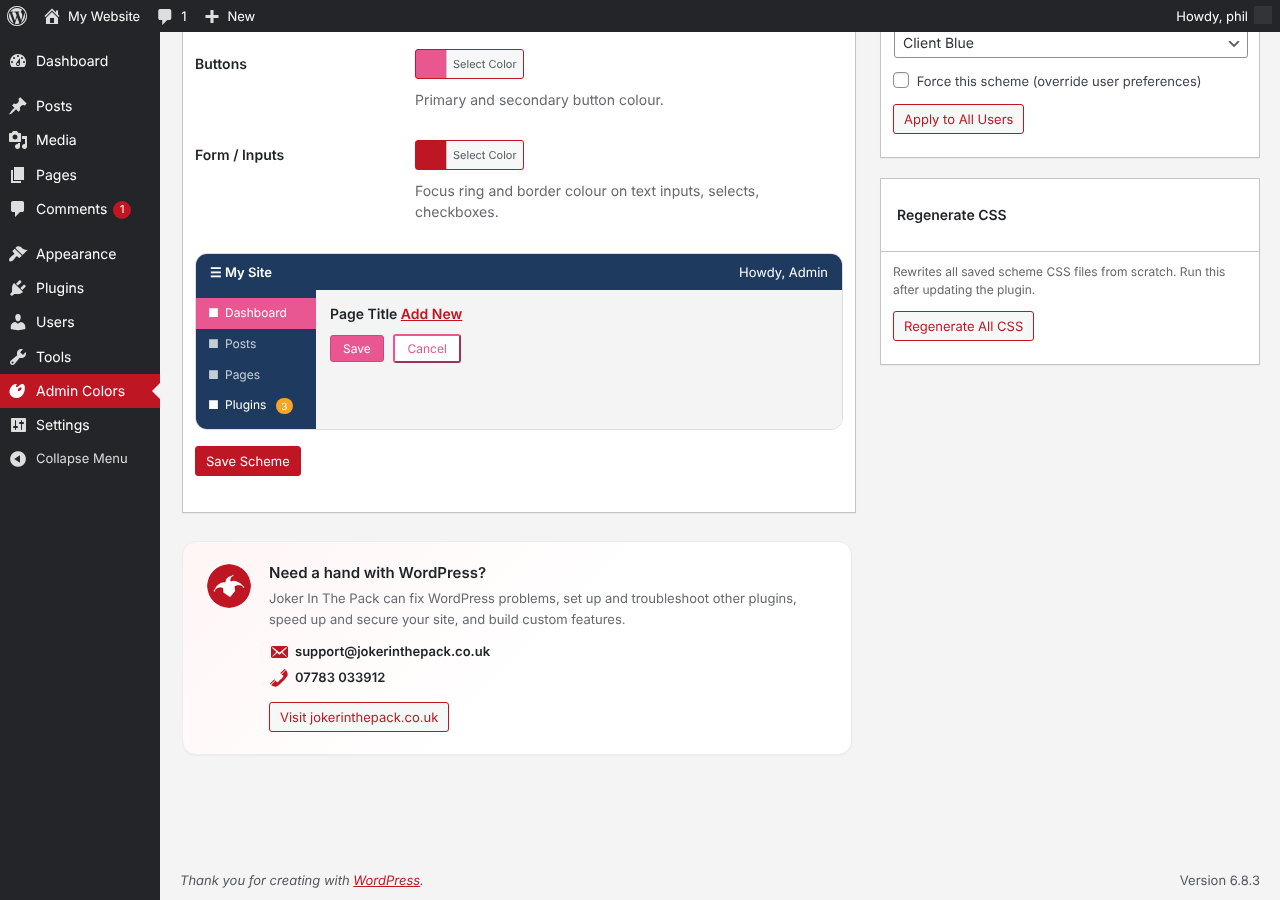
- Build schemes from eight colours: menu background, menu text, highlight, notification badges, page background, links, buttons and form focus
- Live preview while you pick colours
- Two ready-made schemes included: Joker Graphite and Joker Noir
- Checkboxes, radios and focus rings follow your scheme, not WordPress blue
- Apply a scheme to every user in one click
- Optionally force a scheme so users cannot change it
- Every scheme also appears on each user’s profile screen
Joker Admin Colors Pro
The Pro edition adds premium admin styling, a branded dashboard with stats and shortcuts, your logo in the toolbar and sidebar, custom menu icons and an agency support widget. Find out more at jokerinthepack.co.uk.
Skjermbilder
Installasjon
- Install the plugin from Plugins > Add New Plugin, or upload the zip file.
- Activate the plugin.
- Open Admin Colors in the sidebar.
- Create a scheme, or use Apply Site-Wide to move every user onto Joker Graphite.
Ofte stilte spørsmål
-
Some users still see the default WordPress colours
-
WordPress stores a colour choice for each user. Use Apply Site-Wide > Apply to All Users, and tick Force this scheme to lock it.
-
Where are the scheme files stored?
-
Each scheme is saved as a small stylesheet in wp-content/uploads/jacf-schemes/. Use Regenerate All CSS after moving your site.
-
What happens when I delete the plugin?
-
All schemes and settings are removed and every user goes back to the default WordPress colour scheme.
Vurderinger
Det er ingen omtaler av denne utvidelsen.
Bidragsytere og utviklere
«Joker Admin Colors» er programvare med åpen kildekode. Følgende personer har bidratt til denne utvidelsen:
Bidragsytere
Oversett «Joker Admin Colors» til ditt språk.
Interessert i utvikling?
Bla gjennom koden, sjekk ut SVN-repositoriet, eller abonner på utviklingsloggen med RSS.
Endringslogg
3.1.1
- Added a WordPress support panel to the settings page.
3.1.0
- First release on WordPress.org.
- Custom colour scheme builder with live preview.
- Joker Graphite and Joker Noir schemes.
- Apply site-wide and force scheme options.