

Beskrivelse
Login, Registration and Lost Password Blocks plugin provides blocks helps you to add login, register, lost password forms from front end.
Additionally, you can create user settings page, add limit login attempts and user activation functionality and more to your website…
Why Choose Frontend Login and Registration Forms
1. Easy to Use
You can add login, register, lost password or user settings with just a one click. They are all blocks!
2. Customization
Each block has color, font and size option in the right sidebar of block editor. You can easily customize your forms.
☑ Login Form Block
☑ Register Form Block
☑ Lost Password Form Block
☑ User Settings Form Block
☑ User Activation Form Block
☑ Welcome Card Block
☑ Menu Item Block (Login/Logout)
☑ Limit Login Attempts
☑ Limit Reset Request Attempts
☑ E-Mail Settings
☑ Strength Password
☑ Username Validation
☑ Customizable Form Fields
☑ Customizable Colors
Note: Please read the guide before using the plugin.
☑ Documentation
☑ Official Web Site
Compatibility
- Block Editor
- Site Editor
Skjermbilder
Blokker
Denne utvidelsen gir 7 blokker.
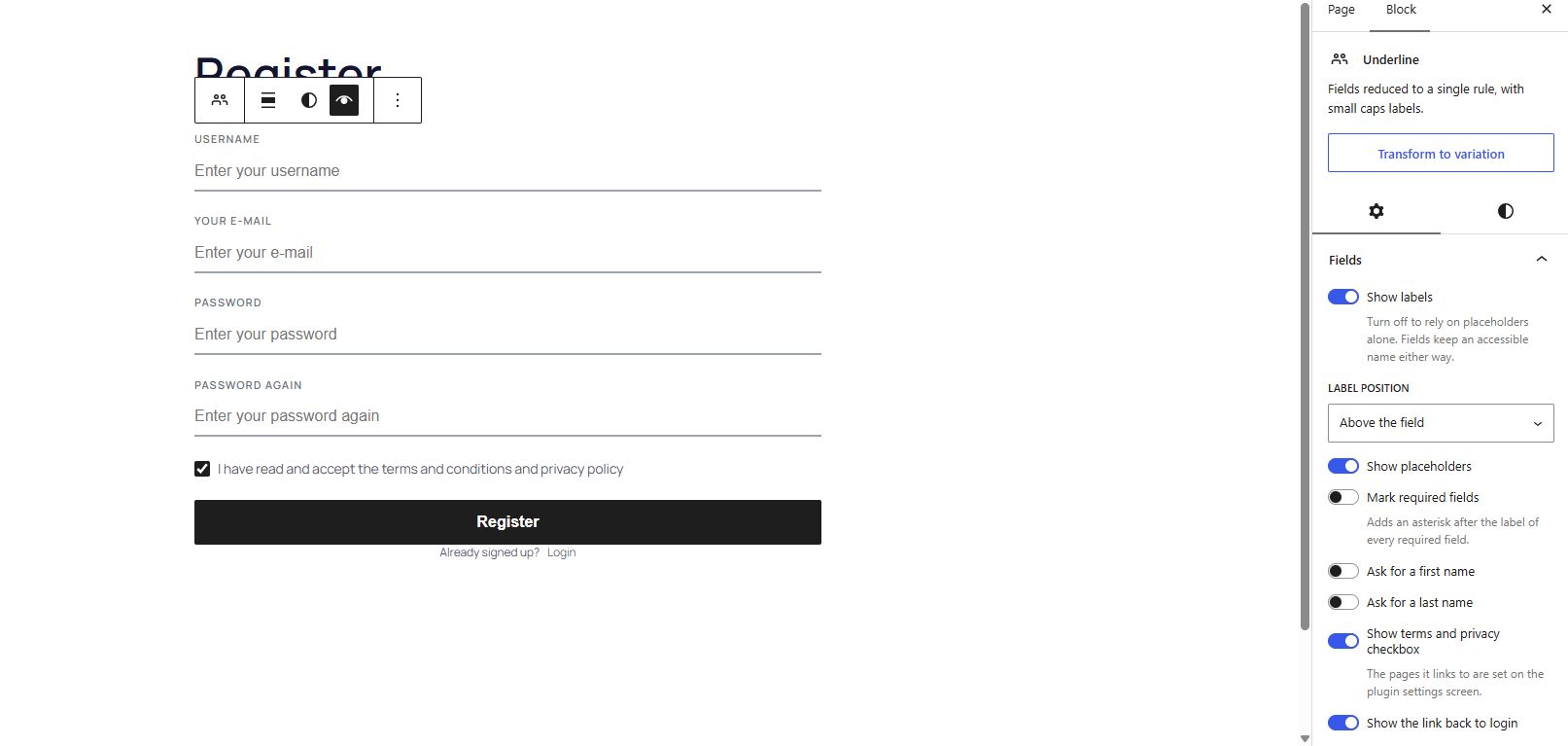
- Register Form A front-end registration form new members can sign up with.
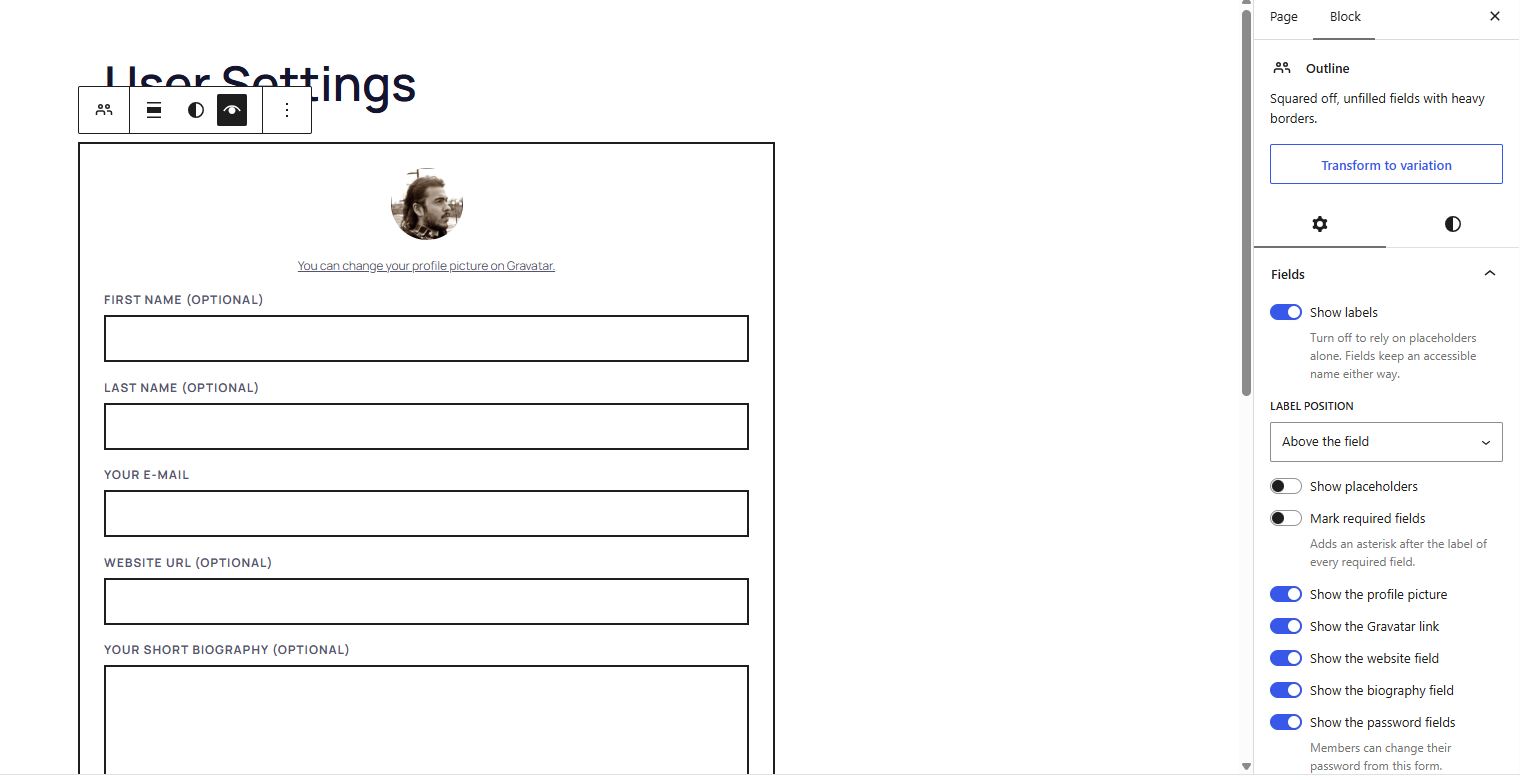
- User Settings Form Lets signed-in members update their profile and password.
- Welcome Card Greets a signed-in member and links them to their account.
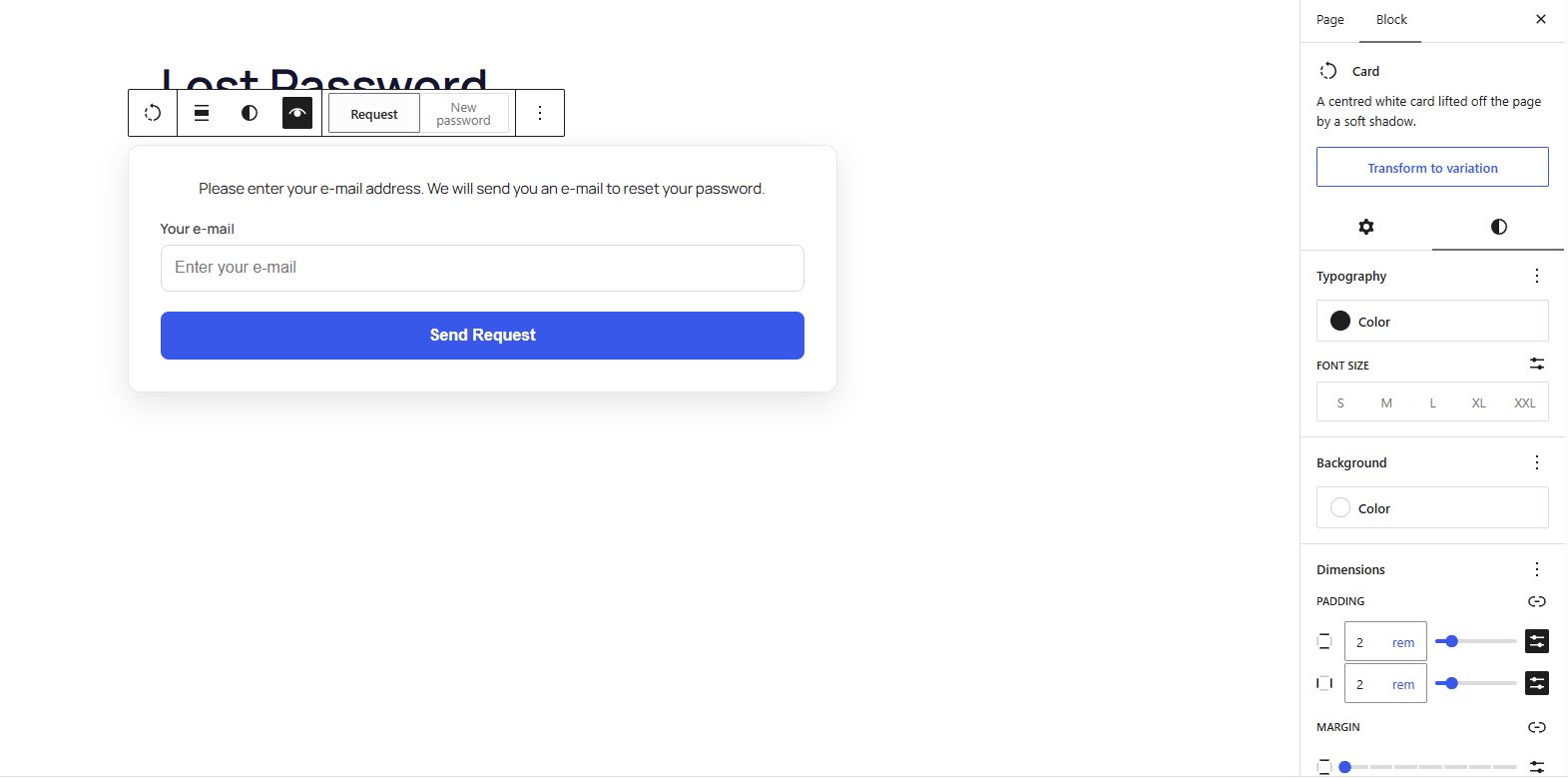
- Reset (Lost) Password Form Lets visitors ask for a password reset link and choose a new password.
- Login Form A front-end login form your visitors can sign in with.
- Login/Logout Menu Item A navigation link that logs a member out, or in when they are signed out.
- User Activation Block Display user activation result
Installasjon
- Upload the plugin files to the
/wp-content/plugins/frontend-login-and-registration-blocksdirectory, or install the plugin through the WordPress plugins screen directly. - Activate the plugin through the ‘Plugins’ screen in WordPress
Vurderinger


Bidragsytere og utviklere
«Login, Registration and Lost Password Blocks» er programvare med åpen kildekode. Følgende personer har bidratt til denne utvidelsen:
Bidragsytere
Oversett «Login, Registration and Lost Password Blocks» til ditt språk.
Interessert i utvikling?
Bla gjennom koden, sjekk ut SVN-repositoriet, eller abonner på utviklingsloggen med RSS.
Endringslogg
2.0.0
This is a major redesign of the block settings. See the upgrade notice below before updating a live site.
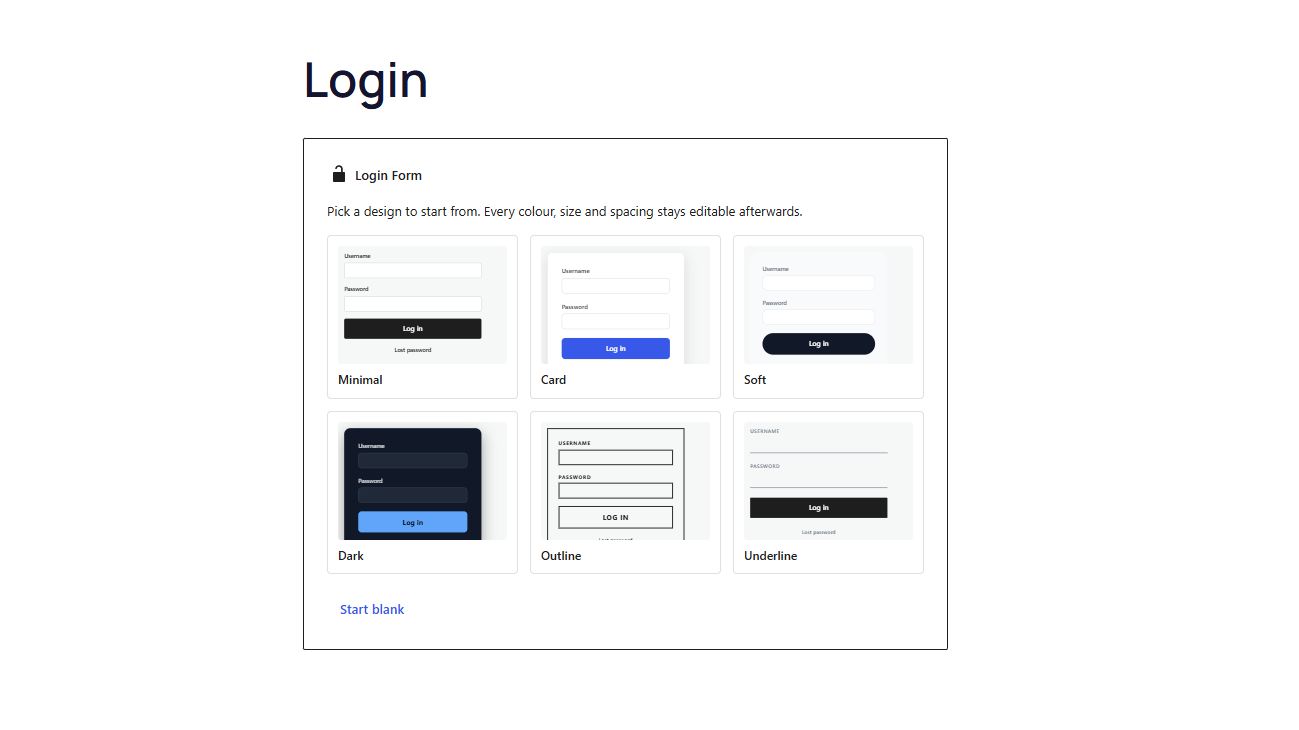
- Added: a setup screen on every form block with six ready-made designs (Minimal, Card, Soft, Dark, Outline, Underline) and a Start blank option. The same designs appear in the inserter and in the block toolbar under Design.
- Added: WordPress block supports for colour, typography, spacing, border, shadow, alignment and anchor, so the blocks now follow the theme and Global Styles.
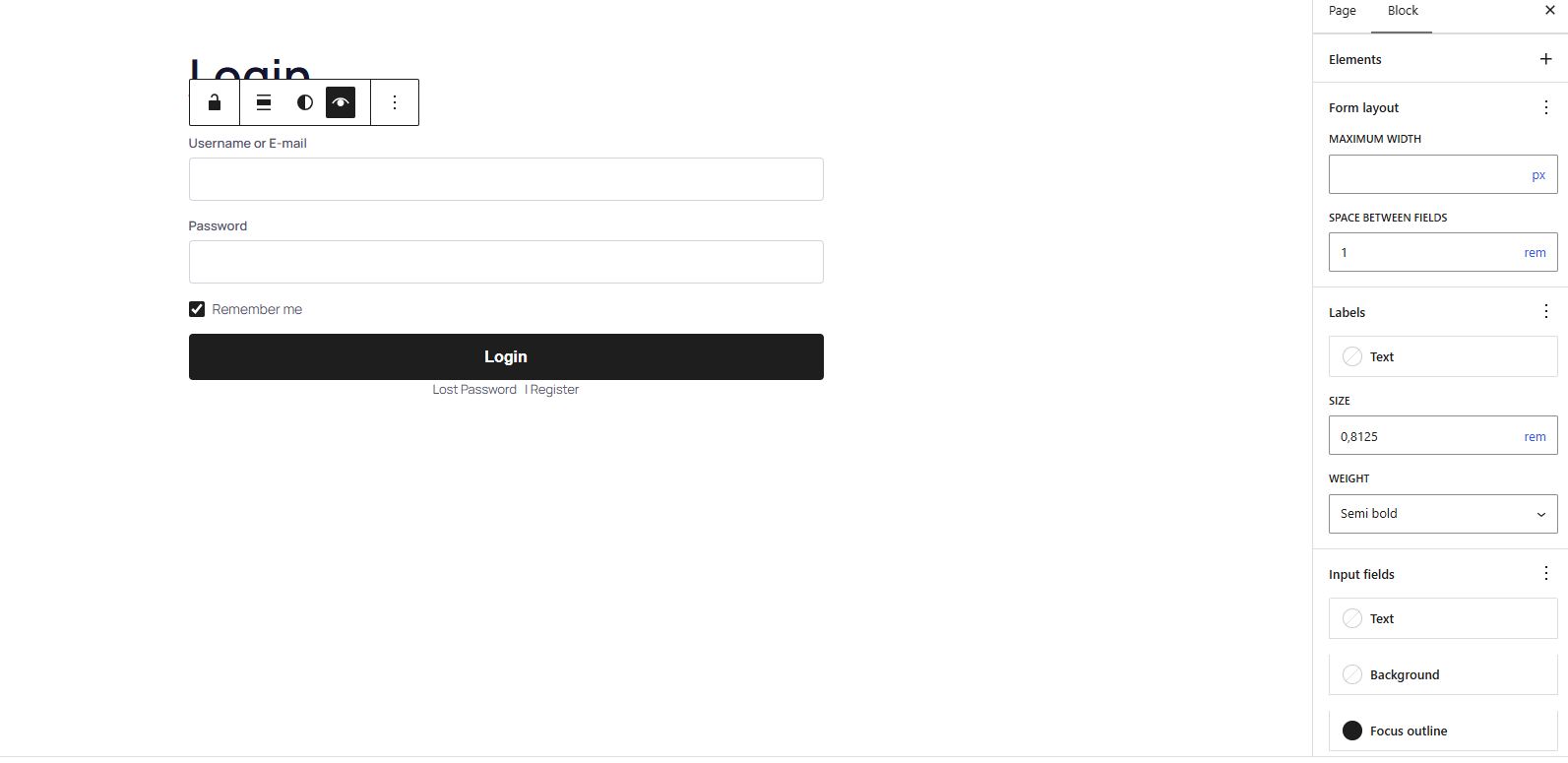
- Added: modern ToolsPanel style controls, grouped into Form layout, Labels, Input fields, Submit button, Links, Messages and Checkboxes. Every control can be added, cleared and reset individually.
- Added: control over states that were previously unreachable, including placeholder colour, focus ring, disabled fields and button hover.
- Added: per-field wording overrides for every label, placeholder and button.
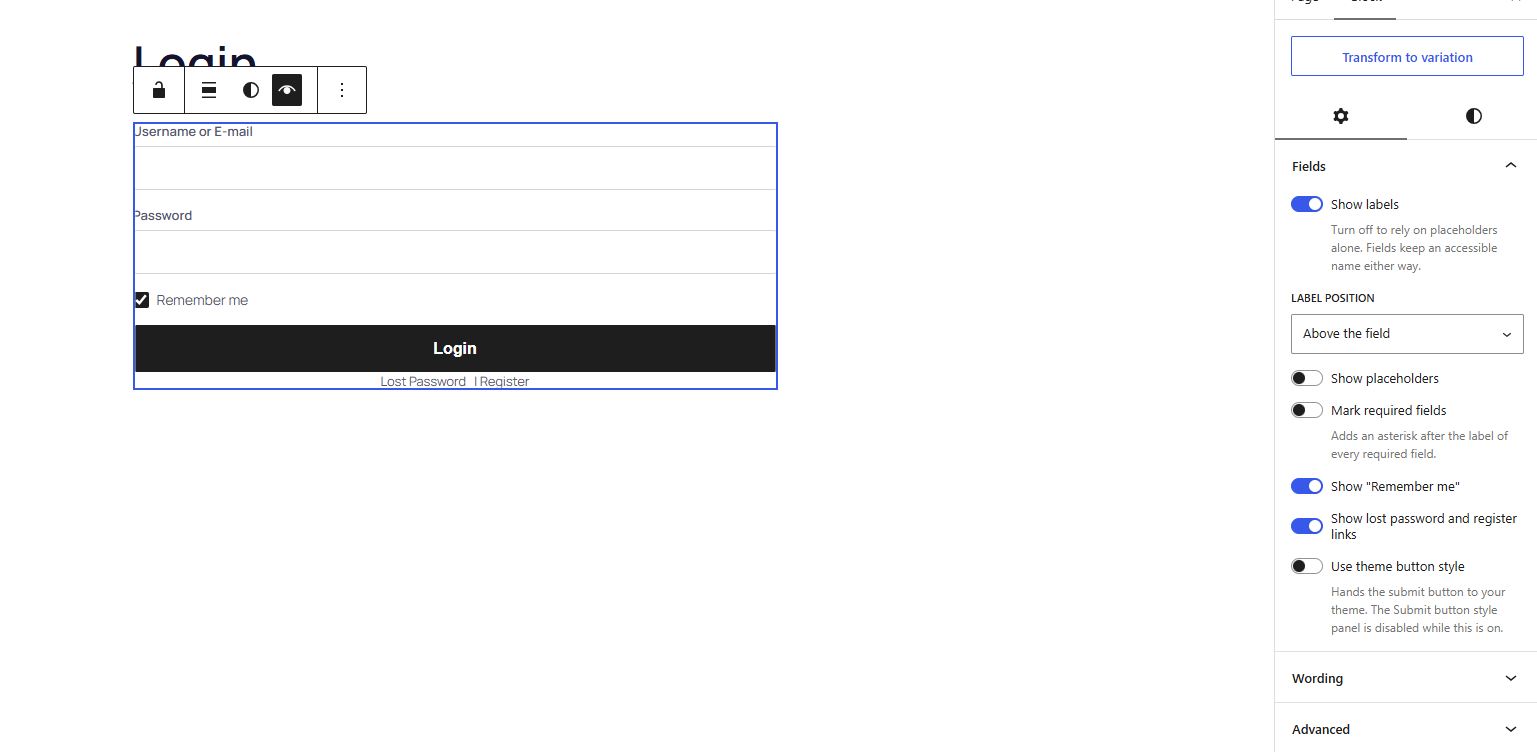
- Added: label position (above, beside, visually hidden) and an optional required-field marker.
- Added: a Use theme button style option that hands the submit button back to the theme.
- Added: welcome card settings – greeting text with {display_name}, {username}, {first_name} and {email} placeholders, avatar and link toggles, and a choice of what signed-out visitors see.
- Added: the login/logout menu item can be worded for both states and now works inside submenus.
- Changed: colours now come from the theme palette through the editor, which also fixes an empty palette on classic themes.
- Changed: styles are applied through CSS custom properties, so the editor preview and the published page render identically.
- Changed: the stylesheet is loaded only on pages that contain a block, instead of on every request.
- Fixed: unbalanced markup in the registration form.
- Fixed: a PHP notice from the welcome card when the visitor was signed out.
- Fixed: two blocks of the same type on one page rendered the second one empty.
- Fixed: the reset password description toggle showed the wrong help text.
- Removed: the per-element inline styles and the !important-laden editor stylesheet they needed.
- Bumped WordPress tested-up-to version 7.1
1.2.3
- Tested: Compatibility with WordPress 7.0
1.2.2
- Fixed: Missing stable tag issue in readme.txt
1.2.1
- Tested: Compatibility with WordPress 6.9
1.2.0
- Fixed security issues reported from Plugin Check plugin
- Enhanced security for Register Form Block
- Enhanced security for Lost Password Form Block
- Enhanced security for User Settings Form Block
- Enhanced security for User Activation Form Block
- Enhanced security for Login Form Block
- Added new settings to Admin Settings Page
- Added Password Strength Meter
- Added Username Validation
- Revised code for better performance
- class-flr-blocks-i18n.php removed (load_plugin_textdomain() has been discouraged error)
- Thanks to Verdure WordPress for the contribution
1.1.1
- Add xhrFields ( withCredentials: true) to ajax requests
1.1.0
- Translation files updated
- Script translation support added
1.0.9
- Fixed security issues reported from Plugin Check plugin
- Checked compatibility with WordPress 6.8
- Plugin name changed to «Login, Registration and Lost Password Blocks» from «Frontend Login and Registration Blocks»
1.0.8
- Fixed Lost Password form security issue. (Resting password with userid was causing security issue)
1.0.7
- Register form security check added
- Register form code improvements
- Php mailer functionality checking added into send_mail() function
- A warning message added to the mail options for SMTP settings
- Enable E-Mail option added
- Tested up to Wp Version 6.6
- Translation files updated
1.0.6
- Additional fields added to Register Form Block
1.0.5
- Register Form & User Settings Form hooks created
- ‘nav-tab-active’ class added to active tab in General Settings Form
1.0.4
- Tested up to WordPress 6.5
1.0.3
- Textdomain values fixed in all blocks
- Register Form Block: Padding added to right sidebar settings panel
1.0.2
- Color presets added into ColorPicker and BorderControl components
- Php warnings fixed at php files located Public/partial folder
1.0.1
- Readme.txt updated
- Code revisions
- Fixed «function exists» function in frontend-login-and-registration-blocks.php
1.0.0
- Release