
Beskrivelse
REKLAMEFRI, TILPASSBAR VIDEOAVSPILLER FOR WORDPRESS
With an immersive design, VideoPress is ideal for videographers, creators, filmmakers, educators, and bloggers seeking to upload high-quality videos with ease.
Bygget for WordPress
Take advantage of full integration with the best video hosting plugin created specifically for WordPress. Bring your ideas to the screen and save time by managing your videos in the same interface as your website. You can drag and drop videos directly into WordPress, and manage them in the media library.
Reklamefri video tilbyr en bedre opplevelse
Tired of video companies sending your customers to their app to view videos? Or worse, showing inappropriate ads to your site visitors? Our customizable video player for WordPress keeps people on your site so the spotlight is all yours. With VideoPress, you can avoid intrusive ads or imposing player branding.
Høykvalitets, lynrask videolevering
Ta bort kompleksiteten ved å levere videoer selv. VideoPress tilbyr fullt leverte videoer og en CDN for å sikre øyeblikkelig video-hastighet for ditt publikum i hele verden. Med vår kraftige og pålitelige leveringsinfrastruktur kan du tilby ditt publikum raskt bevegelige videoer med 60 FPS og full 4K-oppløsning.
En fullstending video-opplevelse inne fra WordPress-redigeringen
With the Jetpack VideoPress Block, adding videos to your content has never been easier. This powerful tool lets you effortlessly insert videos straight from the WordPress Editor and comes packed with advanced features like subtitles, captions, chapters, private videos, and poster images.
- Adaptive Streaming – Videos play back faster by automatically adjusting video quality based on bandwidth and display size. The viewer can still choose the quality they’d like in the menu.
- Pålitelig global betjening og video-CDN – Bygget på infrastukturen i verdensklasse til WordPress.com, videoene dine blir lagret på flere servere over hele kloden for å sikre hurtig levering uansett hvor publikummet ditt er.
- Undertekster, videotekster og kapitler – Last bare opp dine tekstspor gjennom ViedoPress-blokken og de vil bli tilgjengelige på videoen straks du publiserer.
- Progress Bar Color Match – The VideoPress seekbar now adapts its color to match the scenes in your videos. This makes your content really pop.
- Optimalisert for mobil – Bytt mellom mobil og skrivebord uten å miste et taktslag.
- Picture-in-picture – Pop out the video from the web browser for easier viewing.
- Unlimited Logins – Work with a team? We don’t charge per seat, so everyone that works on your site can have their own login.
- High-Resolution Videos Up to 4K – Watch crisp images on any display and screen size. We’ve added video display for 1440p, 60 FPS, and full 4K resolution.
- Reklamefri video – Hold søkelyset på innholdet, ikke reklame du ikke kan kontrollere.
Din ett-stoppsløsning for videobehandling
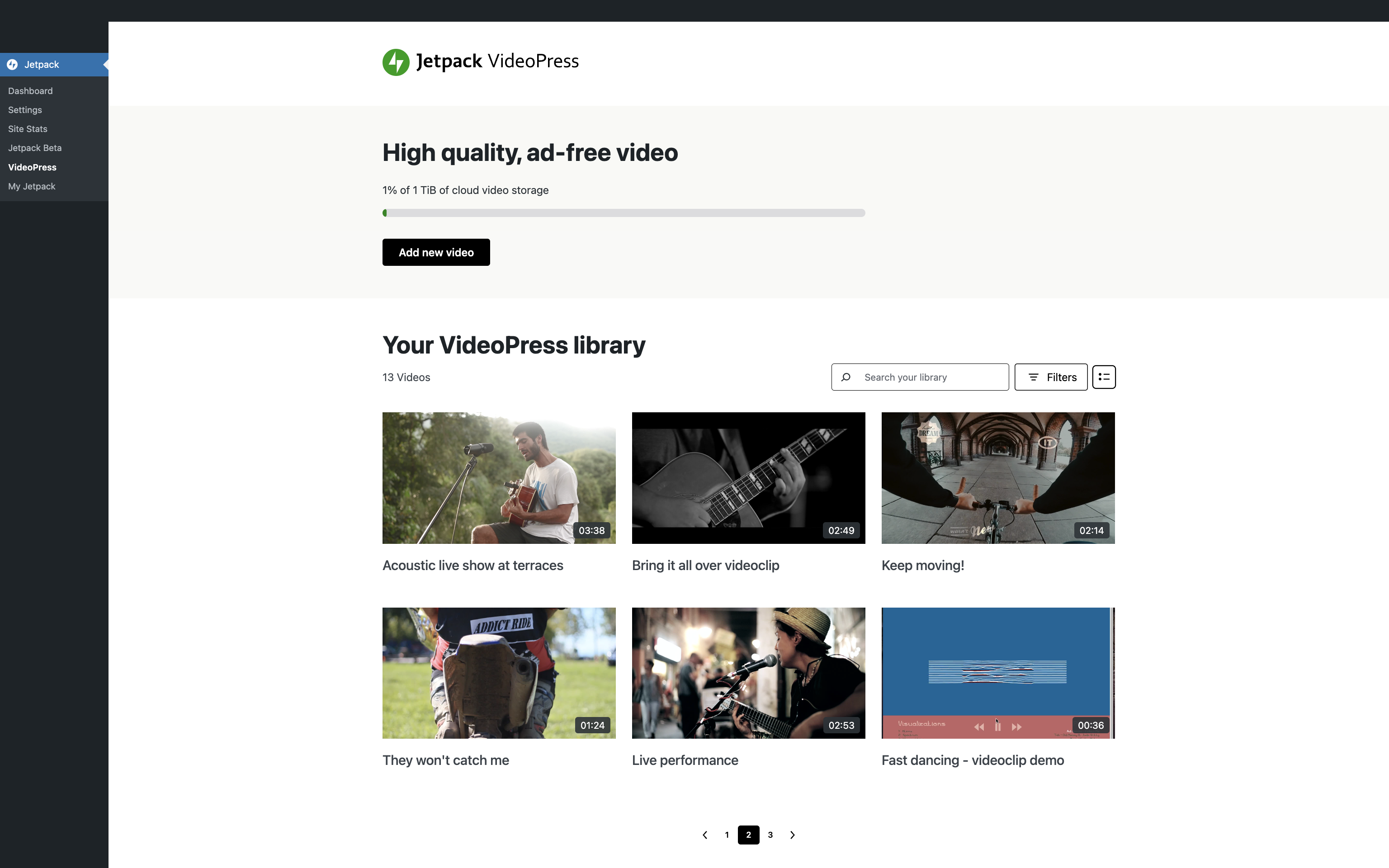
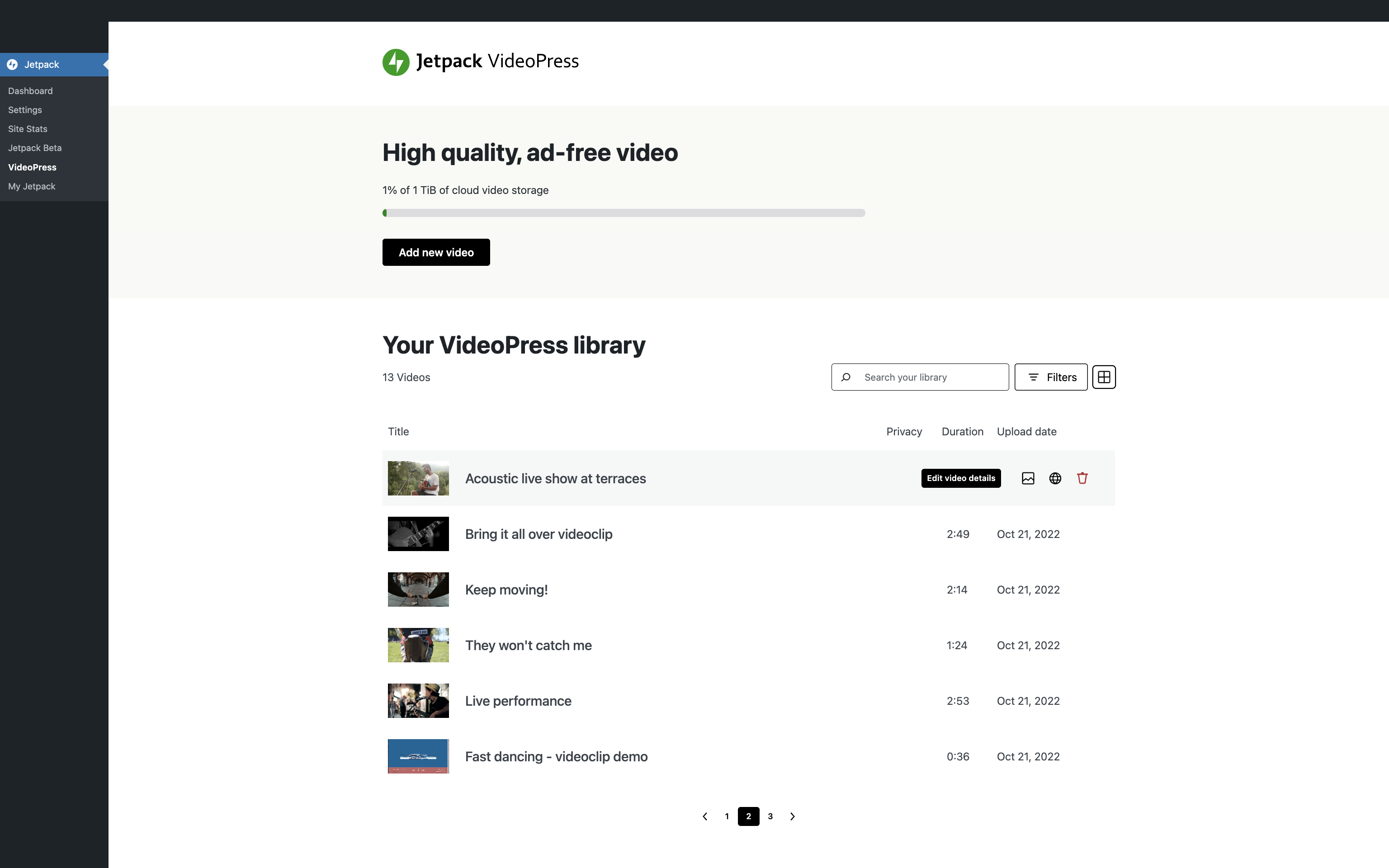
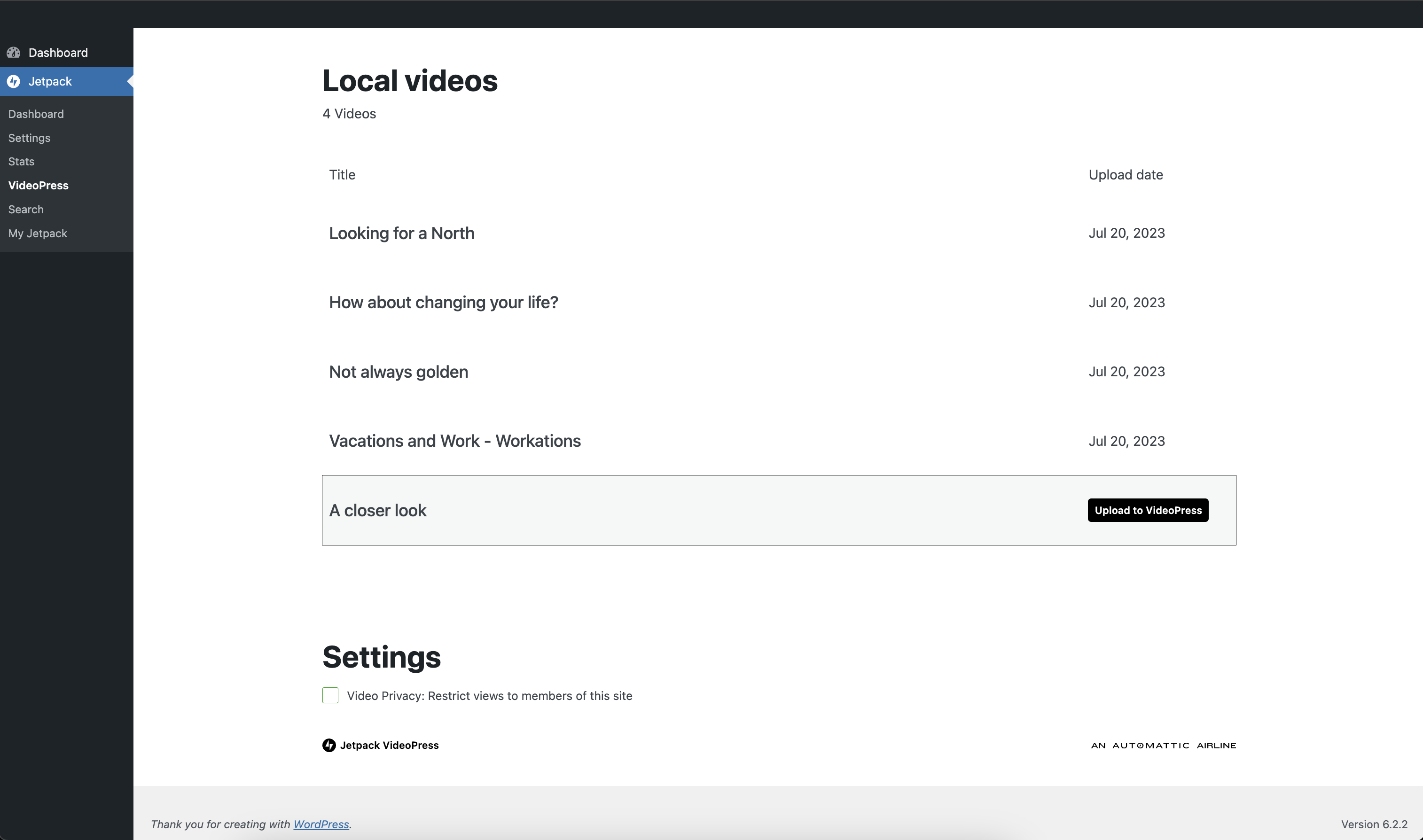
The VideoPress Dashboard is a centralized space to upload and manage your video library. Filter your library by rating or privacy setting, view your library in multiple ways, and upload local videos to your Jetpack cloud library.
MED 💚 AV JETPACK
Skjermbilder
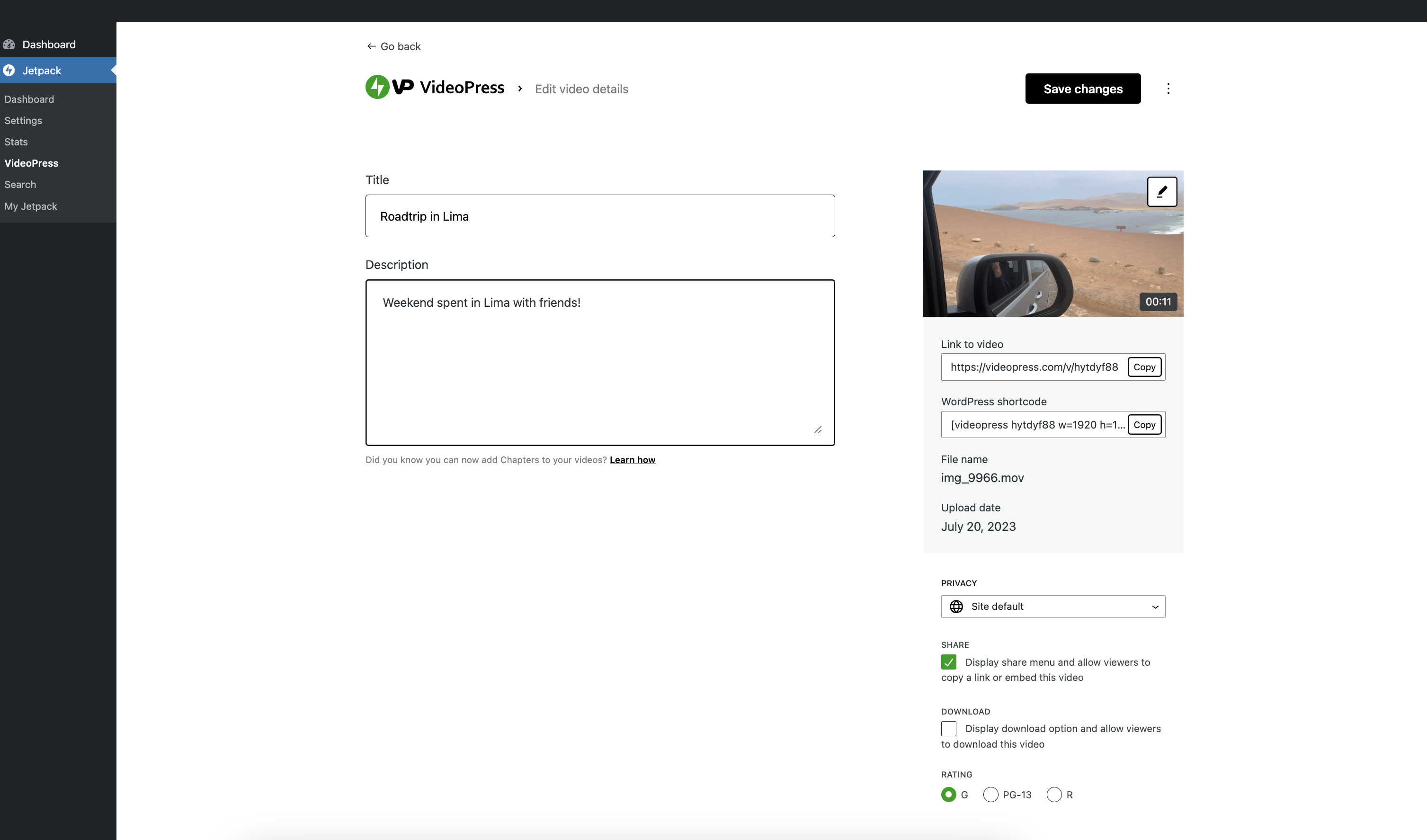
Blokker
Denne utvidelsen gir 8 blokker.
- Playlist Details A playlist’s cover, title, length, description, Play all and Share: the playlist being viewed, or one you pick.
- VideoPress Bygg inn en video fra ditt mediebibliotek eller last opp en ny med VideoPress.
- All Playlists Every playlist on the site, paginated, under a heading you can edit.
- Video Details The title, views, description and playlists of the video being viewed, or of the newest upload.
- Latest Videos Playlist VideoPress powered list of your latest videos in a single customizable player. New uploads show up automatically.
- Video Playlist VideoPress powered list of videos in a single customizable player. Build the playlist from your VideoPress library or video links.
- Channel Details The channel’s handle, subscribers, videos, playlists, views and join date.
- Episode Navigation Links to the previous and next video, within the playlist being played or in upload order.
Installasjon
Installasjon
- Får å starte, klikk lenken Utvidelser i sidestolpen til venstre, klikk så Legg til ny.
- Søk etter VideoPress. Den liste versjonen vil vises i søkeresultatene. Klikk knappen Installer Nå.
- Klikk deretter knappen Aktiver. Etter aktivering vil fu bli oppfordret til å sette opp VideoPress.
Ofte stilte spørsmål
-
Er Jetpack VideoPress gratis?
-
Jetpack VideoPress is free to try. You get free video hosting for WordPress for one video with a file size of up to 1 GB.
To get unlimited videos with a total storage of up to 1 TB, upgrade to the paid plan.
-
Er Jetpack VideoPress injkludert i en Jetpack abonnementspakke?
-
Jetpack’s video player for WordPress is included in the Jetpack Complete plan. It is not currently included in any other plan.
-
Er det en begrensning på lagingsplassen?
-
Gratispakken har en begrensing på 1 video og 1 GB.
Den betalte pakken har en lagringsbegrensning på 1 TB.
-
Er det en begrensing på filstørrelsen?
-
The file size limit is 5 GB. However, on slower networks, there is a chance the network will time out before being able to upload larger videos to a WordPress site.
Vurderinger


Bidragsytere og utviklere
«Jetpack VideoPress» er programvare med åpen kildekode. Følgende personer har bidratt til denne utvidelsen:
Bidragsytere


«Jetpack VideoPress» har blitt oversatt til 25 språk. Takk til oversetterne for deres bidrag.
Oversett «Jetpack VideoPress» til ditt språk.
Interessert i utvikling?
Bla gjennom koden, sjekk ut SVN-repositoriet, eller abonner på utviklingsloggen med RSS.
Endringslogg
3.8 – 2026-10-20
Added
- Add a Channel Details block to channel sites, with the channel’s handle, subscribers, videos, playlists, views and start date.
- Add an Episode Navigation block.
- Add a page per playlist on channel sites, with All Playlists cards linking to it and a Video Playlist block option to show the playlist being viewed.
- Add a Playlist Details block.
- Add a Video Details block, and let the VideoPress Video block play the newest upload.
- Add trim and cut editing to the video block toolbar and clarify the editor tool icons.
- Connection: Add a Connected view to the Users page listing users with a linked WordPress.com account.
- Connection: Transfer connection ownership to another administrator without leaving your site.
- Connection: Transfer connection ownership to another connected administrator from the Connectors page.
- Let channel blocks show authors a call to action while a channel has no videos or playlists.
- Let the Latest Videos Playlist block sort, search, filter by length and paginate, and show view counts.
- Let the Video Playlist block show a playlist published on the site, and let the All Playlists block sort by last update and show each playlist’s last update and length.
- My Jetpack: Add an Available filter to the Features list.
- My Jetpack: Add catalog-controlled Pro offers and preserve existing plan management.
- My Jetpack: Recognize Jetpack Pro subscriptions and licenses.
Changed
- Connection: Link the connection owner’s name on the Connectors card to their profile, and update the card without reloading the page when a non-owner disconnects their account.
- My Jetpack: Line up notices with the cards below them, and drop the grey background behind the Features grid and list buttons.
- My Jetpack: Refresh Pro availability while preserving existing offers.
- My Jetpack: Show a connection error on the Overview connection card while your account is still to be connected, instead of only asking you to connect it.
- Open this site’s video pages from a Video Playlist in the same tab, and mark the video being viewed.
- Settings: Match the card spacing and top margin of the other Jetpack settings screens.
- Update package dependencies.
Fixed
- Connection: Translate the Connectors card’s text on sites that don’t use English.
- Dashboard: Announce the views trend chart correctly to screen readers.
- My Jetpack: Hide other plugins’ notices while the setup screen is open, and stop the full-screen layout breaking when another plugin adds an admin body class first.
- My Jetpack: Make the connection screen’s Connect button and footer links reachable on shorter screens.
- My Jetpack: Show the highest-priority notice first when several are set at once.
- My Jetpack: Stop reporting an error when switching VideoPress off while the Jetpack plugin is inactive.
- Only open a channel video page for a video uploaded to this site.
- Prevent new uploads from reusing video attachment IDs after a site restore.
- Show failed conversions with delete and re-upload guidance, and retry locked resumable uploads.