
Beskrivelse
Website | Documentations | Tutorials | Demo
Google Sheets to WP Table Live Sync allows you to quickly create responsive data tables from Google Sheets. Once you update your Google Sheets spreadsheet, it automatically updates the WordPress table. With the in-built shortcode and page builder support, you can add new tables on any page/post and live-sync the data with connected Google Sheets! No need to edit WordPress posts or tables from the WP dashboard. Edit on the spreadsheet and live sync from Google Sheets to the WordPress table with ease.
Recommended by WordPress experts! 🤩
👁️ View Demo | 🚀 Get The PRO Version
Worried about how to display your Google Spreadsheet on the WordPress table? Well, your hustle ends today! Presenting Sheets to WP Table Live Sync – the easiest solution to embed Google Sheets data in WordPress tables.
LEARN MORE
- How to Add a New Table in Sheets To WP Table Live Sync
- How to Use Shortcode to Display Sheets To WP Table Live Sync
- How to Use Sheets To WP Table Live Sync Gutenberg block
🔝 Sheets to WP Table Live Sync Free Features
- Sync Table Data with Google Sheets: Keep your WordPress tables synced with connected Google Sheets spreadsheets. You can update your WordPress table from anywhere through Google Sheets without ever needing to enter your website dashboard.
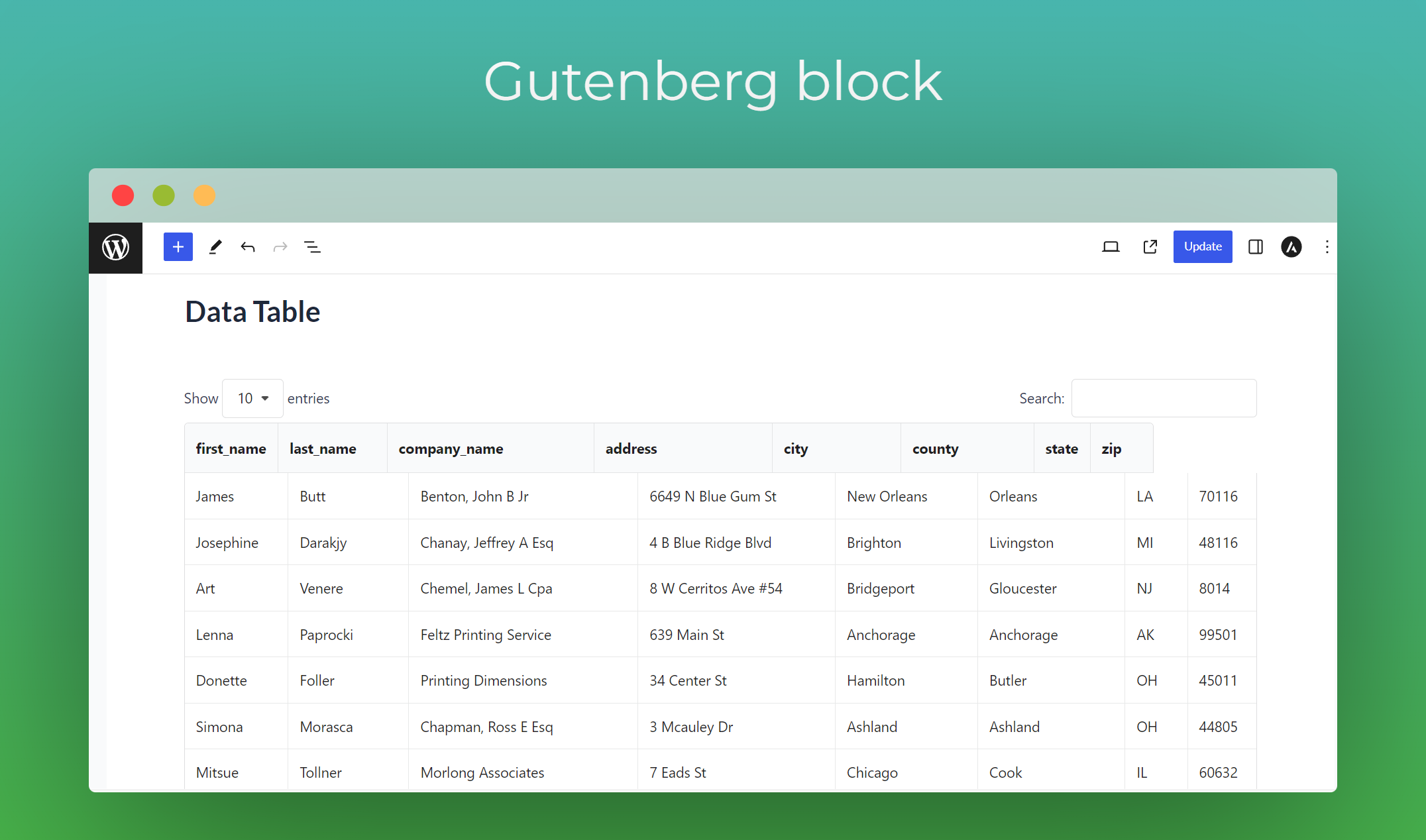
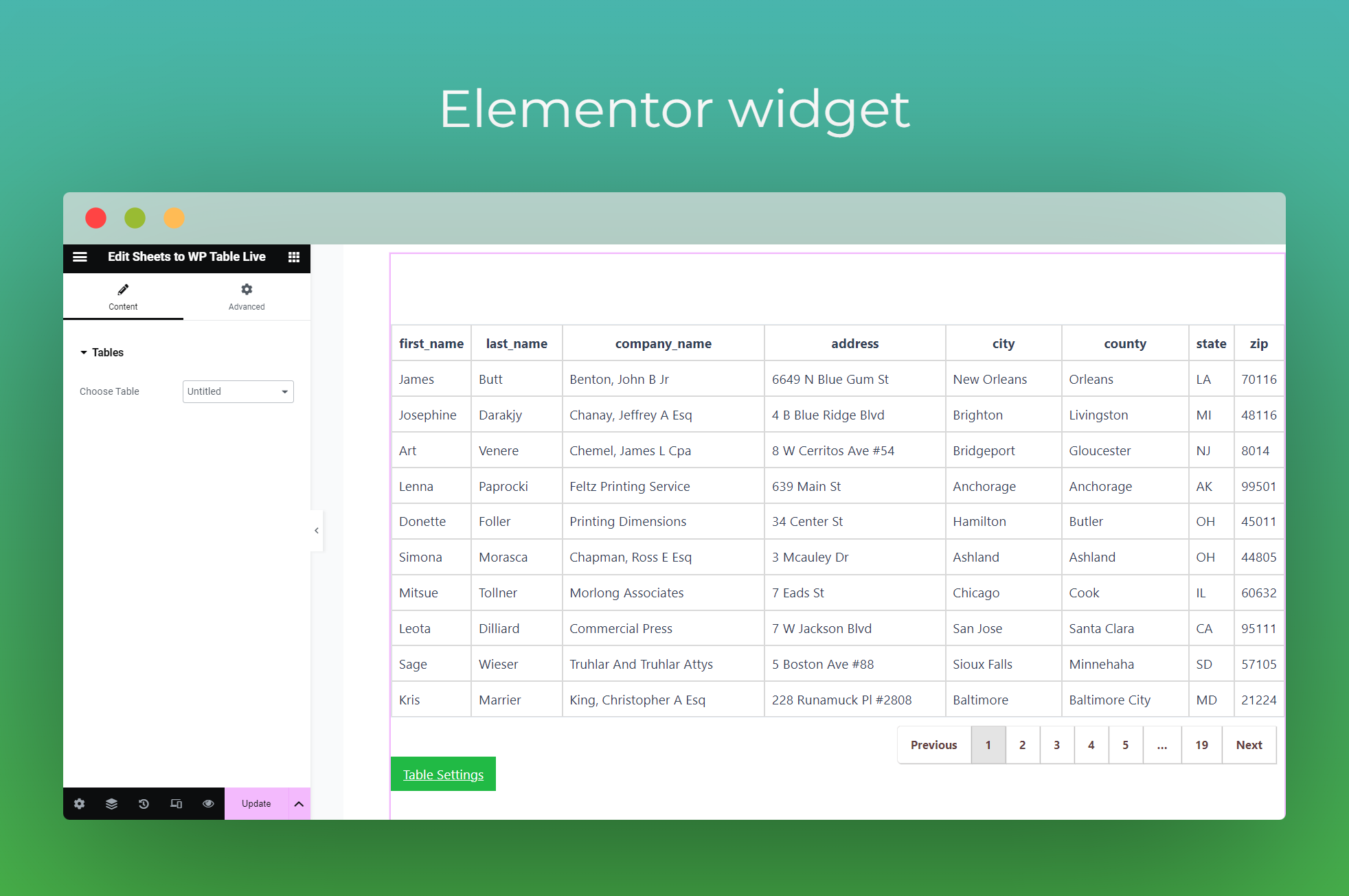
- Gutenberg Block & Elementor Table Widget: The built-in Gutenberg block and Elementor widget will make sure you can create responsive tables with any of your preferred page builders.
- Responsive Tables: Tables made with this plugin are responsive for any device. The plugin allows collapsing on mobile and tablet screens. There are also options to choose between three responsive styles (Default, Collapsible, and Scrollable) and adjust table height.
- Shortcode Supported: Place your data table easily and effortlessly anywhere with the shortcode feature. A shortcode will be created with the table created. You can place the code anywhere you want on your page or posts to embed a data table.
- Link Support: With advanced link support you can import URLs/links from Google Sheets. All the URLs/links will be shown as links in the table instead of text. You can change the link behavior by redirecting your users when they click on those links.
- Image Support: Load images from any URL that contains an image. Just add the image URL to your sheet and it will load that image on your website.
- Merge Cells: If your spreadsheet has merged cells, you can enable this feature to improve the appearance and clarity of your WordPress table data.
- Cache Table for Faster Loading: Enabling this option will drastically improve your table loading speed. Experience flawless data tables without any delay.
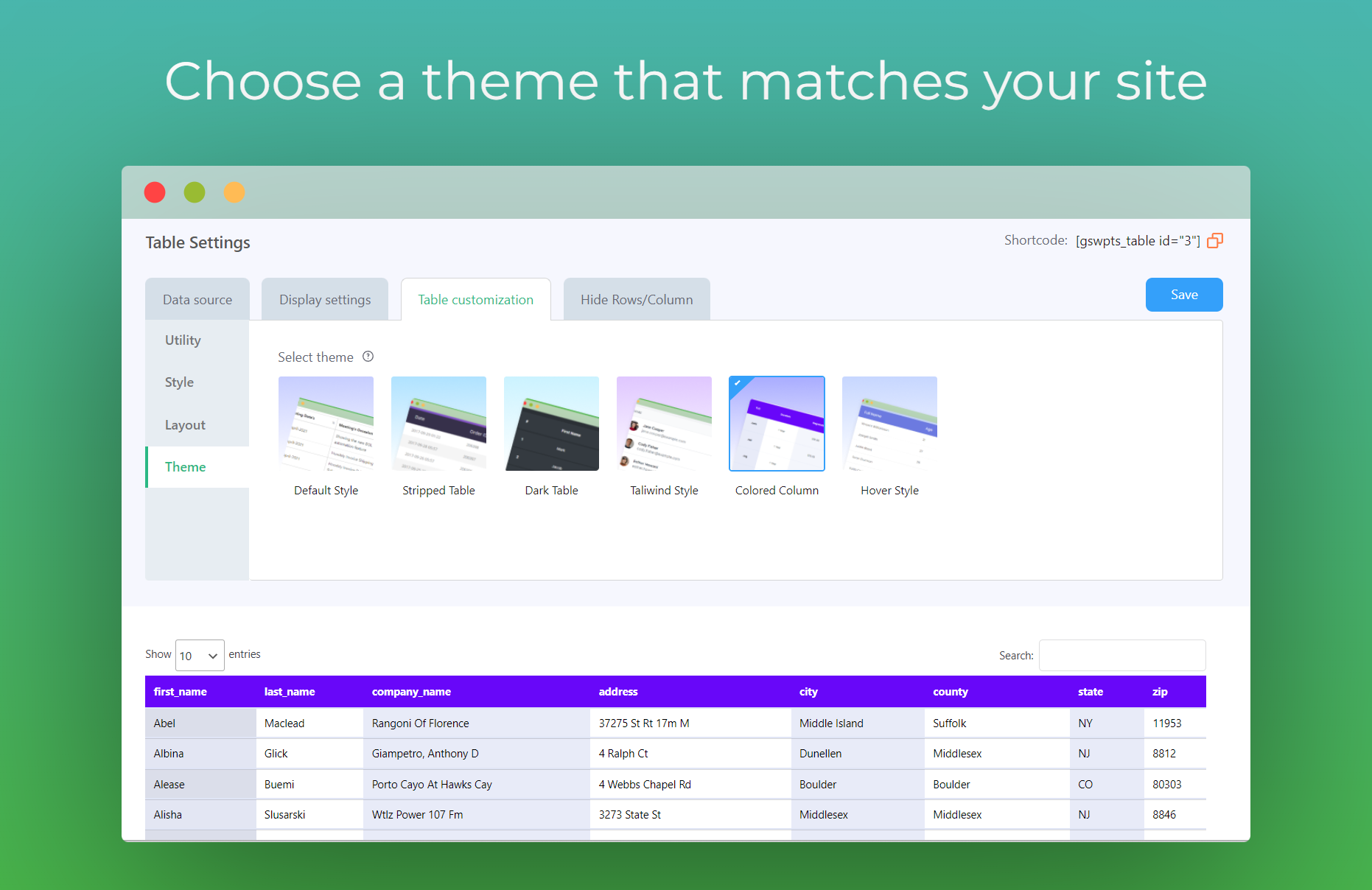
- 2 Stunning Table Themes: Easily customize the appearance of your tables by choosing one of the provided themes.
- Cell Formatting Style: Choose between expanded and wrapped table styles.
- Rows to Show Per Page: Choose the number of table rows you want to display per page.
- Table Title: Enable this feature to show the table title in the h3 tag above the table in your website front-end. Rename your tables as you want.
- Show Info Block: Show Showing X to Y of Z entries block below the table. With this feature, you will get an idea of the data sequence of your table at a glance. The plugin also has an On/Off button on the backend for this feature.
- Allow Sorting: Sort all your elements with Sheets to WP Table Live Sync. It allows data sorting on your table in the exact order you need. You can turn off the feature if you want your data not sorted.
- Search Bar: Find your data and related details specifically with the search bar. The search bar will help you to find any data easily and effortlessly. This feature also contains an On/Off button on the backend.
- Pagination Support: Sheets to WP Table Live Sync plugin comes with the pagination support option. Order your data with a simple manner of sequential pages that are contextually connected.
- Asynchronous Loading: Enable this feature to load the table in the front end after loading all content with a pre-loader. This will help your website load fast.
- Multisite Support: With Google Sheets to WordPress Table Multisite support, share table sync features across your multisite network.
👁️ View Demo | 🚀 Get The PRO Version
⚡ Experience the Full Potential with Sheets to WP Table Pro
- Unlimited Table Creation: Zero restrictions. Create unlimited tables without ever needing to think about any limits.
- Unlimited Row Sync: Fetch as many rows as you want to show as WordPress tables. Syncing from Google Sheets to WordPress tables is now easier than ever.
- Import Styles from Google Sheets: Import cell background color & cell font color, font size, font widget, font family & all other styles from Google Sheets.
- Custom CSS: Write your own custom CSS to design the table or the page itself. Your custom-written CSS will be applied to the front end of the website.
- Export Table: Table exporting via CSV, Excel, PDF, JSON, Print, and Copy is easy on this plugin.
- Tab Management: Manage all the tables in 1 place as a tab. This feature enables you to effectively manage your data from multiple sheets.
- Vertical Scroll/Sticky Header: This feature allows you to scroll vertically in the table. Activating this feature will allow the table to behave as a sticky header.
- Rich Table Styles: Pre-built amazing table styles. Each style is different from one another. You can select your most liked table styles with just 1 click.
- Horizontal Dragging: Once you enable this feature your users will be able to drag the table horizontally. This will improve their reading experience from the table.
- Hide Column: Hide your Google Sheets table column on desktop screen OR mobile screens. Protect your data if you don’t want to publish everything on the web.
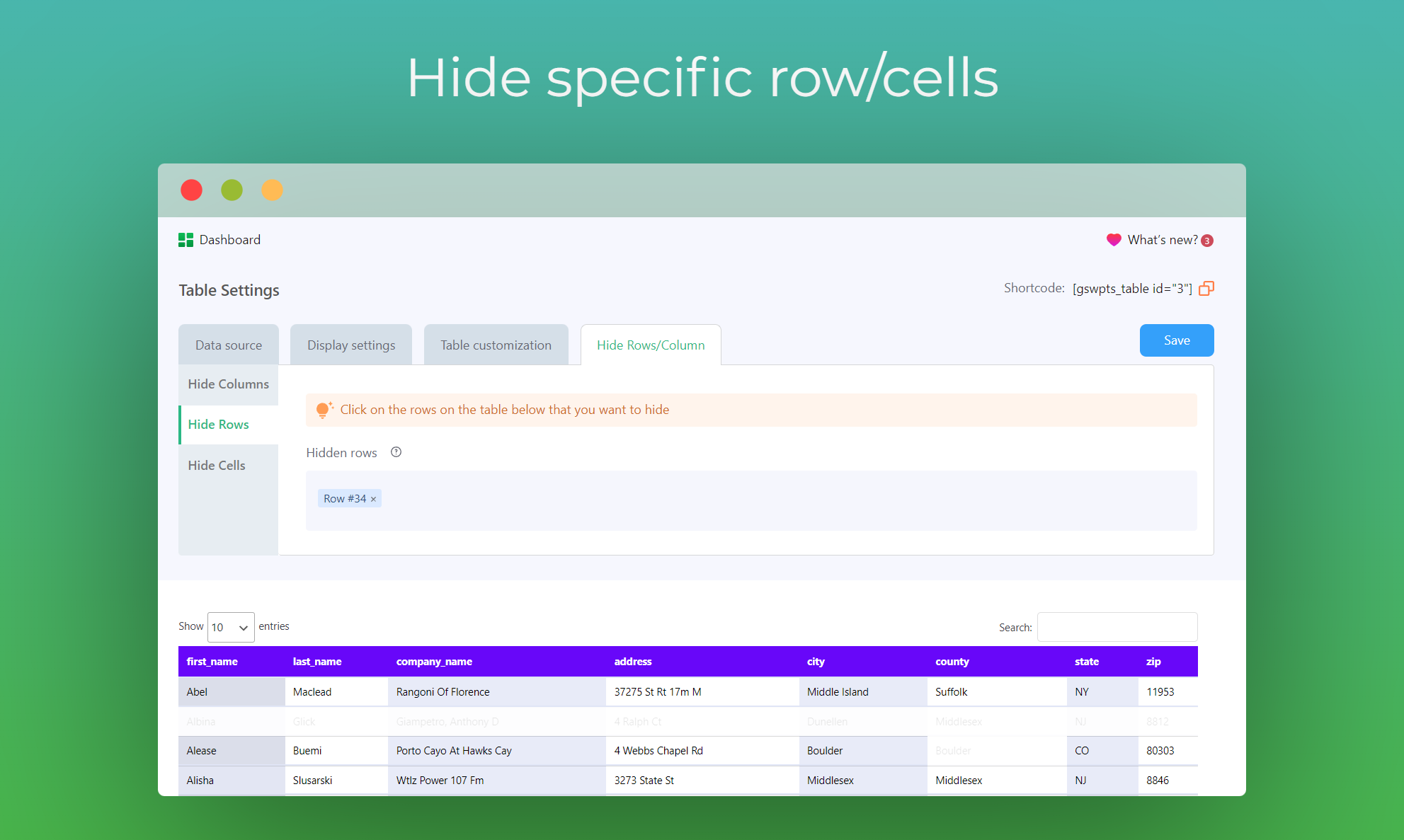
- Hide Row: Hide your Google Sheets table rows based on your custom row selection. Hide those rows if you don’t want to show those secret rows in your table.
- Hide Cell: Hide your Google Sheets cell data based on your custom cell selection.
Optimized Loading: By enabling this feature, the table scripts will load only on the relevant pages/posts in your website where the table is added. - 24/7 VIP Support: We have a dedicated and hardworking team. Get support anytime for any issues with Sheets to WP Table Live Sync. Our support team will be there always.
👁️ View Demo | 🚀 Get The PRO Version
WHAT OUR USERS SAY ABOUT THE MOST UNIQUE WORDPRESS DATA TABLE PLUGIN 😍
Great Tool & Plugin & Best Service
It’s so convenient to import spreadsheets and you can manage several tag in this plugin. the development team was so kind and patient for any question you have. Fantastic plugin and Best service. – By @s406022Highly satisfied: Effortless Google Sheets efficient integration
Sheets to WP Table is an exceptional tool that efficiently accomplishes something that very few plugins can do. It allows you to seamlessly publish data from Google Sheets directly onto your website. – By @francescagHighly Configurable and Clean UI
Sheets to WP Table live sync provides a bunch of options for synchronized a Google Sheet for display with the Datatable Javascript API. Our basic used case was covered by the free version, but many more configuration options are available for premium users. The familiar Datatable UI is great for showing information on a Google sheet to users. – By @spiritsynaesthetic
The plugin supports sorting options, search bars, and swap options. Keep almost every kind of data safe and secure and manage them smoothly without any hassle. Sheet to WP Table Live Sync creates responsive data tables and makes powerful data administration.
It’s easy to install and will offer you the simplest settings to configure. With Sheets to Wp Table Live Sync, even a beginner can create a table on the backend by exporting data from any google sheet.
After you set up a table, a shortcode is generated automatically. All you need to place the shortcode anywhere you want on your website. Table data will be displayed in a Google spreadsheet format in your dashboard. It doesn’t matter what type of data you would like to include, Sheet to WP Table Sync has support for almost everything you can think of!
👁️ View Demo | 🚀 Get The PRO Version
🔥 More Awesome Plugins
If you like Sheets To WP Table Live Sync, then consider checking out our other awesome projects:
🌓 WP Dark Mode – Use WP Dark Mode plugin to create a stunning dark version for your WordPress website. WP Dark Mode works automatically without going into any complicated settings.
🔄 Stock Sync with Google Sheet for WooCommerce – Auto-sync WooCommerce products from Google Sheets. An easy, powerful and simple inventory management system to handle your WooCommerce products.
⭐ Easy Video Reviews – Easy Video Reviews is the best and easiest video review plugin for WordPress. Your customers can record and send video testimonials right from their browser, and you can manage and showcase anywhere on your WordPress website.
📽️ Webinar & Video Conference with Jitsi Meet – Experience the best WordPress video conference plugin and live video chat solution. Get shortcode support with WooCommerce and BuddyPress integration.
Privacy Policy
Sheets To WP Table Live Sync uses Appsero SDK to collect some telemetry data upon user’s confirmation. This helps us to troubleshoot problems faster & make product improvements.
Appsero SDK does not gather any data by default. The SDK only starts gathering basic telemetry data when a user allows it via the admin notice. We collect the data to ensure a great user experience for all our users.
Integrating Appsero SDK DOES NOT IMMEDIATELY start gathering data, without confirmation from users in any case.
Learn more about how Appsero collects and uses this data.
Additionally read the WPPOOL privacy policy.
Skjermskudd
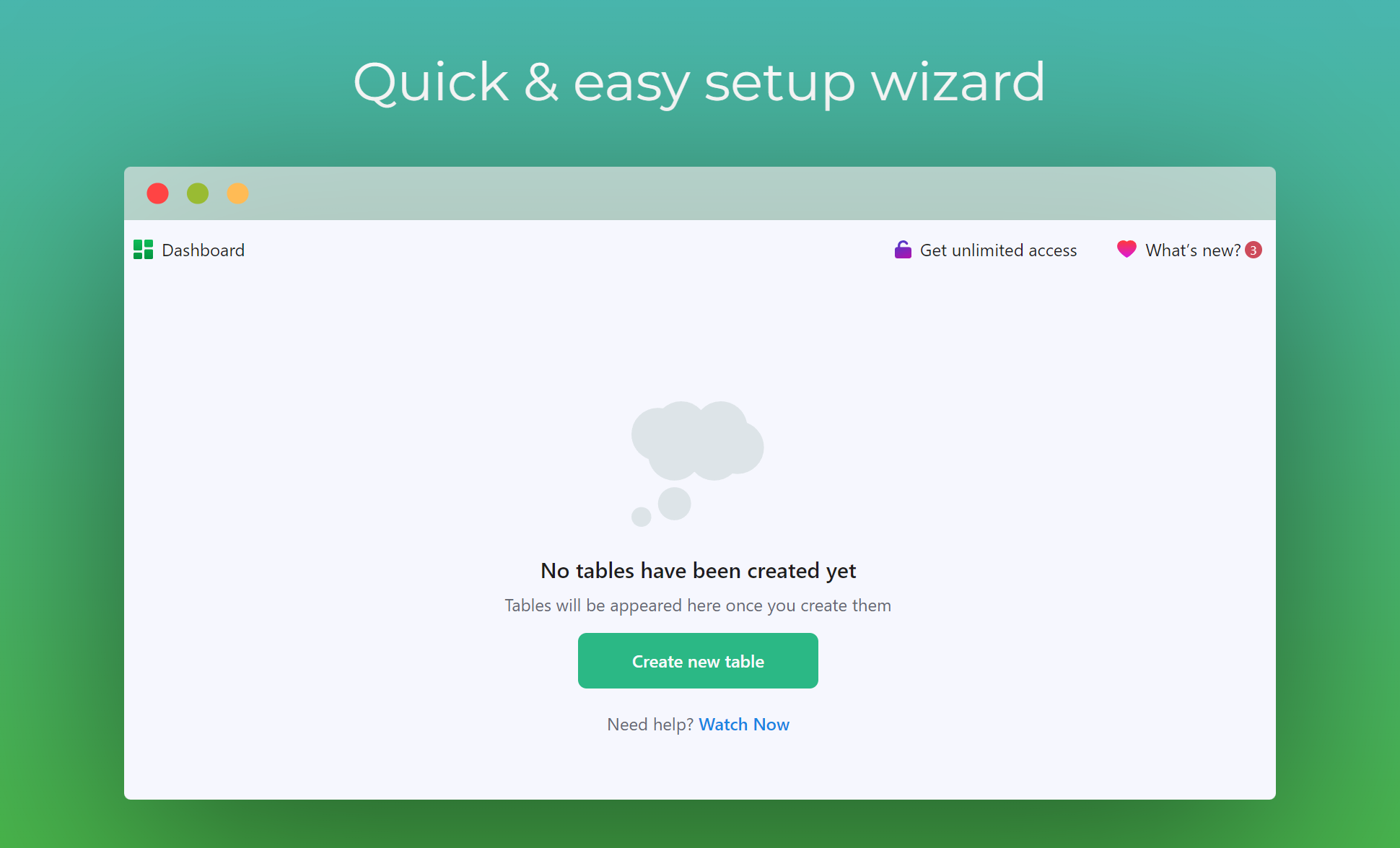
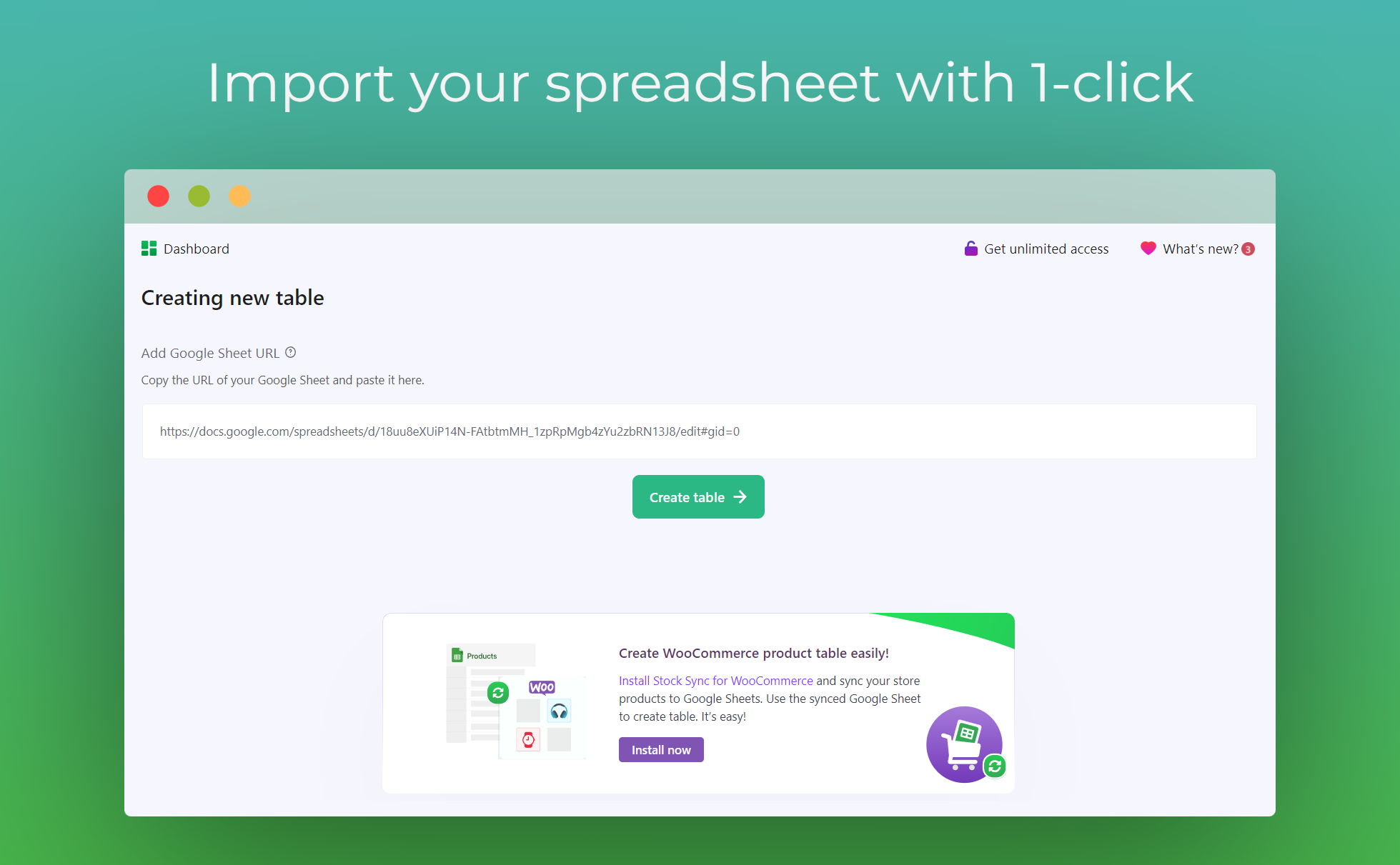
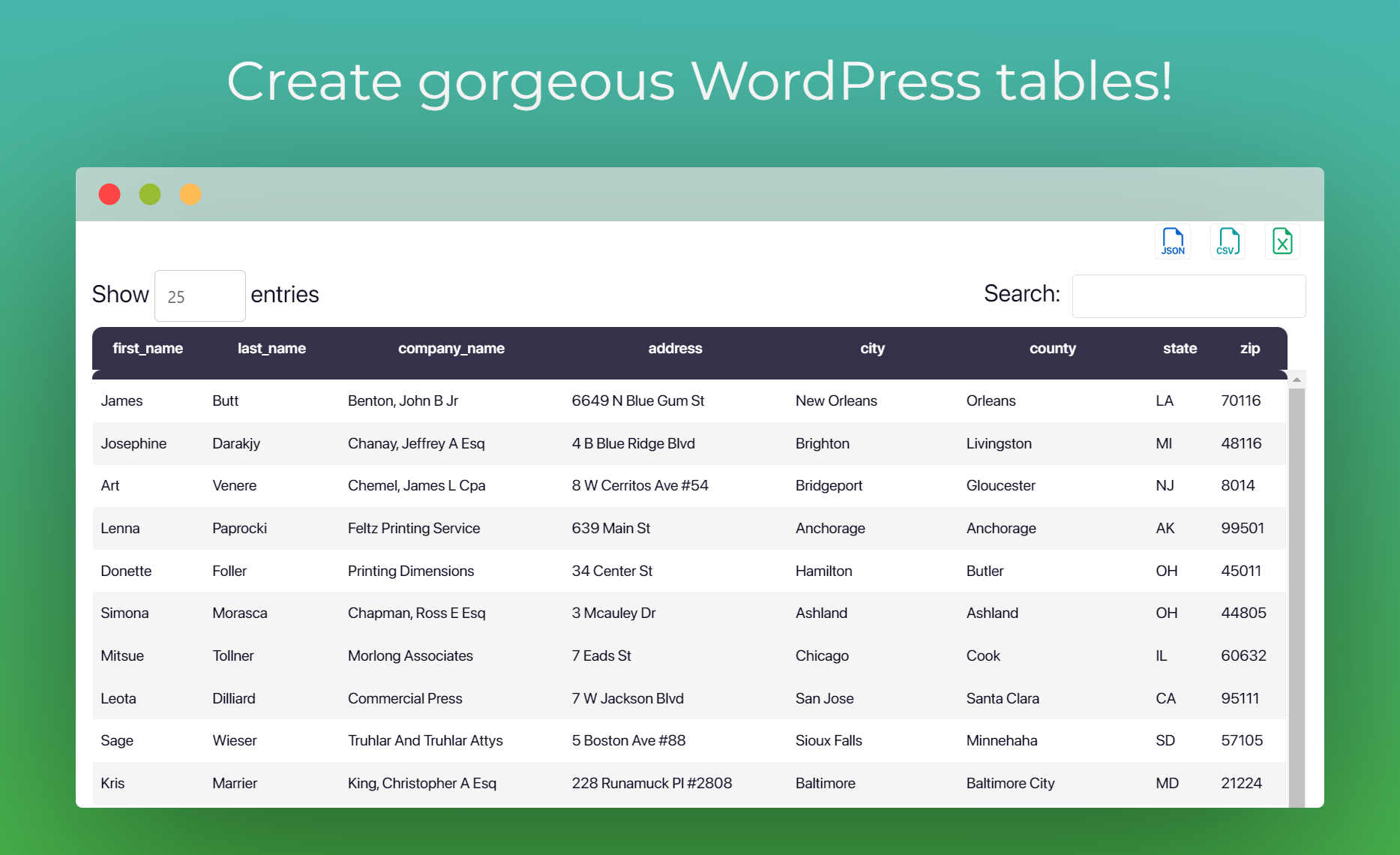
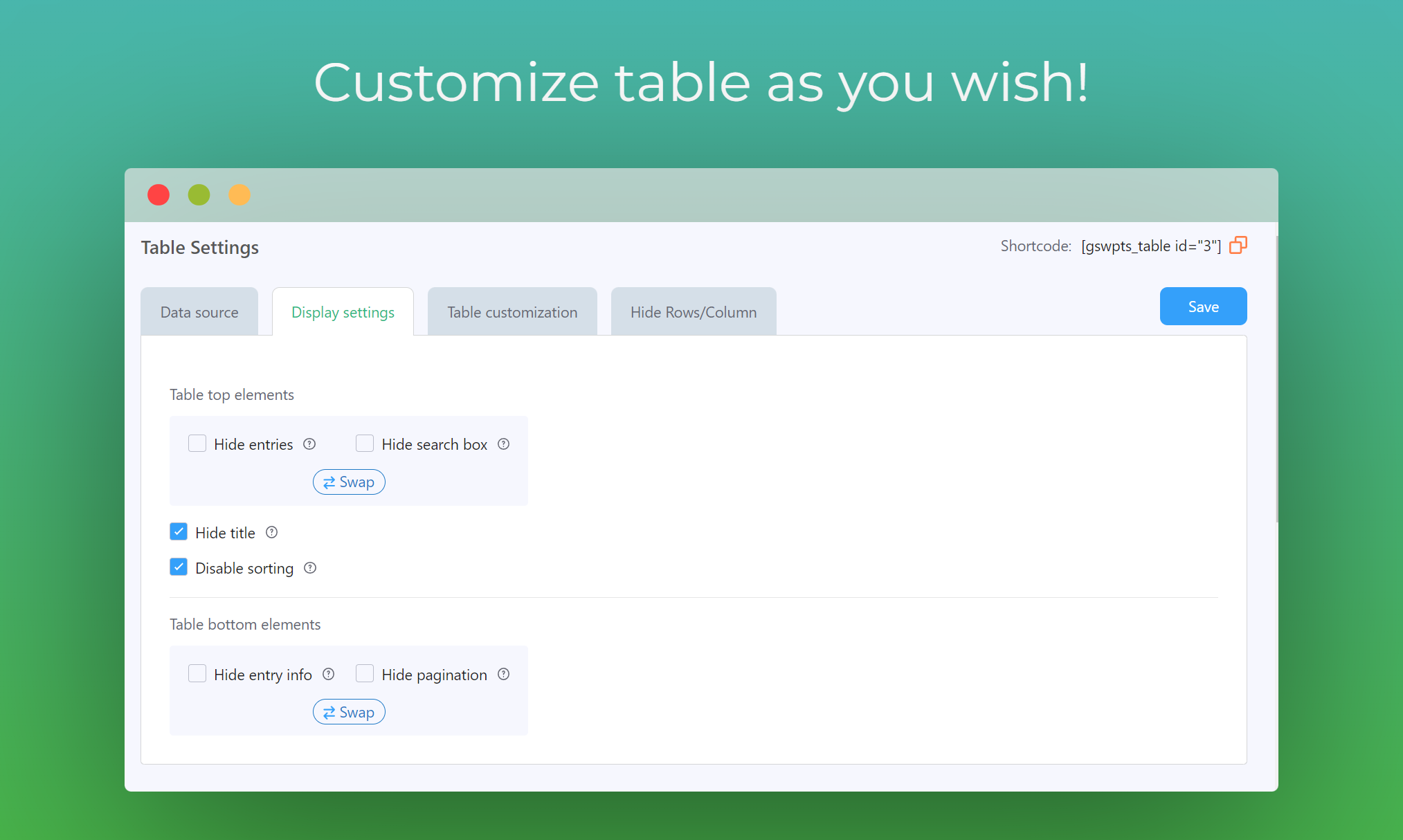
Blokker
Denne utvidelsen gir 1 blokk.
- Sheets To WP Table Live Sync
Installasjon
- Navigate to WordPress Dashboard > Plugins > Add New and search for «Sheets to WP Table Live Sync». Install and activate the plugin.
- From the Plugin dashboard link your publicly available Google spreadsheet and create a table. Customize the table styles as you wish.
- Copy the table shortcode and paste it on any page or post. That’s it!
You can also follow this tutorial:
FAQ
-
How to install and activate the plugin?
-
Watch this video to learn how to install and activate the plugin in simple steps
-
How do I add a new table using the plugin?
-
Watch the video to learn how to add a new table very easily with the plugin
-
How many rows can I sync with the Free version?
-
The free version allows sync of up to 30 rows from Google Sheets.
-
How many tables can I create?
-
The Free version allows you to create up to 10 tables.
-
How should I use the Shortcode feature to display my spreadsheet data?
-
Watch this video to learn how to use the Shortcode to display your spreadsheet data in WP table
-
Does this plugin support the popular page builders?
-
Yes, the plugin supports the most popular WP page builders – Elementor widget in Pro version and Gutenberg block in both Pro and Free version
-
How to hide “Showing X of X entries” in pagination?
-
Go to the Display tab of the table settings block and disable the “Show Info block” setting.
-
Do the Sheets to WP Table Live Sync plugin have any impact on page loading?
-
No. Sheets to WP Table Live Sync is a very robust and fast plugin. It won’t impact your page loading. But sometimes it may take some time to load the page if the Asynchronous Loading feature is not On & the Google Sheet data is too big.
-
“Plugin not working with a caching i.e Autoptimize plugin.” How to solve it?
-
This issue appears if you are excluding our plugin’s JS files from loading. Please uncheck the “Aggregate JS-files” option of Autoptimize to solve this issue.
-
Where can I find the tutorials about using the plugin?
-
Please visit our Youtube playlist where we put all the videos of how you can use the features of the plugin. Also, let us know if there is anything we can help you with.
-
Is this plugin compatible with all modern browsers?
-
Yes, We have tested this plugin in all modern browsers (Safari, Chrome, Firefox, Edge etc) works without any issue.
-
Do I need to know any programming language for using this plugin?
-
No. Sheets To WP Table Live Sync is a very user-friendly and simple plugin. Just download and use it accordingly.
Vurderinger


Bidragsytere og utviklere
“Table Plugin for WordPress with Google Sheets Integration – Sheets to WP Table Live Sync” er programvare med åpen kildekode. Følgende personer har bidratt til denne utvidelsen.
Bidragsytere


Interessert i utvikling?
Bla gjennom koden, sjekk ut SVN-repositoriet, eller abonner på utviklingsloggen med RSS.
Endringslogg
3.7.2 – 04 Apr 2024
- Improvement: Enhanced compatibility to support WordPress 6.5
3.7.1 – 02 Apr 2024
- Fix: Resolved Cross Site Scripting (XSS) issue
3.7.0 – 21 Mar 2024
- Tweak: Added more table customization options for Free users.
- Fix: Resolved issue causing JSON imports during preview, ensuring seamless data integration for users.
- Fix: Fixed table breakage occurrences when headers were merged within the table, ensuring uninterrupted data presentation.
3.6.1 – 22 Feb 2024
- Improvement: Enhanced Theme Style on the frontend for a more polished appearance
- Improvement: Enhanced the User Interface for notices, providing a more refined and user-friendly experience
3.6.0 – 07 Feb 2024
- New: Added new Script Loading behavior as a Performance feature
- New: Added new review/rating notice
- Improvement: Enhanced style css files
3.5.1 – 24 JAN 2024
- Fix: Appsero updated
3.5.0 – 17 JAN 2024
- New: Added Cursor behavior feature for WP table
- Improvement: Enhanced Preview sorting feature
- Fix: Passing null to parameter #1 () of type string is deprecated
- Fix: Resolved DataTable auto translation constant breaks the strings data
3.4.1 – 10 JAN 2024
- Fix: Resolved Table width onClick mismatched Issues
- Improvement: Enhanced pot files for Data Table translation support
3.4.0 – 03 JAN 2024
- New: Added «Merge Cells» feature for WP table
- Improvement: Enhanced the sorting feature
- Improvement: Improved the on-hover color of the «Delete» button of table
- Fix: Resolved table design broken issue in frontend
3.3.1 – 12 DEC 2023
- Fix: Added support for page builder compatibility
3.3.0 – 28 NOV 2023
- New: Added support popup functionality
- New: Introduced a new Notice feature
- New: Built pot files for Translation support
- Fix: Updated Support UI links for better navigation
- Fix: Fixed an issue with the Sorting feature
- Fix: Resolved conflicts related to Importing Images from Sheet
- Fix: Addressed an Appsero-related issue
3.2.1 – 08 NOV 2023
- Fix: Fixed an issue within the SDK that conflicted with Jitsi Meet plugin
- Fix: Fixed import color and text style broken design
3.2.0 – 08 NOV 2023
- New: Added a FAQ section
- Improvement: Plugin loading performance
- Improvement: Import links and images from sheet
- Improvement: Replaced the «import style» feature to Theme section
- Improvement: «UPGRADE NOW» menu positioning
- Improvement: «Documentation» menu renamed to «Get Started»
- Improvement: Updated popup design
3.1.2 – 02 NOV 2023
- Fix: Fixed an issue within the SDK that conflicted with some plugin and caused fatal error
3.1.1 – 23 OCT 2023
- Improvement: Updated popup design
3.1.0 – 16 OCT 2023
- New: Smart link support is now available
- New: You can now embed all supported link types within «RichText», including both Smart link and Pretty link options
- New: Added support for mailto:yourmail@google.com links to redirect emails on click
- Fix: Users of the FREE version can now create multiple tables from the same Google Sheet link
- Fix: Resolved an issue where the sort icon was not appearing in the table preview within the backend
- Improvement: Updated the design of the «UPGRADE NOW» menu for a better user experience
3.0.3 – 26 SEP 2023
- Fix: Adverse experiences with the onChange event handler
- Improvement: Refactored recursion functionality for tab group that calls on changing state
3.0.2 – 20 SEP 2023
- New: Added «Recommended Plugins» menu
- New: Added «copy shortcode» option in Tab edit page
- Improvement: Removed labeling pro from «Choose Theme» panel
- Improvement: Improved the formatting of lengthy table names titles
- Improvement: Added content loader in tab group table
- Improvement: Added info-tips on export buttons
- Improvement: Updated org screenshots
3.0.1 – 19 SEP 2023
- Improvement: Updated the WPCS to version 3.0
3.0.0 – 13 SEP 2023
- New: Introduced new fresh UI.
- Fix: The table title now displays correctly in the backend editor panel.
- Fix: Assets will no longer load on pages where the table isn’t used, optimizing page loading times.
- Fix: The table export to PDF now appears exactly as expected.
- Fix: We’ve resolved a critical issue where a fatal error occurred while editing any page with Elementor.
- Fix: Images now display perfectly in their respective row and column positions.
2.14.4 – 17 AUG 2023
- Fix: Fix fatal error in regular site
2.14.3 – 17 AUG 2023
- Fix: Multisite compatibility and license issue
2.14.2 – 09 AUG 2023
- Improvement: Enhanced compatibility to support WordPress 6.3
2.14.1 – 26 JUN 2023
- Maintenance update
- Minor bug fixes
2.14.0 – 16 MAY 2023
- Fix: Display alert if google sheet is not shared properly.
- Minor bug fixes
2.13.9 – 27 APR 2023
- Fix: table row settings to all not working.
- Minor bug fixes
2.13.8 – 17 APR 2023
- Fix: table html generation php warning.
- Minor bug fixes
2.13.7 – 29 MAR 2023
- Fix: Popup displaying wrong background image on update issue.
2.13.6 – 28 MAR 2023
- Fix: Popup background image issue.
2.13.5 – 28 MAR 2023
- Compatibility tested with WordPress version 6.2
2.13.4 – 22 MAR 2023
- Fix: Fatal error on table empty images data.
2.13.3 – 14 MAR 2023
- Fix: Bug fixes and performance enhancement
2.13.0 – 22 FEB 2023
- ADDED: Code refactoring
- Fix: Minor bug fixes and performance enhancement
2.12.15 – 14 DEC 2022
- Fix: appsero security issue.
- Minor bug fixes and enhancement
2.12.14 – 07 DEC 2022
- ADDED: Multisite support
- Minor bug fixes and enhancement
2.12.13 – 15 NOV 2022
- ADDED: wppool sdk
- Minor bug fixes and enhancement
2.12.12 – 03 OCT 2022
- Minor bug fixes and enhancement
2.12.11 – 05 SEPT 2022
- Minor bug fixes and enhancement
2.12.10 – 17 AUG 2022
- Minor bug fixes and enhancement
2.12.9 – 28 JUL 2022
- Minor bug fixes and enhancement
2.12.8
- Minor bug fixes and enhancement
2.12.7
- Checked and Fix compatibility with WordPress 6.0
2.12.6
- Fix: Error while updating plugins.
2.12.5
- Updated: FluentAPI
- Updated: New data source for regular offers.
2.12.4
- Updated: New data source for regular offers.
2.12.3
- Updated: changes filenames.
2.12.2
- Updated: Updated plugin folder & normal plugin update
- Updated: Updated latest node.js package version
- Fix: Fix some typo
2.12.1
- Fix: Fix tab management db update
2.12.0
- New: Added tab management feature. 🔥
- Updated: Popup offer API modified
- Fix: Fix URL conflict issue for image loading.
- Fix: Fix $ error with other plugins
- Fix: Fix PHP 8 error
- Fix: Fix PDF generation script
2.11.1
- Fix: Fix bug on free version without pro.
2.11.0
- New: Added image loading from URL. 🔥
- New: Added automatic detection of line breaks. 🔥
- New: Added iframe video support. 🔥
- Removed: Removed Multiple sheet tab option and made it default
- Fix: Fix some bug.
- Fix: Fix Elementor settings popup height issue.
2.10.0
- New: Added import of all styles in sheet.
- New: Added affiliate popup.
- Updated: Modified some UI/UX
- Fix: Fix Elementor header already sent issue.
2.9.0
- New: Added sheet background & font color import feature 🔥
- Updated: Re-arranged other product section
- Fix: Fix create table bug.
2.8.0
- New: Added Cell Hiding feature 🔥
- Updated: Some minor code updated.
2.7.0
- Improvement: Improved UI of sheet plugin.
- Fix: Fix row hiding issue & other minor bug Fix.
2.6.2
- New: Added changelog viewer in dashboard.
- Fix: Fix no data text in empty cell.
- Fix: Updated table settings saving sync with other page builders.
- Improvement: Modified Elementor widget.
2.6.1
- Added: Added new menu for free plugin.
- Update: Updated pro links.
- Fix: Multiple sheet table fetching issue Fix.
- Changed: Added other minor code changes.
2.6.0
- New: Added row hiding feature.
- Improvement: Minor code improvements.
2.5.2
- Updated: Updated 20 row sync to 50 row sync.
- Updated: Updated fluent CRM webhook.
2.5.1
- New: Added pretty link support.
2.5.0
- New: Added custom column hide feature for pro.
- Fix: Fix link feature bug.
- Improvement: Minor code improvements
2.4.1
- New: Horizontal drag feature for pro.
- Improvement: Link support feature.
- Improvement: Minor code improvement
2.4.0
- Improvement: Improved admin UI/UX
- Improvement: Improved responsive table feature
- Fix: Fix table caching issue & other small bug Fix
- Added: Added popup to each individual pro feature
- Added: Added step by step table creation procedure
- Added: Added each individual and general settings tooltip hint
- Added: Added collapsible table feature
2.3.5
- Improvement: Improved popup design
- Added: Added table edit link on frontend
2.3.4
- Fix: Table pagination style Fix
- Fix: Fix table style image issue
2.3.3
- Fix: Minor bugs Fix for pro plugin
- Fix: Fix Elementor page builder exports buttons bug
- Fix: Notification notice after 7 day of installation
- Improvement: Moved documentation page
- Improvement: Improved Plugin UI/UX
- Added: Multiple Google Sheet\’s Tab in pro version as a new feature
- Added: Boolean value support in pro version as a new feature
- Added: Table Caching feature introduced in pro version as a new feature
- Added: Added new 6 Table Style (Including Default) in pro version
- Added: Added Custom CSS support for pro version
2.2.3
- Fix: Minor bugs Fix for pro plugin
- Added: Added Format Table Cell feature in pro plugin
- Added: Added Link Support feature in pro plugin
- Added: Added plugin review reminder option in 1 day after activation
- Added: Removed doc page from dashboard page
- Improvement: Improved Gutenberg Table creation
- Improvement: Improved table creation with 1 step reduced
- Improvement: Other minor improvement for pro plugin
1.2.3
- Fix: Minor bugs Fix for pro plugin
1.2.2
- Fix: Fix admin page css issue
- Fix: Fix Table broken issue
- Added: Add cell formatting feature as upcoming feature
- Added: Changed non-developed feature as upcoming feature
- Improvement: UI/UX improved for users
- Improvement: Added 20 row fetching from google sheet
- Improvement: Plugins code structure updated for pro version
1.1.2
- Fix: Fix spreadsheet data fetching issue for different server
- Improvement: Added video documentation in dashboard page
1.0.1
- Fix: Fix user subscription
- Fix: Fix post fetching from WPPOOL
- Improvement: Improved plugin admin layout
1.0.0
- Initial Release