
Beskrivelse
Digages Customer Wallet for WooCommerce gives every customer a store wallet they can fund and use to pay for orders.
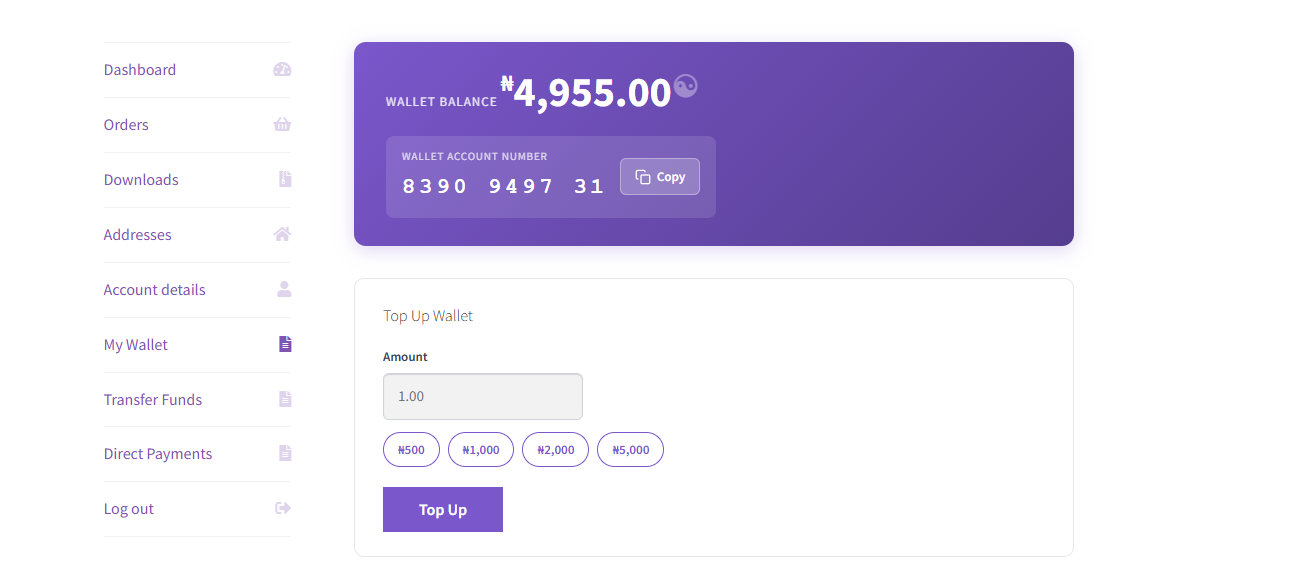
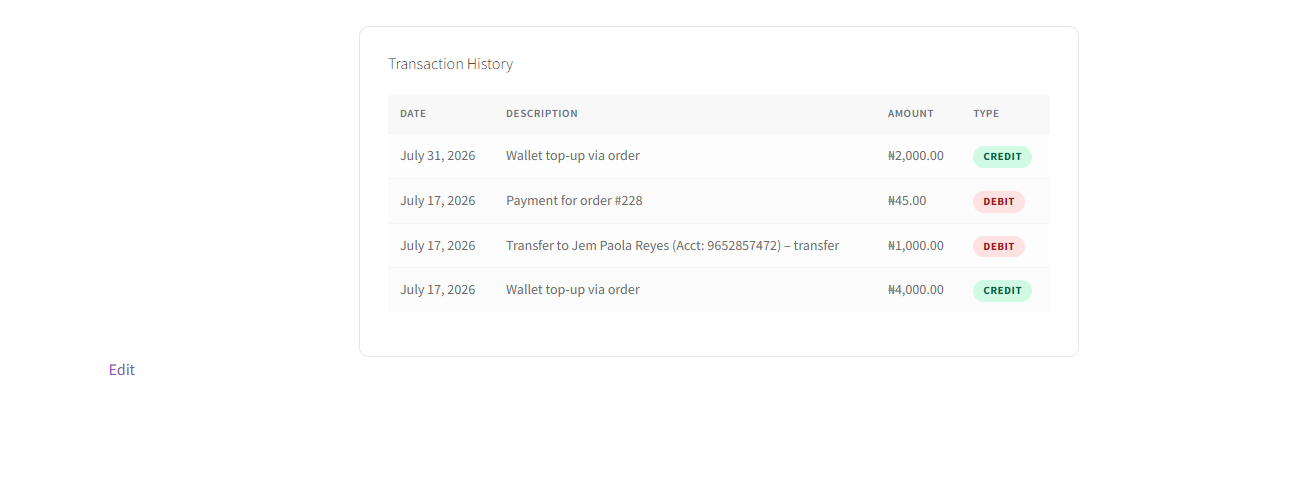
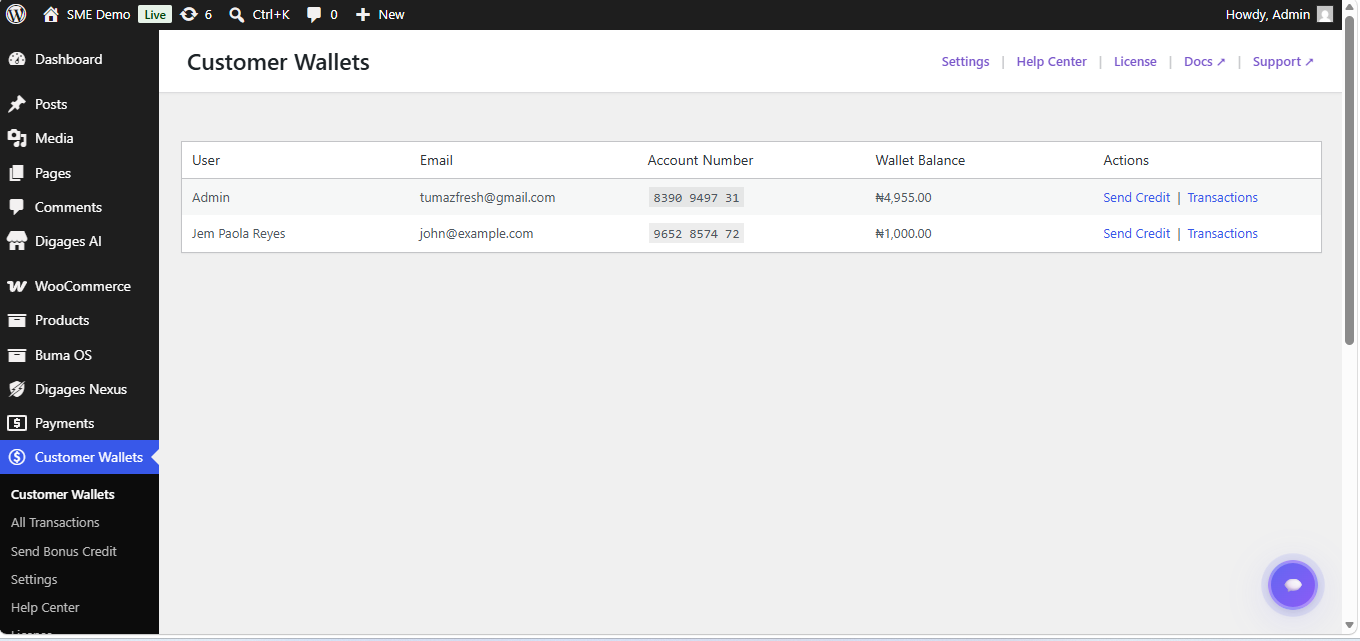
Customers can top up through the normal WooCommerce checkout, view their current balance and transaction history from My Account, and pay for eligible orders with wallet funds. Store administrators can review customer balances and wallet transactions from a dedicated dashboard.
The plugin uses WooCommerce orders for wallet top-ups, records every successful credit and debit, and assigns a unique wallet account number to each customer.
Unlock all premium controls with Digages Customer Wallet Pro.
Key Features
- Customer Wallet Dashboard: Give customers a dedicated Wallet page inside WooCommerce My Account.
- Wallet Top-Ups: Let customers choose an amount and complete the top-up through WooCommerce checkout.
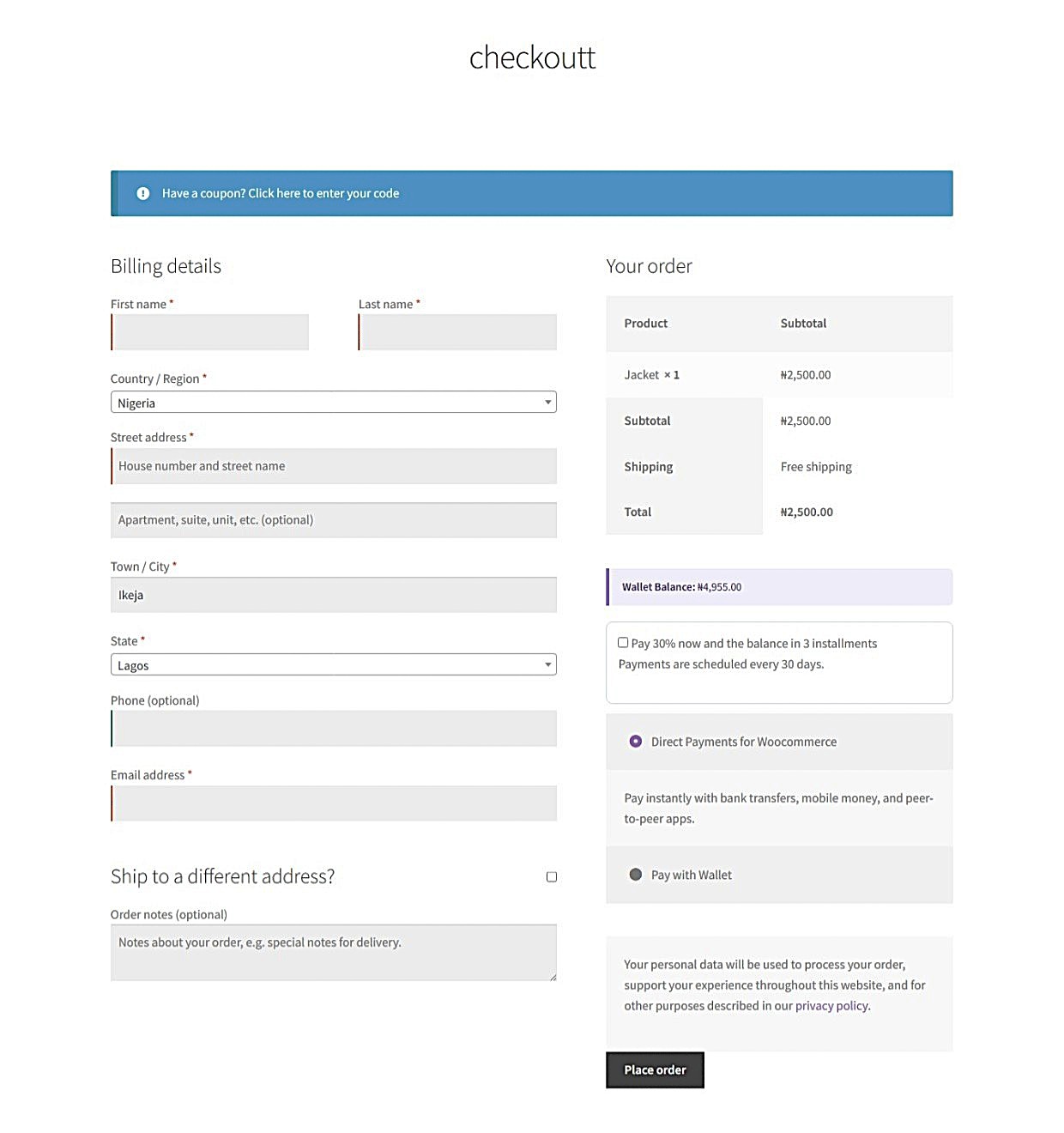
- Full Wallet Payments: Allow customers with sufficient funds to pay for an entire order from their wallet.
- Classic and Block Checkout Support: Use wallet payments on both the WooCommerce checkout shortcode and Checkout Block.
- Unique Account Numbers: Automatically assign a wallet account number to every customer.
- Transaction History: Show wallet credits, debits, descriptions, dates, and related order information.
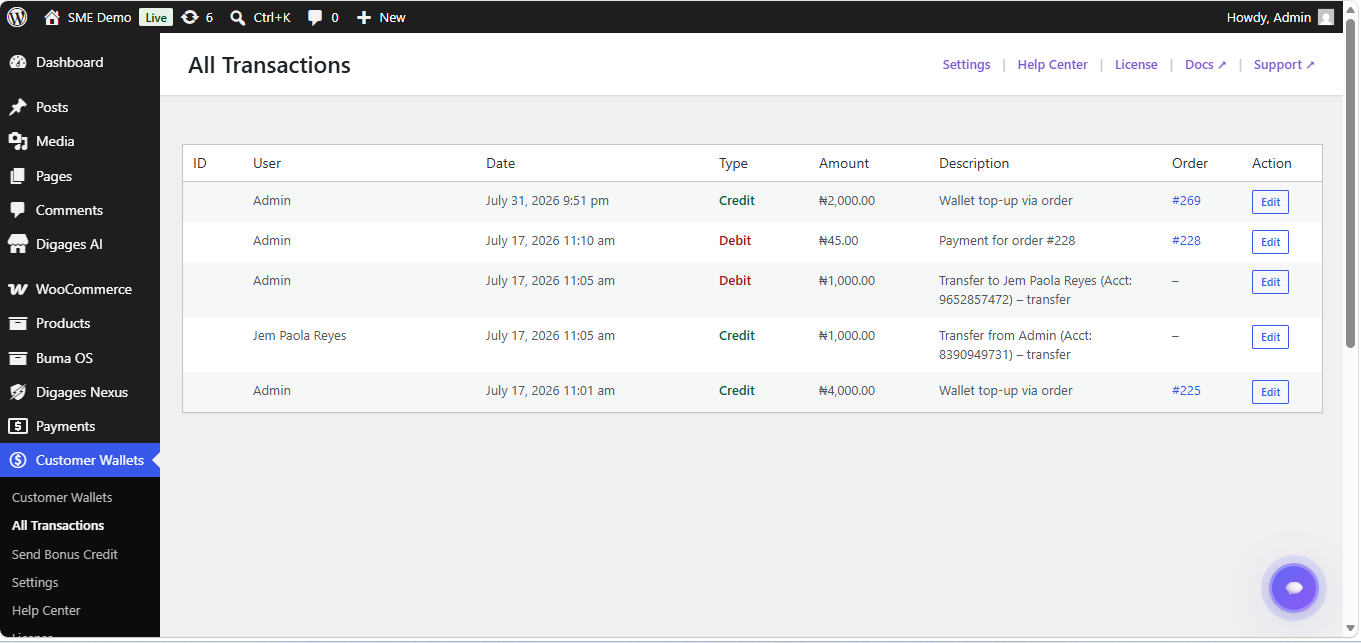
- Admin Wallet Management: Review customer balances and browse wallet transactions from WordPress admin.
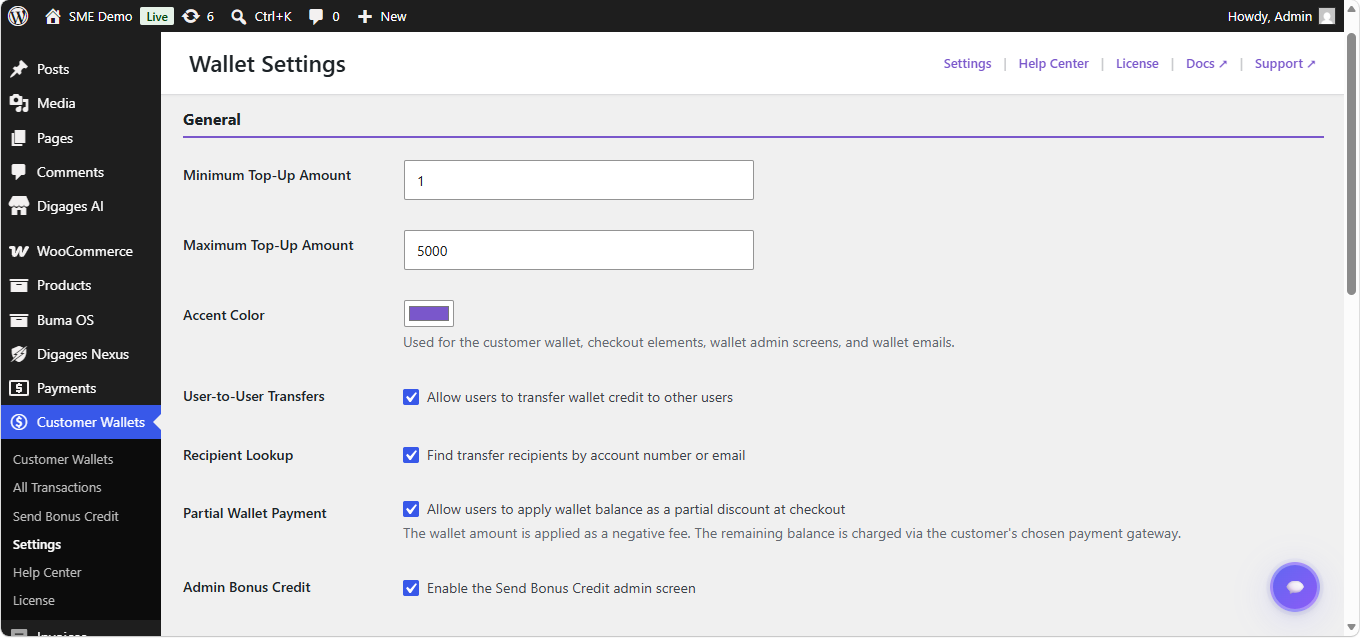
- Top-Up Limits: Configure minimum and maximum wallet top-up amounts.
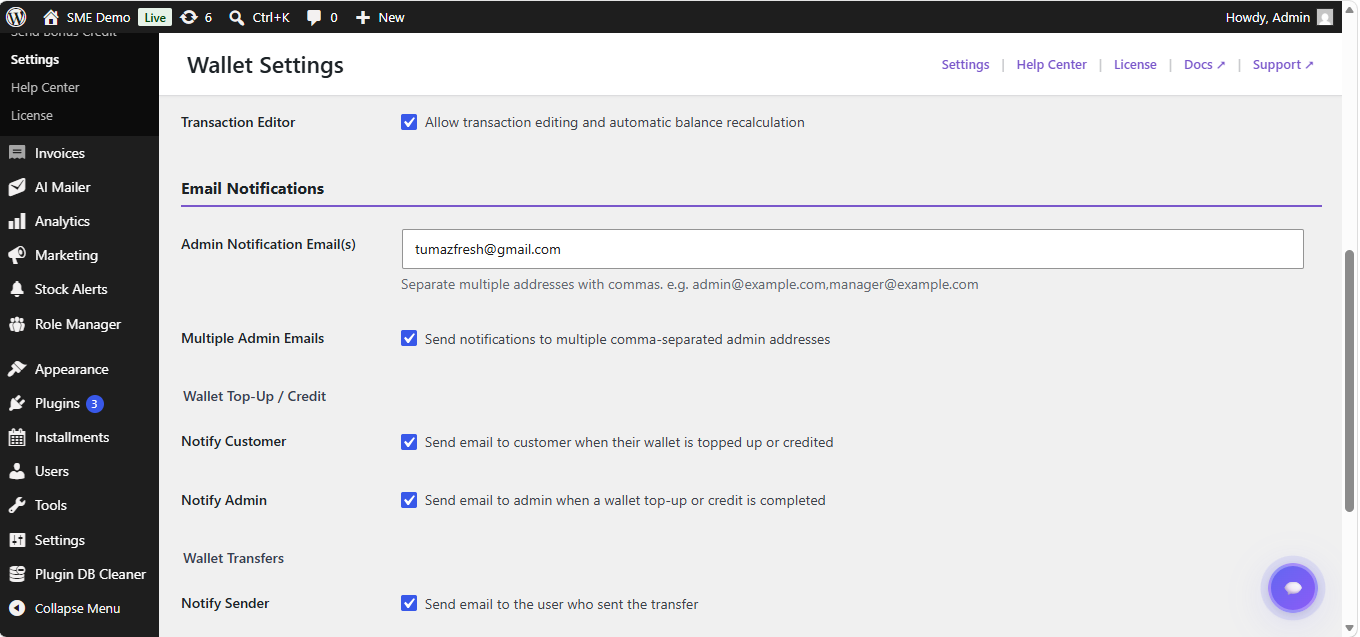
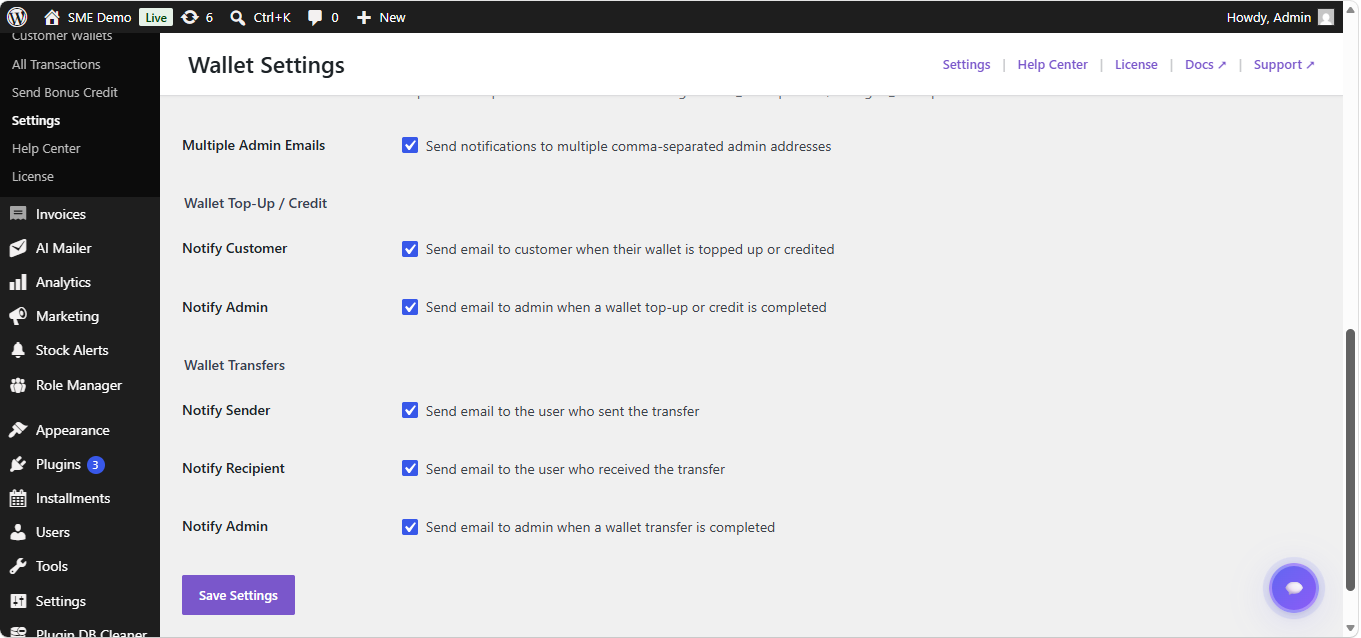
- Email Notifications: Notify customers and administrators when wallet credit is added.
- Default Neutral Accent: Use the built-in #222222 accent across the customer wallet, checkout elements, and wallet emails.
- Built-in Help Center: Open wallet settings, administration shortcuts, documentation, reviews, feature requests, bug reports, and support links from WordPress admin.
- Serialized Balance Updates: Process wallet credits and debits safely per customer to reduce conflicting balance changes.
- Partial Wallet Payments: Apply available wallet funds and pay the remaining order amount with another WooCommerce gateway.
- Multiple Admin Emails: Send wallet notifications to multiple comma-separated administrator addresses.
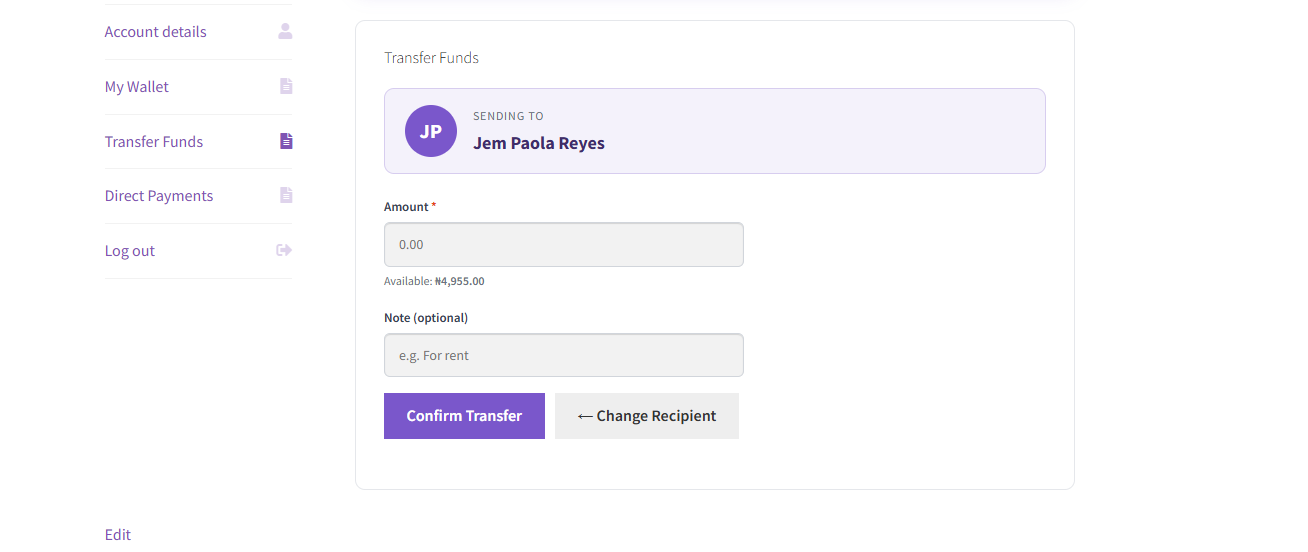
- User-to-User Transfers [PRO]: Let customers transfer wallet funds to other registered users.
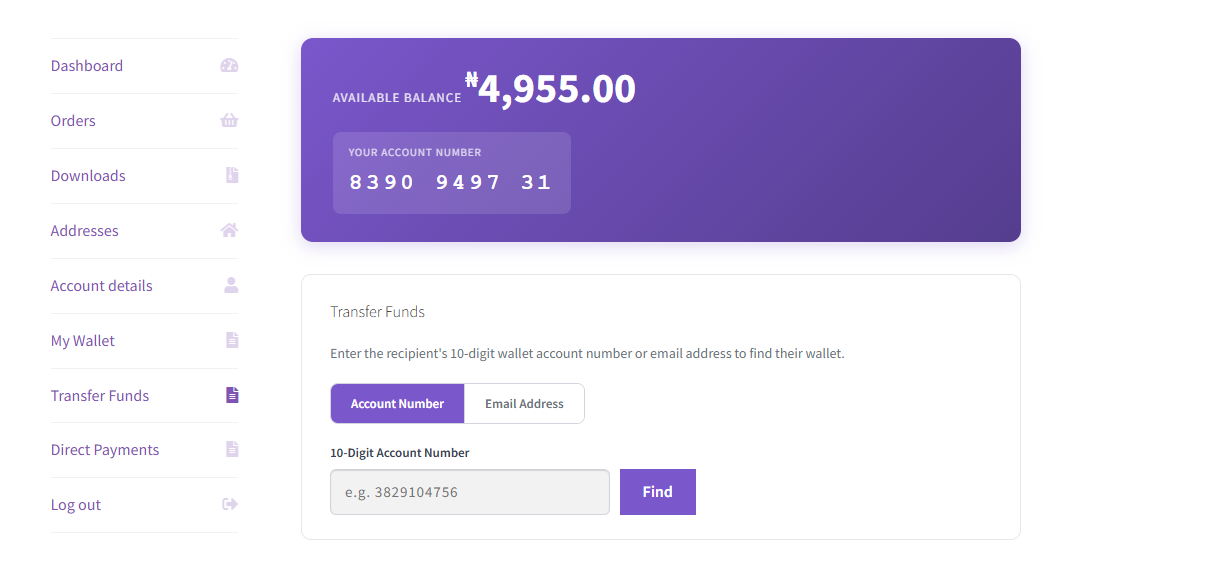
- Recipient Lookup [PRO]: Find transfer recipients by wallet account number or email address whenever transfers are enabled.
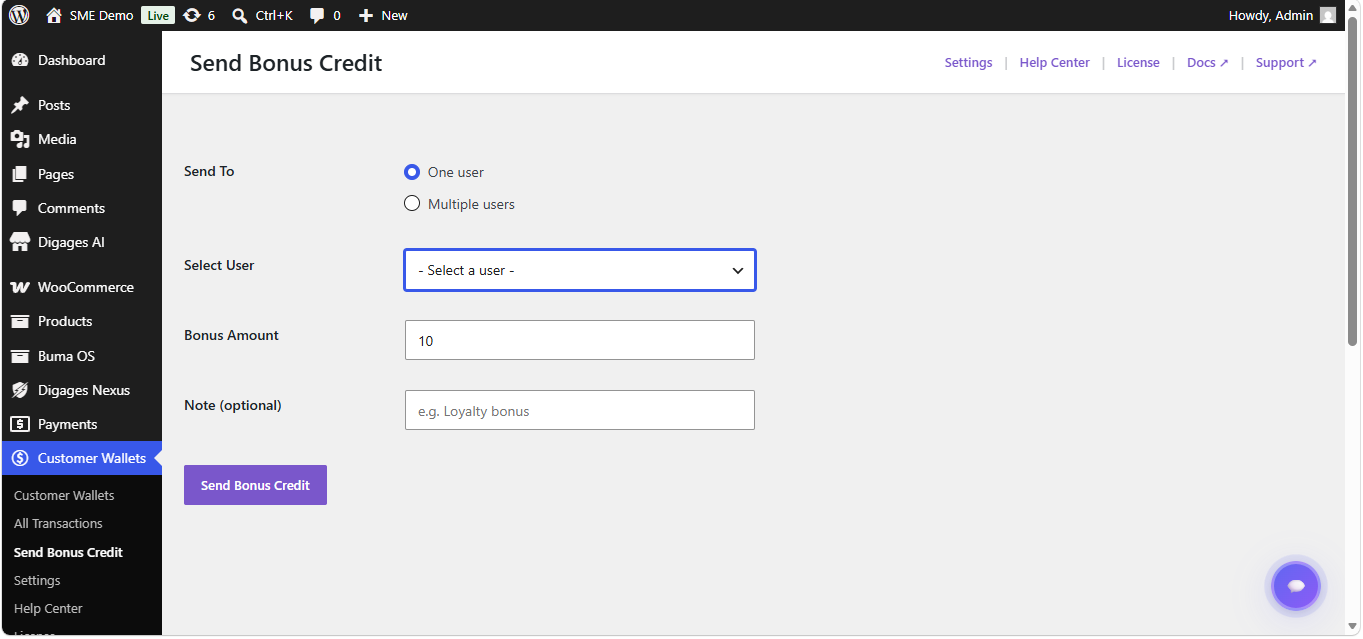
- Credit Wallets [PRO]: Send wallet credit to one user or multiple users in a single admin operation.
- Edit Transactions [PRO]: Edit wallet transactions and automatically recalculate the affected balance.
- Custom Accent Color [PRO]: Enter an exact hex color for the customer wallet, checkout elements, and wallet emails.
What’s Next?:
If you like this plugin, then consider checking out our other plugins:
-
Direct Invoices – Invoicing & Payment Requests for WordPress
-
Engraver for WooCommerce – Personalize and Customize WooCommerce Products
Credits
Built by Digages.
Skjermbilder
Installasjon
Using The WordPress Dashboard:- Go to WordPress Admin > Plugins > Add New Plugin.
- Search for Digages Customer Wallet for WooCommerce.
- Click Install Now, then click Activate.
- Make sure WooCommerce is installed and active.
- Go to WordPress Admin > Plugins > Add New Plugin > Upload Plugin.
- Choose the
digages-customer-wallet.zipfile and click Install Now. - Activate the plugin after installation.
- Go to Customer Wallets > Settings.
- Set the minimum and maximum top-up amounts.
- Configure customer and administrator email notifications.
- Customers can now open My Account > Wallet to view or top up their wallet.
Ofte stilte spørsmål
-
Does this plugin require WooCommerce?
-
Yes. WooCommerce must be installed and active because top-ups, checkout payments, orders, currencies, and customer account pages use WooCommerce.
-
How do customers add money to their wallet?
-
Customers open My Account > Wallet, enter a top-up amount, and complete payment through the normal WooCommerce checkout. The wallet is credited when the top-up order reaches a supported paid status.
-
Can customers pay for an entire order with wallet funds?
-
Yes. The free version includes full wallet payments when the customer’s available balance covers the complete order total.
-
Can customers combine wallet funds with another payment gateway?
-
Yes. Partial wallet payment is available in both Free and Pro. It applies wallet funds to the order and lets the customer pay the remaining amount through another enabled WooCommerce gateway.
-
Can customers transfer wallet funds to another user?
-
User-to-user transfers are available in Pro. Pro can also look up recipients by wallet account number or email address.
-
Can an administrator send promotional or loyalty credit?
-
Yes, in Pro. Open Customer Wallets > Credit Wallets to credit one customer or multiple customers in one operation. Free users can preview the feature from the same menu.
-
Can I change the wallet color to match my brand?
-
The default accent is #222222. Pro users can enter an exact hex color under Customer Wallets > Settings > General. Accent colors apply to the customer wallet, checkout elements, and wallet emails; WordPress admin screens keep their own fixed colors.
-
Are wallet transactions recorded?
-
Yes. Successful wallet credits and debits are stored in the wallet transaction table and displayed to customers and administrators.
-
What is the difference between the Free and Pro versions?
-
The Free version includes wallet top-ups, full and partial wallet checkout payments, balances, account numbers, transaction history, administration tools, and comma-separated admin notification addresses. Pro adds user transfers with recipient lookup, single and bulk wallet credit, transaction editing with balance recalculation, and custom accent colors.
-
How can I upgrade to Pro?
-
Purchase a license from the Digages Customer Wallet website, install the Pro plugin, and activate the license under Customer Wallets > License.
Vurderinger
Det er ingen omtaler av denne utvidelsen.
Bidragsytere og utviklere
«Digages Customer Wallet for WooCommerce» er programvare med åpen kildekode. Følgende personer har bidratt til denne utvidelsen:
Bidragsytere

Oversett «Digages Customer Wallet for WooCommerce» til ditt språk.
Interessert i utvikling?
Bla gjennom koden, sjekk ut SVN-repositoriet, eller abonner på utviklingsloggen med RSS.
Endringslogg
1.0.1
- Improved: Minor update
1.0.0
- Added: WooCommerce Checkout Block support for full wallet payments.
- Added: JSON-powered Digages plugin catalogue in the Help Center.
- Added: Built-in Help Center for wallet administration, documentation, feedback, and support shortcuts.
- Initial release of Digages Customer Wallet.