

Beskrivelse
HONOKO Core – Free Visual Page Builder and SEO Tools for WordPress
HONOKO Core is a free visual page builder for WordPress that lets you create and manage pages, posts and website content using flexible rows, columns and customizable blocks.
Build responsive layouts, edit content visually and organize your website with built-in SEO tools, pillar pages, content clusters and structured content features.
Unlike builders tied to a specific WordPress theme, HONOKO Core keeps its content functionality separate from presentation.
Use HONOKO Core independently with other compatible WordPress themes, or combine it with the free HONOKO Theme for a more integrated design experience.
Visual Page Builder for WordPress
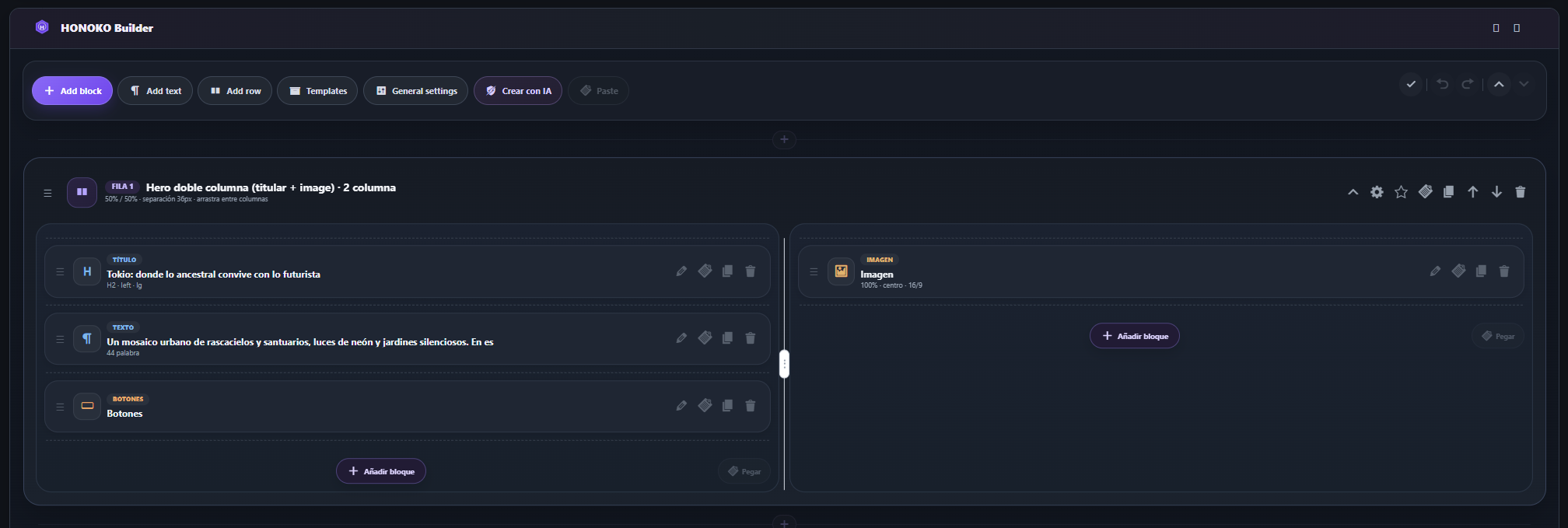
HONOKO Builder provides a flexible visual editing experience for creating and managing WordPress content.
- Build page layouts using customizable rows and columns.
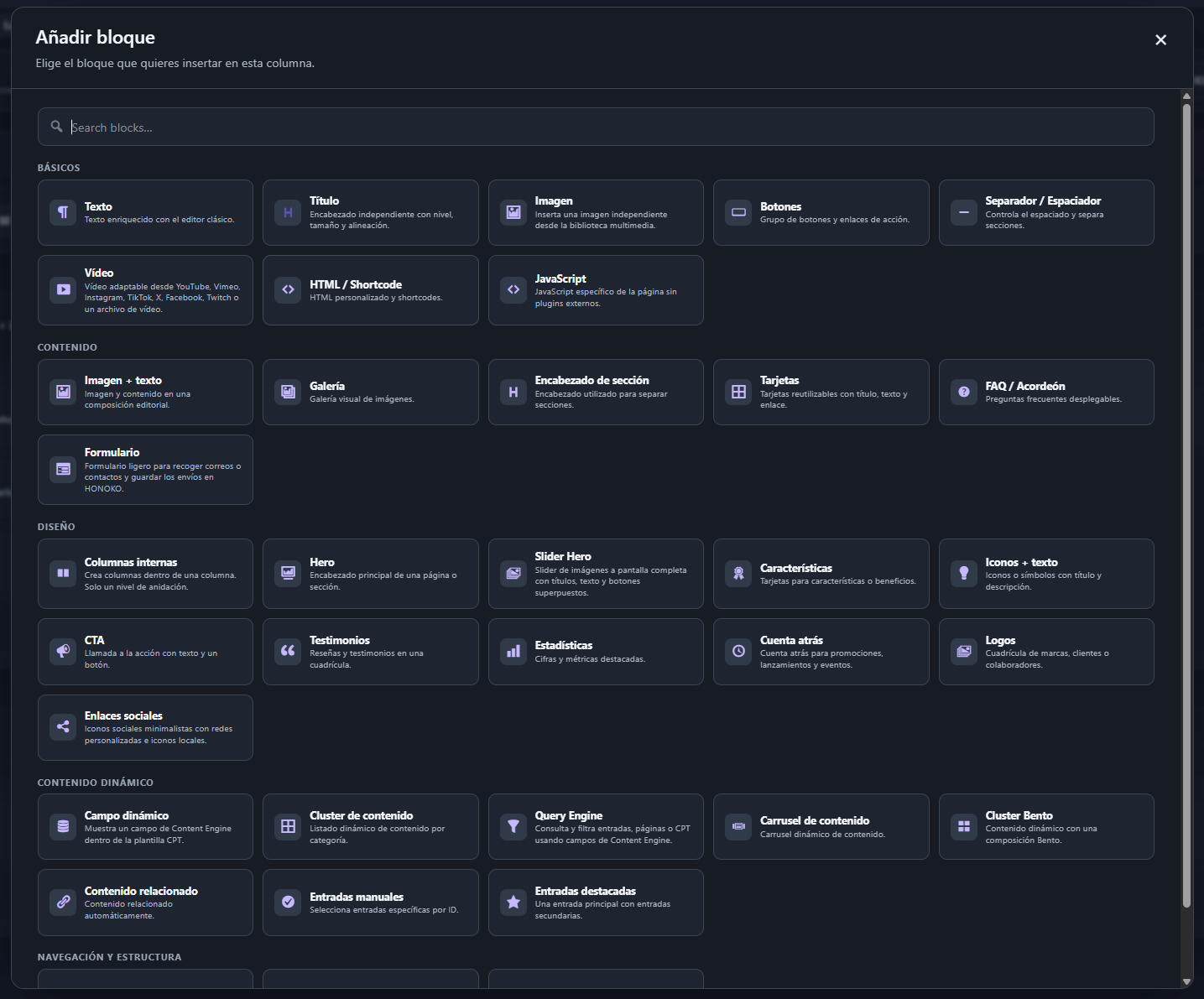
- Add content blocks for text, images, headings, buttons and other elements.
- Create responsive content layouts.
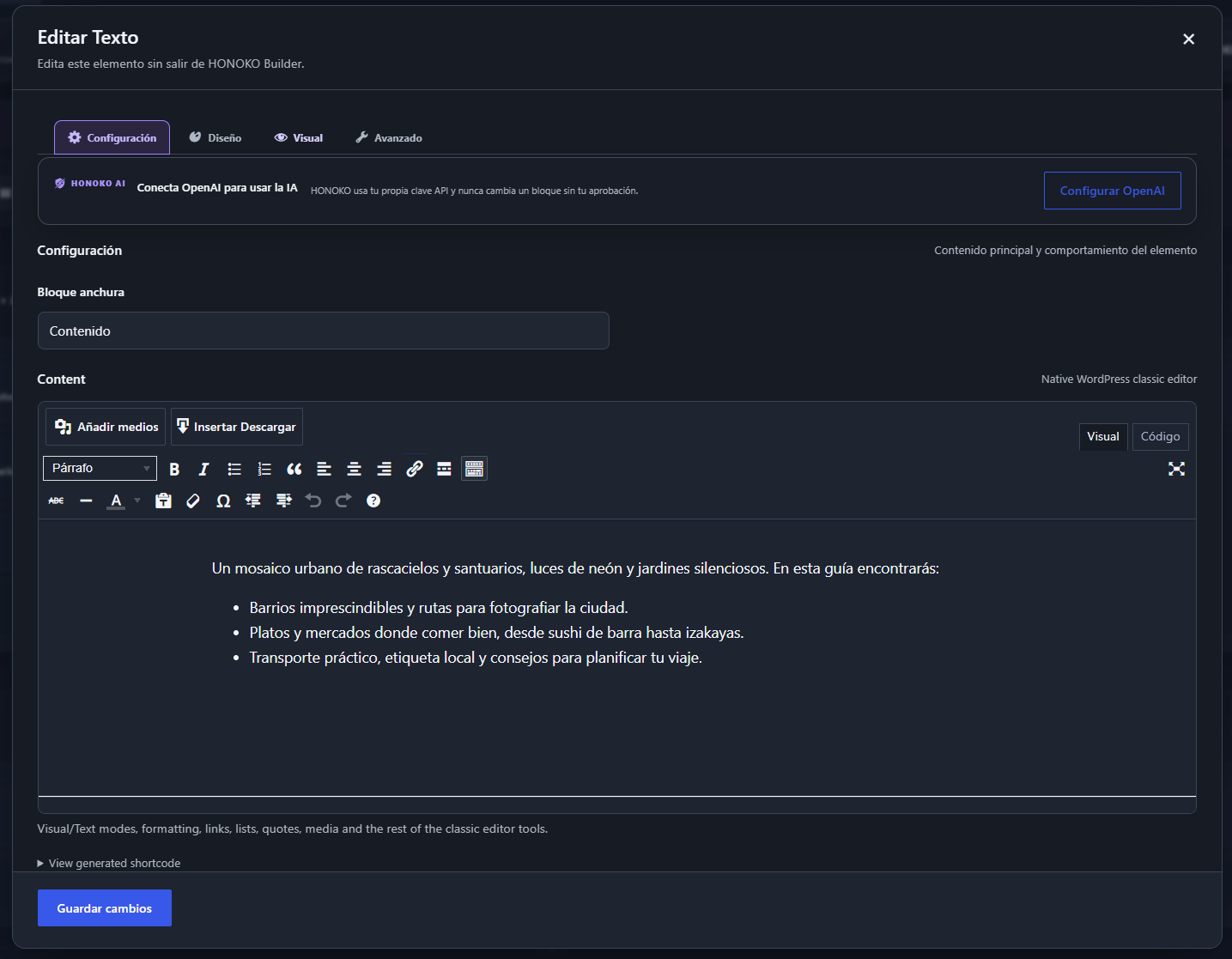
- Edit rich text using the familiar WordPress classic editor.
- Organize and customize blocks within the Builder.
- Manage pages and posts using HONOKO Builder.
- Use the Frontend Builder for visual content editing.
- Keep your Builder content available when changing WordPress themes.
HONOKO Builder is designed to make content creation more flexible while keeping your website structure under your control.
Works With Other WordPress Themes
HONOKO Core is an independent WordPress plugin.
You do not need to install HONOKO Theme to use the free Builder, content architecture tools or SEO functionality.
HONOKO Core can remain active when you switch to another compatible WordPress theme. Your Builder content, pillar-page mapping and SEO data remain available independently of the active theme.
The visual appearance of content may vary depending on the theme being used.
Better Together With HONOKO Theme
For the most integrated experience, HONOKO Core is designed to work alongside the free HONOKO Theme.
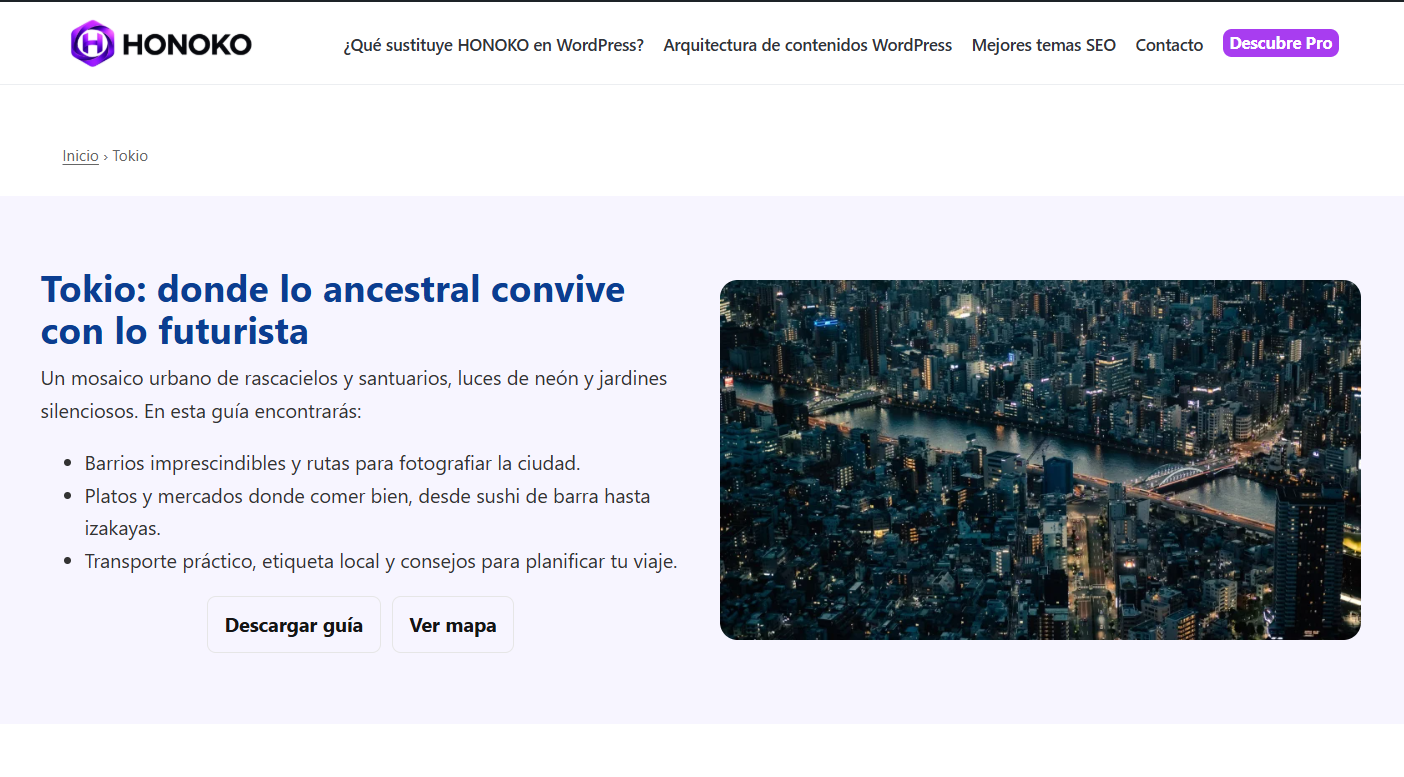
HONOKO Theme provides the intended visual presentation, responsive design, header and footer layouts, typography and appearance settings.
HONOKO Core provides the independent content functionality, visual Builder, content organization and SEO tools.
Together, they offer an integrated WordPress website-building experience.
HONOKO Theme is recommended, but it is not required. HONOKO Core works independently.
Learn more about the HONOKO ecosystem:
https://honokotheme.com/
Built-in SEO Tools
HONOKO Core includes SEO features to help you manage and organize your WordPress content.
- Manage SEO titles and meta descriptions.
- Generate Schema markup.
- Generate XML sitemaps.
- Organize content using pillar pages.
- Create topic-based content clusters.
- Structure related content around central topics.
- Manage SEO information independently of your WordPress theme.
These tools are designed to help you build a clearer website structure and maintain organized content.
HONOKO Core also includes compatibility handling for popular SEO plugins such as Yoast SEO, Rank Math, All in One SEO and SEOPress to help avoid duplicate metadata output.
Pillar Pages and Content Clusters
HONOKO Core includes tools for creating a structured content architecture.
Pillar pages can serve as central resources for a topic, while related articles and content clusters help organize supporting information.
Features include:
- Pillar-page and category mapping.
- Content clusters based on selected categories.
- Support for combining content from multiple categories.
- Structured organization of related posts and pages.
- Integration with HONOKO Builder.
These features are useful for websites that publish guides, tutorials, blogs, educational resources and topic-focused content.
Free Content Blocks
HONOKO Core includes a collection of free content blocks for building WordPress layouts.
Use the Builder to arrange elements inside rows and columns, edit their settings and create customized page structures.
The block library also displays optional HONOKO Pro components, clearly identified as premium features when the add-on is not active.
HONOKO Pro is not required to use the free blocks included with Core.
Optional HONOKO Pro Add-on
HONOKO Core is free and fully functional without HONOKO Pro.
For users who need additional design components and advanced functionality, HONOKO Pro is available separately as an optional premium add-on.
The free Builder, pillar architecture, SEO metadata and free content blocks remain available without purchasing a Pro license.
HONOKO Pro is not included in this plugin.
Independent Content Architecture
HONOKO Core separates persistent content functionality from the active WordPress theme.
This approach helps keep Builder content and SEO information available when you change your website design.
You can use HONOKO Core independently, combine it with HONOKO Theme or extend its functionality with HONOKO Pro.
Technical Information
HONOKO Core uses WordPress APIs and stores its content functionality locally within the WordPress installation.
Builder column payloads use Base64 encoding as a transport format inside shortcode attributes.
This encoding is used for serialization only. It is not code obfuscation, and no executable code is downloaded from third-party services.
Source Code
HONOKO Core does not require npm, webpack, minification, or another build step. The JavaScript and CSS files distributed under assets/js/ and assets/css/ are the human-readable source files loaded directly by WordPress. No separate generated bundles are shipped.
Resources
HONOKO Builder icon artwork, Copyright 2026 Carlos Banyuls.
License: GPL-2.0-or-later.
Source: https://honokotheme.com/
Skjermbilder
Blokker
Denne utvidelsen gir 2 blokker.
- HONOKO · Image + text Two-column visual block with image, eyebrow, title, text and button.
- HONOKO · Content cluster Display posts from one or more categories as a configurable content cluster.
Ofte stilte spørsmål
What is HONOKO Core?
HONOKO Core is a free visual page builder and content architecture plugin for WordPress. It includes HONOKO Builder, free content blocks, pillar pages, content clusters and SEO tools.
Is HONOKO Core a free WordPress page builder?
Yes. HONOKO Core includes a free visual Builder with customizable rows, columns and content blocks. You can create and manage layouts without purchasing HONOKO Pro.
Do I need HONOKO Theme to use HONOKO Core?
No. HONOKO Core is an independent WordPress plugin that works with other compatible WordPress themes.
HONOKO Theme is recommended for the intended integrated design experience, but it is not required.
Does HONOKO Core work better with HONOKO Theme?
HONOKO Core and HONOKO Theme are designed to work together.
HONOKO Theme provides the intended visual presentation and appearance settings, while HONOKO Core provides the Builder, content architecture and SEO functionality.
However, Core can also be used independently with other compatible WordPress themes.
Can I use HONOKO Core with another WordPress theme?
Yes. HONOKO Core keeps its content functionality separate from the active theme. You can use its Builder and SEO tools without installing HONOKO Theme.
The appearance of individual layouts may vary depending on the active theme.
Can I change my WordPress theme without losing HONOKO content?
HONOKO Core keeps Builder content and SEO data available independently of the active theme.
When changing themes, HONOKO Core can remain active so its content functionality continues to work.
Does HONOKO Core include SEO tools?
Yes. HONOKO Core includes SEO metadata, Schema markup, XML sitemap generation, pillar-page mapping and content clusters.
Can HONOKO Core work alongside other SEO plugins?
HONOKO Core includes compatibility handling for popular SEO plugins, including Yoast SEO, Rank Math, All in One SEO and SEOPress, to help prevent duplicate SEO metadata.
What are pillar pages and content clusters?
Pillar pages are central pages dedicated to a main topic.
Content clusters organize related articles and supporting content around that topic, helping create a clearer website structure.
HONOKO Core includes tools for mapping pillar pages and managing related content.
Is HONOKO Pro required?
No. HONOKO Core is fully functional without HONOKO Pro.
The free Builder, pillar architecture, SEO metadata and free blocks work independently of the premium add-on.
What does HONOKO Pro add?
HONOKO Pro is an optional premium add-on that extends HONOKO Core with additional blocks, design components and advanced features.
HONOKO Pro is distributed separately and is not included in HONOKO Core.
Does HONOKO Core send site content to HONOKO servers?
No. HONOKO Core does not track visitors or send site content to an external HONOKO service.
Vurderinger
Det er ingen omtaler av denne utvidelsen.
Bidragsytere og utviklere
«HONOKO Core» er programvare med åpen kildekode. Følgende personer har bidratt til denne utvidelsen:
Bidragsytere
Oversett «HONOKO Core» til ditt språk.
Interessert i utvikling?
Bla gjennom koden, sjekk ut SVN-repositoriet, eller abonner på utviklingsloggen med RSS.
Endringslogg
1.0.28
- Adds a gold Get HONOKO Pro upgrade button in the installed plugins list when HONOKO Pro is inactive.
- Carries forward the maintenance, security and compatibility improvements from 1.0.27.
1.0.27
- Stable release based on the validated 1.0.27 test8 build.
- Adds a gold Get HONOKO Pro link in the installed plugins list when HONOKO Pro is inactive.
- Adds a Maintenance screen with separate, opt-in data deletion settings for Core and Pro. Data is retained by default.
- Adds a guarded Core uninstall routine that preserves posts, pages, media, custom content and Pro-owned records.
- Security hardening: filters decoded Builder row/column payloads before nested shortcode execution.
- SEO/TOC tools now inspect decoded Builder row and rich-text content.
- Automatically defers title/meta/canonical/social/schema output to Yoast, Rank Math, AIOSEO or SEOPress when detected.
- Prevents the horizontal page scrollbar caused by full-bleed Builder background pseudo-elements when 100vw includes the browser scrollbar gutter.
- Keeps intentional local horizontal scrollers intact while clipping only root-level page overflow.
1.0.26
- Content Cluster can now combine entries from multiple selected categories in the same block.
- Category selection is available in HONOKO Builder, Frontend Builder and the Cluster block editor.
- Leaving all categories unchecked keeps the automatic pillar-page category behavior.
1.0.25
- Keeps category pillar pages on the exact category slug when no-category-base or permalink rules would otherwise append a numeric suffix such as
-2. - Automatically syncs the category and Page mapping after a same-slug pillar is saved.
- Repairs an existing suffixed pillar slug on the next save when its title or HONOKO cluster block clearly matches the category.
1.0.24
- Remembers HONOKO Builder as the preferred editor per post when Core is used with third-party themes.
- Normal Edit links reopen posts in HONOKO Builder after they have been edited or saved there.
- The WordPress editor action explicitly switches the remembered editor back to Gutenberg for that post.
1.0.23
- Added a dedicated HONOKO Builder route for sites using third-party themes.
- Gutenberg now shows an HONOKO Builder launcher instead of the non-functional legacy Builder metabox.
- Existing HONOKO shortcode content is detected in Gutenberg and gets a direct Builder notice/action.
- HONOKO dashboard New page/New post actions now open directly in Builder.
- Saving or publishing from the dedicated Builder now keeps the editor in HONOKO Builder.
- Added portable row, column, width and free-block layout styles for third-party themes.
- Restored locked HONOKO Pro block previews in the Core block library when Pro is not active.
1.0.22
- Added a contextual «Get HONOKO Theme» link to the Plugins screen when the HONOKO theme is not active.
- The link points to the official HONOKO website and does not make the theme a hard dependency of Core.
1.0.21
- Added a contextual HONOKO Pro submenu and local overview page for Lite/Core users.
- The submenu is scoped to HONOKO, uses no tracking parameters and disappears when Pro is active.
- Added a locally rendered Pro feature overview with no remote images or embedded content.
1.0.20
- Keeps the WordPress compatibility declaration only in readme.txt, as required by the Plugin Directory.
- Restricts HONOKO admin appearance assets and body classes to HONOKO-owned admin screens instead of loading them across wp-admin.
- Scopes admin appearance selectors to HONOKO screens so they cannot affect unrelated WordPress administration pages.
1.0.19
- Updates official HONOKO project links to honokotheme.com.
1.0.18
- Completes Spanish translations for PHP/JavaScript UI and refreshes native script translation catalogs.
- Uses an English source msgid for the Quote block so English installations no longer see a Spanish label.
1.0.17
- Removed the auxiliary SOURCE.md file from the production package; source-code/build documentation remains in readme.txt.
1.0.16
- Replaced inline admin CSS/JavaScript with WordPress enqueue APIs.
- Hardened JSON-LD output against script-tag termination.
- Made Content Engine token replacement context-safe by resolving only normal text nodes.
- Documented the bundled human-readable JavaScript/CSS source used by the plugin.
- Strengthened request capability checks and output escaping found during directory review.
1.0.14
- Improved escaping, nonce documentation, translator comments, and directory-check compatibility based on WordPress Plugin Check.
- Bundled Spanish gettext and JavaScript catalogs so Core follows the WordPress site/user language consistently.
- Prepared the public API namespace for WordPress.org with the
honoko_prefix. - Improved internationalization coverage and security sanitization for Builder backups.
- Separated premium Builder runtimes and integrations into the external HONOKO Pro add-on; Core now ships only the free implementation.
- Simplified the contextual Pro presentation in the Builder.
- Cleaned the plugin readme and changelog for directory submission.
1.0.13
- Improved vertical spacing across HONOKO admin screens.
1.0.11
- Added the richer Core dashboard, status overview, health snapshot and architecture shortcuts.
- Improved responsive layout and dark-mode compatibility.
1.0.7
- Improved the Builder catalogue and free/optional add-on integration.
1.0.0
- Initial Core split from the HONOKO theme.