

Beskrivelse
What is Login Me Now?
Login Me Now is a modern login and access control solution for WordPress. It helps you:
- Grant temporary access with secure one-time links
- Log in without passwords
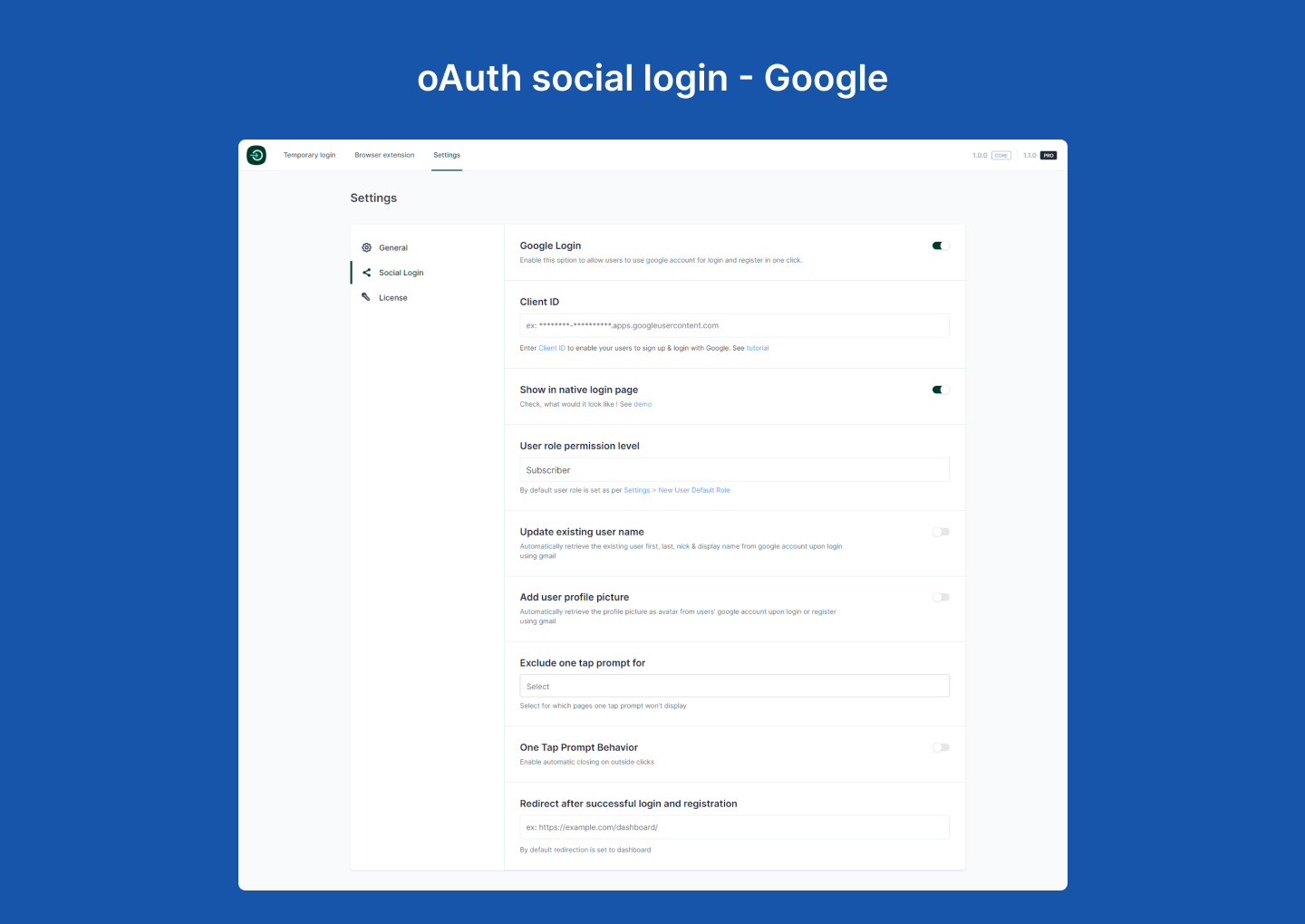
- Offer Google and Facebook social login
- Switch between user accounts instantly
- Use browser extensions for one-click dashboard access
- Verify users with SMS-based one-time passwords
- Track login history and activity
- Manage modules, integrations, and features from a single hub
New: Phone OTP Login
Allow users to verify identity with one-time passwords delivered via SMS using Firebase or Twilio.
Improved Email Magic Link
Refined modal, confirmation step, and updated email template for a more professional experience.
Video Overview
Watch a quick 38-second overview of the problem, solution, and features:
Key Features
Passwordless & Temporary Login
- Generate secure login links with expiration time (hours or days)
- No passwords needed — secure login with one click
- Control access using validity periods and conditional settings
Social Login
- Google and Facebook login support
- Use shortcodes to place login buttons anywhere
- Pro: Sync profile photo and name
- Pro: Redirect users to any page after login
Phone OTP Login (New)
- OTP delivery through Firebase or Twilio Verify
- Rate limiting, resend cooldown, and reCAPTCHA supported
- Country flag selector and restriction options
- Store and normalize phone numbers in user profiles
- Works via shortcode or wp-login.php login provider interface
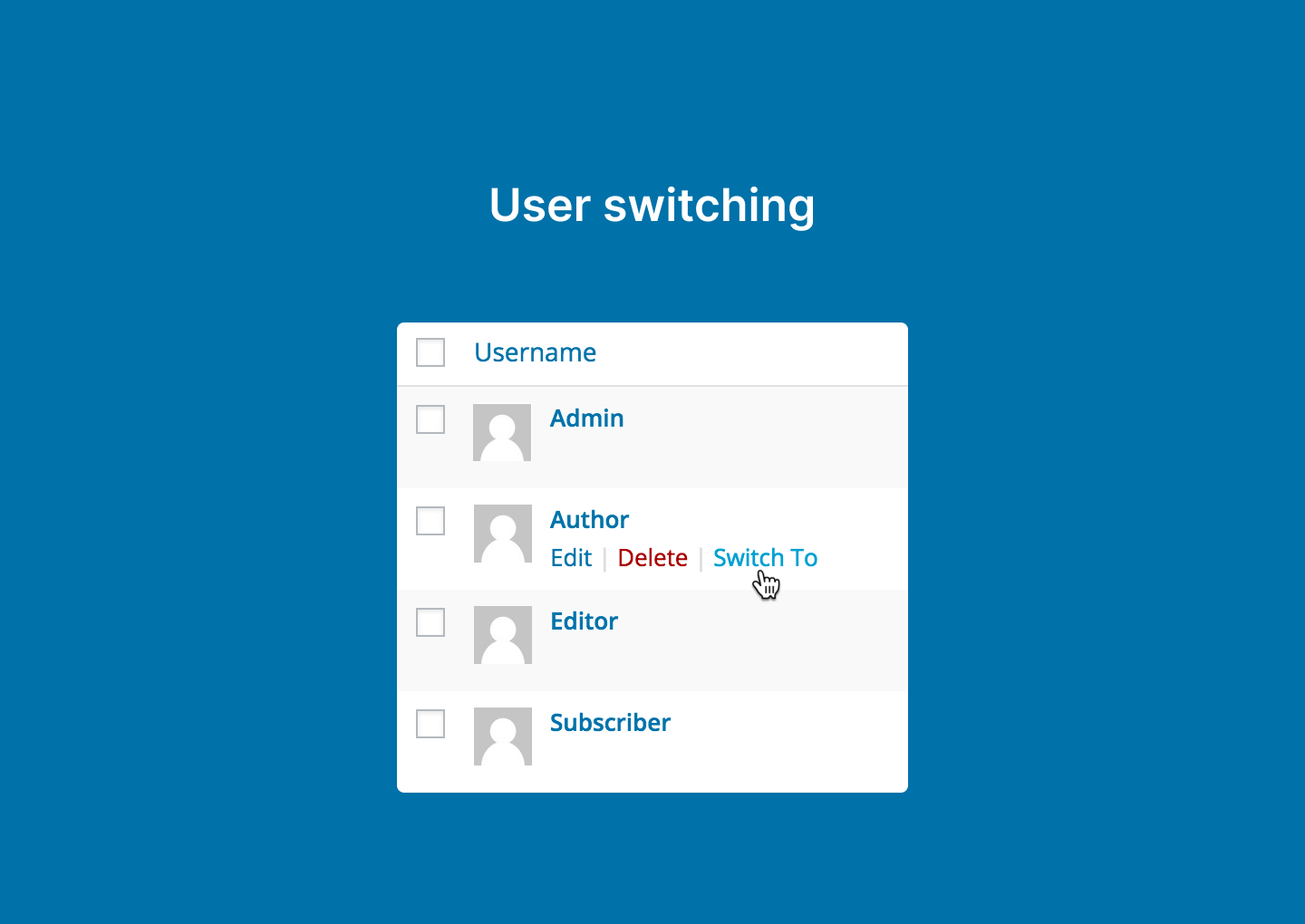
User Switching
- Instantly switch between user accounts
- No logout/login cycles required
Email Magic Link
- Single-use secure login links
- Clean modal with validation and success confirmation
- Friendly email template with clear CTA
Activity Log
- Integrates with Simple History
- Track who logged in and how they authenticated
Browser Extensions
- Chrome Extension
- Firefox Add-on
- Uses encrypted JWT tokens for secure and fast access
- No passwords are stored in the extension
Modules Hub (New)
- Toggle modules, integrations, and upcoming features from one dashboard
- Search, filter, and manage active, available, and upcoming modules
- Module state persists automatically
Shortcodes
Use these shortcodes to display login buttons anywhere:
[login_me_now_google_button]
[login_me_now_facebook_button]
[login_me_now_phone_otp_button]
[login_me_now_email_magic_link_button]
Use Cases
- Site Owners: Give temporary access without sharing passwords
- Developers: Request secure client access instead of asking for admin credentials
- Agencies: Switch between multiple user accounts easily
Integrations
- All-in-One Content Restriction
- WooCommerce
- Easy Digital Downloads
- Directorist
- Simple History
- Fluent Support
Coming Soon: Tutor LMS, BuddyBoss, BuddyPress, Dokan, bbPress
Why Choose Login Me Now?
- Encrypted, time-sensitive authentication
- Faster, smoother login flows
- Works for both beginners and power users
- Actively updated and maintained
Pro Features
- Social login profile sync (name, avatar)
- Custom redirect after login
- More integrations (coming soon)
- WooCommerce express login (coming soon)
- Advanced OTP enhancements (coming soon)
- Priority support
Pro version:
https://loginmenow.com/pricing/
FIND AN ISSUE?
Support forum:
https://wordpress.org/support/plugin/login-me-now/
Please search existing topics before opening a new one.
Skjermbilder


Installasjon
- Install via the WordPress.org plugin repository or upload manually.
- Activate the plugin.
- Configure settings under «Login Me Now» in the WordPress dashboard.
- (Optional) Install the Chrome or Firefox extension for one-click multi-site access.
Ofte stilte spørsmål
-
Do I need the Chrome extension to create temporary login links?
-
No. The extension is optional. You can generate links directly inside WordPress.
-
Does the plugin or extension have access to my passwords?
-
No. Passwords stay safely stored by WordPress. The plugin and extension never access them.
-
Can I track temporary user activity?
-
Yes. With Simple History, you can track logins and interactions.
-
Is the Email Magic Link secure?
-
Yes. All links are time-limited and single-use.
-
Use these shortcodes:
[login_me_now_google_button]
[login_me_now_facebook_button]
Vurderinger


Bidragsytere og utviklere
«Login Me Now – Passwordless, Magic Link, OTP & Social Login for WordPress» er programvare med åpen kildekode. Følgende personer har bidratt til denne utvidelsen:
Bidragsytere

Oversett «Login Me Now – Passwordless, Magic Link, OTP & Social Login for WordPress» til ditt språk.
Interessert i utvikling?
Bla gjennom koden, sjekk ut SVN-repositoriet, eller abonner på utviklingsloggen med RSS.
Endringslogg
1.16 – Apr 29, 2026
- Add: Magic Link User Access Mode setting for Pro.
- Add: Hooks for Pro Magic Link new-user registration and popup copy.
- Improved: Magic Link access mode defaults to existing users only.
1.15 – Apr 4, 2026
- Fix: Restored Firebase reCAPTCHA site/secret key fields in Phone OTP settings.
1.14 – Jan 12, 2026
- Add: JWT leeway for Google Login
- Fix: Redirect URL Issue
1.13 – Dec 12, 2025
- Add WodPress Latest compatibility
1.12 – Nov 16, 2025
- Fix: Settings Issues
1.11 – Nov 06, 2025
- New: Option to show or hide country flags for phone numbers.
- New: Country restriction and default country settings.
- Fix: OTP digits issue for WooCommerce login.
1.10 – Oct 26, 2025
- New: Phone OTP login with Firebase/Twilio.
- New: Modules hub with search and grouping.
- New: Phone OTP login provider inside wp-login.php.
- Improved: Magic link modal styling and accessibility.
- Improved: Magic link email template.
- Fix: Conflict between magic link UI and wp-login form layout.
1.9 – May 9, 2025
- New: Fluent Support integration.
- New: Integration-specific settings.
- New: Settings page.
- Fix: Google OneTap issue.
- Fix: EDD login page redirect issue.
1.8 – Apr 11, 2025
- New: Email Magic Link.
1.7.3 – Feb 27, 2025
- Improve: Browser token login security.
1.7.2 – Jan 27, 2024
- Add: WooCommerce account registration email support.
1.7.1 – Nov 29, 2024
- Fix: Translation warning.
1.7.0 – Nov 8, 2024
- Add: Easy Digital Downloads integration.
- Add: Appsero user consent.
1.6.2 – Sep 5, 2024
- Fix: Social login shortcode button display issue.
1.6.1 – Jul 18, 2024
- Fix: Profile update error.
1.6.0 – Jul 01, 2024
- Add: Directorist compatibility.
- Fix: Google and Facebook login redirect issues.
- Fix: Browser extension creation bug.
- Fix: OneTap redirect mismatch.
- Update: User switching package.
- Improved: Simple History logging.
(and previous changelog entries continue unchanged)