
Beskrivelse
Toggles human and machine language (aka ID-s) on admin pages.
Only for development!
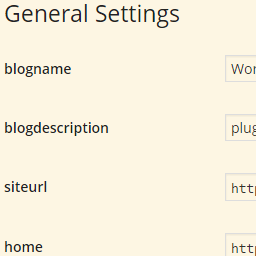
This plugin shows you the ID-s of almost all form fields including selects, checkboxes and radio buttons like in wp-admin/options.php.
It works only on WordPress Settings API-like formatted — not necessarily API generated — admin pages. E.g. <input> elements cannot be wrapped in <span>.
Activation
You can find the plugin’s checkbox in standard Screen Options (upper right corner). This checkbox could be overwritten — thus hidden — by poorly written plugins. To restrict Machine Language to a certain admin page, copy this to your wp-config.php:
define( 'MACHINE_LANGUAGE_HOOK', 'load-options-reading.php' ); For example this line causes to run only on Settings / Reading.
Funksjoner
- Basically all input ID-s are displayed in place of labels, actually
forattributes of labels select-s get a title showing all option values comma separated (hover overselect-s with your mouse)option-s get values appended in the form of «original option text|value»- Radio button labels will show: «name|value»
- Descriptions (
p-s andspan-s with «description» class) will be hidden, this way Machine Language will clean up all admin pages, descriptions are hidden by CSS, so there’s no FOUC
Other notes
select-s with empty values are not- The plugin’s checkbox in Screen Options is effective immediately
- The code is designed as a must use plugin, so there is no separated Javascript or CSS file
- State of Machine Language is saved as a user option so it is a per user setting
Lenker
Development goes on on GitHub.
Skjermbilder

Installasjon
This section describes how to install the plugin and get it working.
- Upload
machine-language.phpto thewp-content/mu-plugins/orwp-content/plugins/directory - Activate the plugin through the ‘Plugins’ menu in WordPress (if you’ve chosen the
pluginsdir)
Ofte stilte spørsmål
How can I inspect form fields not altered?
Even if your admin page is not generated by the Setting API
you should output HTML like in WordPress Settings pages.
Should I use Machine Language in production?
No, you shouldn’t.
Vurderinger
Det er ingen omtaler av denne utvidelsen.
Bidragsytere og utviklere
«Machine Language» er programvare med åpen kildekode. Følgende personer har bidratt til denne utvidelsen:
Bidragsytere
Oversett «Machine Language» til ditt språk.
Interessert i utvikling?
Bla gjennom koden, sjekk ut SVN-repositoriet, eller abonner på utviklingsloggen med RSS.
Endringslogg
0.3.2
- Fixed checkbox handling
- WP 4.4 compatibility
0.3.1
- Code styling
- WP 4.3 compatibility
- Semver
0.3
- Initiell utgivelse
- The original plugin was «Hide Descriptions»