

Beskrivelse
Remove Add to Cart Button for WooCommerce lets you hide the Add to Cart button, control product prices, and turn your store into a catalog, B2B, or quote-based system—without writing any code.
Do you want to:
* Hide the Add to Cart button?
* Show prices only to logged-in users?
* Turn your store into a catalog (no checkout)?
* Let customers send enquiries instead of buying?
* Redirect products to external or affiliate links?
This plugin makes all of that simple.
With an easy-to-use interface, you can control how products behave across your store—without touching code.
What you can do with this plugin
* Remove Add to Cart button for all users or only guests
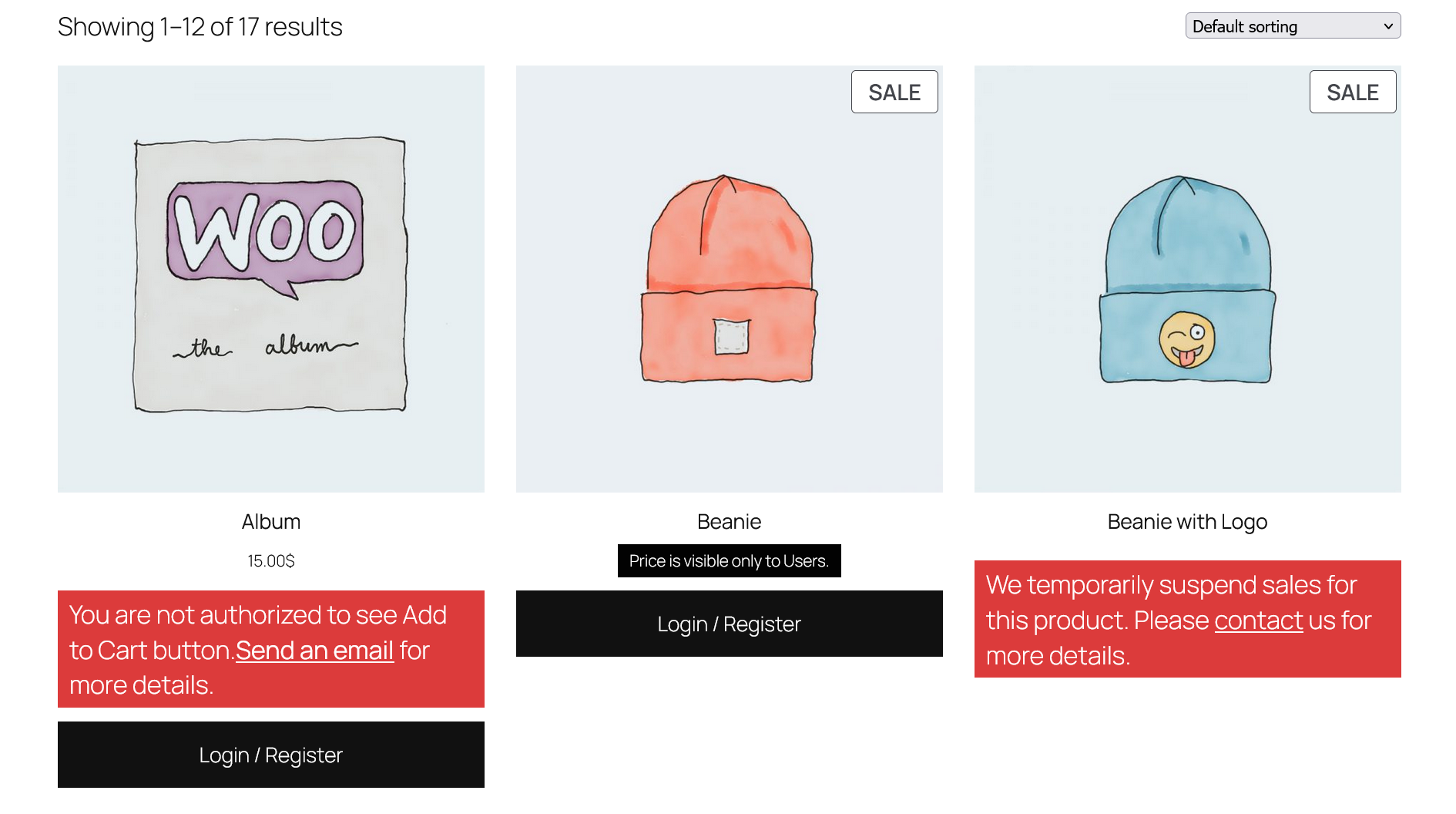
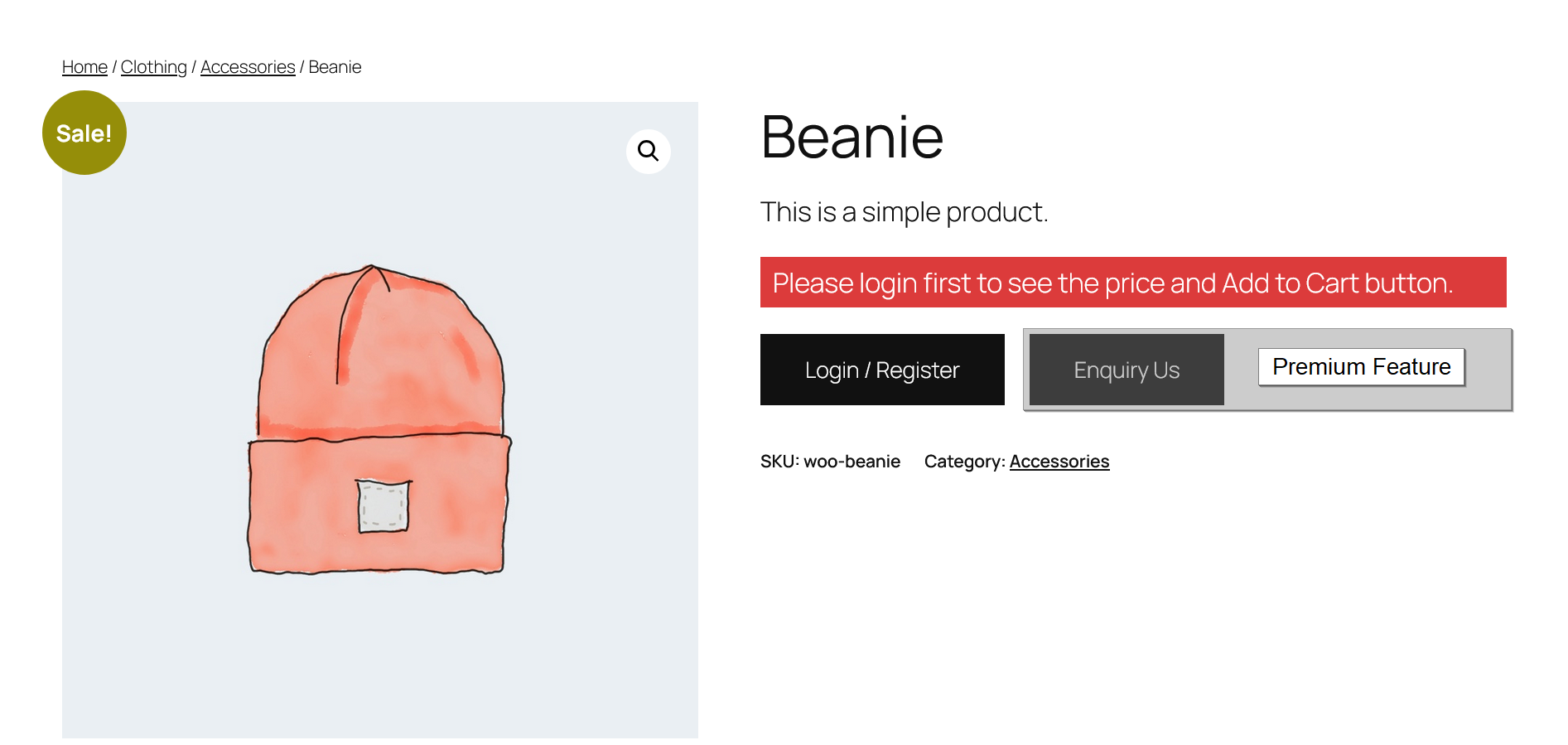
* Show a Login / Register button instead of Add to Cart
* Hide product prices and display custom messages
* Create a “Login to view price” experience
* Display fully customizable messages (supports HTML)
* Turn your WooCommerce store into a catalog mode store
* Control access to Cart and Checkout pages
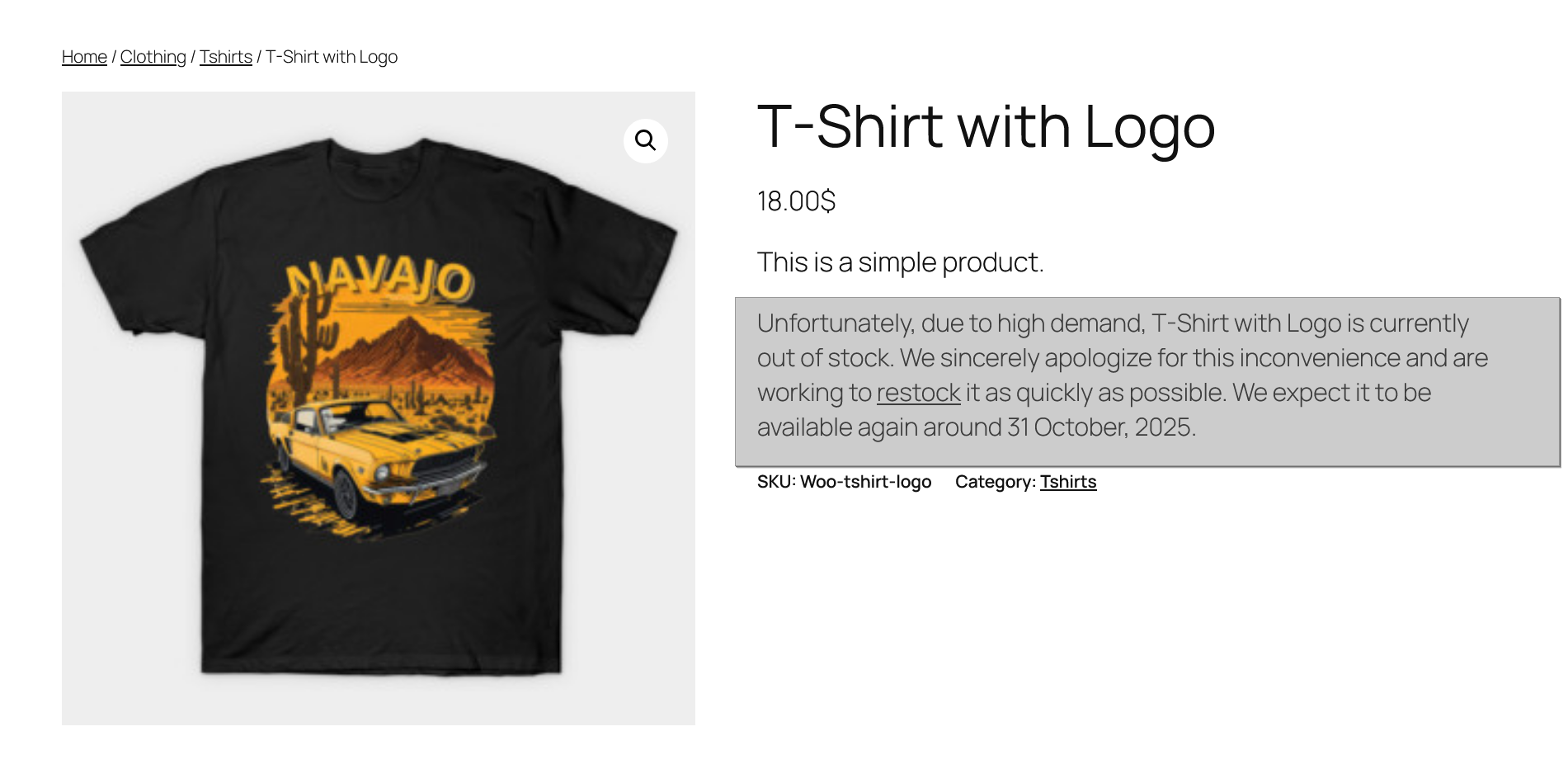
* Customize stock messages (Out of Stock / Backorder)
Perfect for these use cases
* B2B / Wholesale stores show prices only to logged-in users
* Catalog websites disable purchasing completely
* Membership stores restrict buying to registered users
* Quote-based selling replace Add to Cart with enquiry
* Affiliate stores redirect users to external sites
Fully customizable messages
You can display custom messages when:
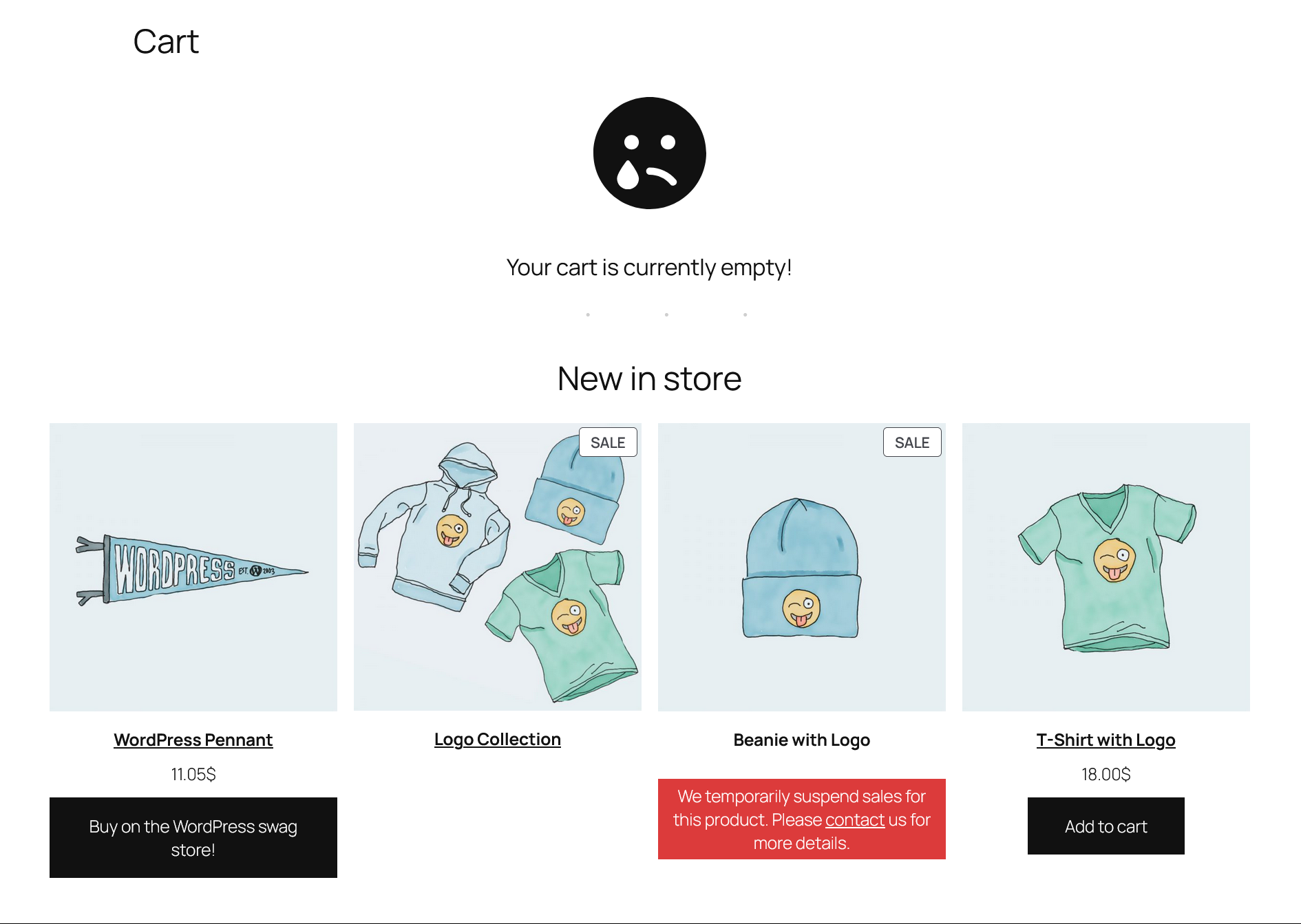
* Add to Cart is hidden
* Price is hidden
And style them with:
* Text color
* Background color
* Alignment
* Padding
* Font size
You can even use HTML (links, buttons, etc.).
Free Features
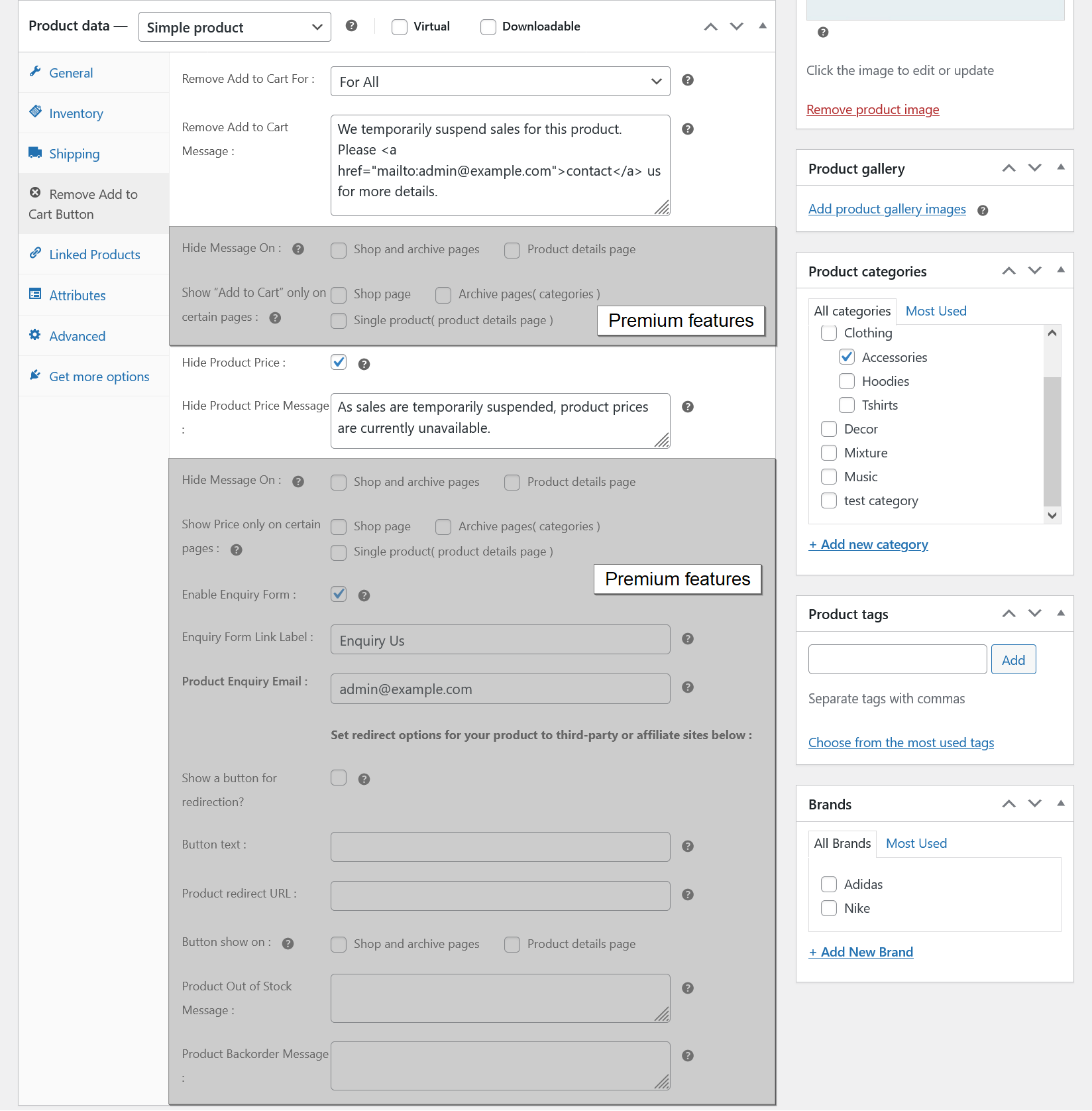
- Remove Add to Cart button for all users.
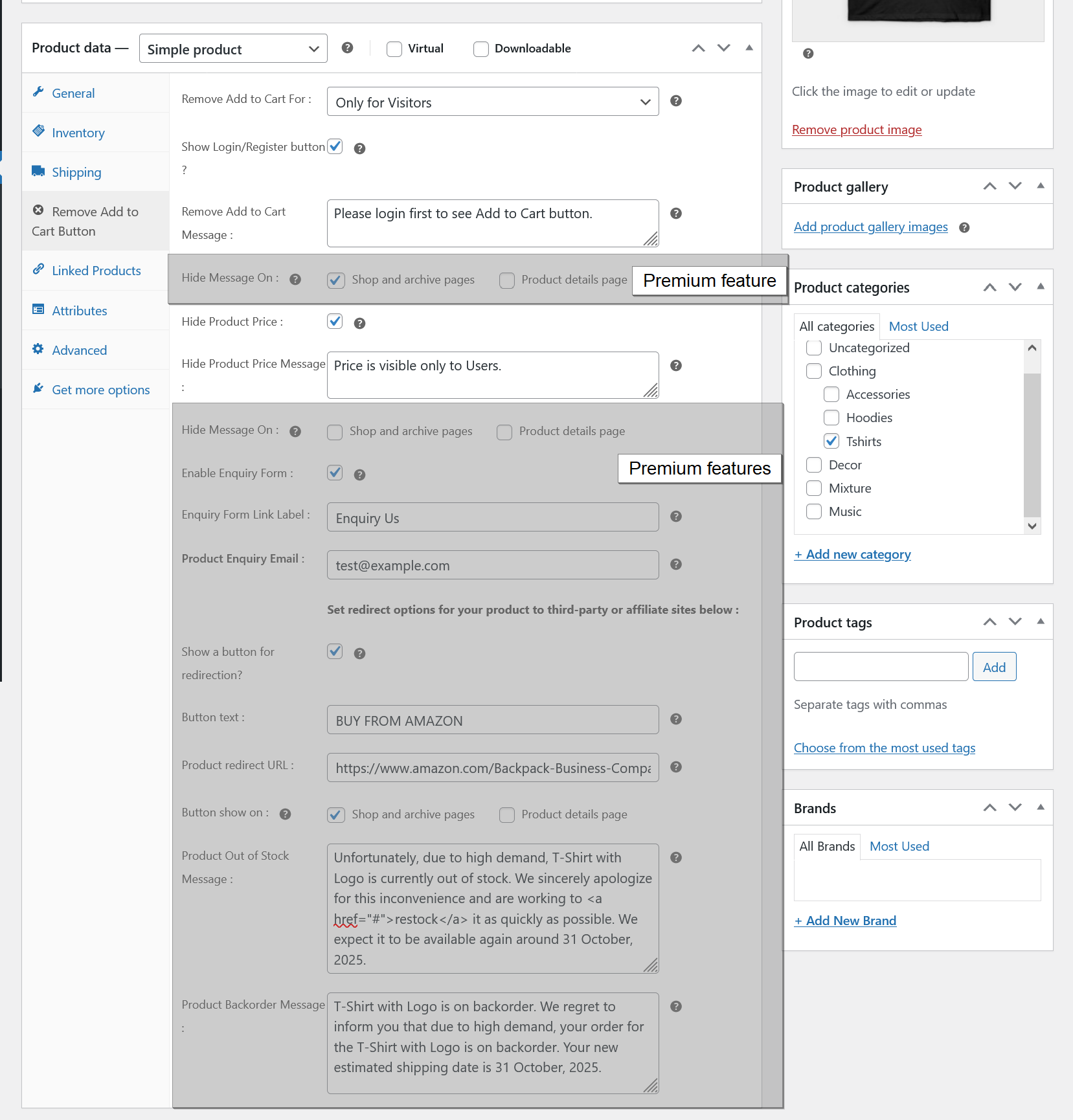
- Remove Add to Cart button for guests only.
- Show Login / Register button instead of Add to Cart.
- Set custom login/register page URL.
- Customize login button text.
- Show custom message when Add to Cart is disabled (supports HTML).
- Hide product price.
- Show custom message when price is hidden.
- Disable Cart and Checkout page access.
- Redirect users from Cart/Checkout pages.
- Customize message styles (color, alignment, padding, font size).
- Customize Out of Stock and Backorder messages.
- Simple and beginner-friendly interface.
- Translation ready.
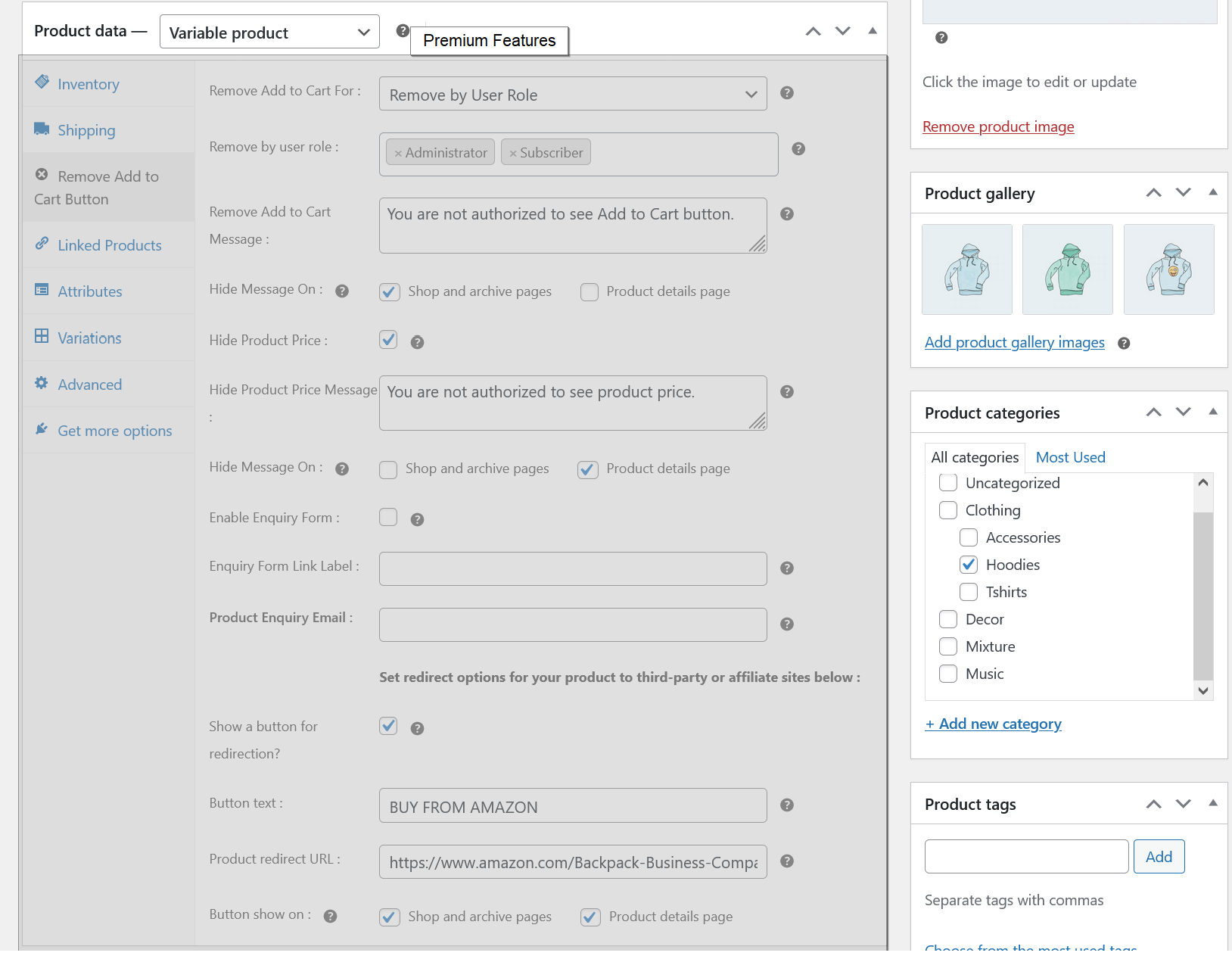
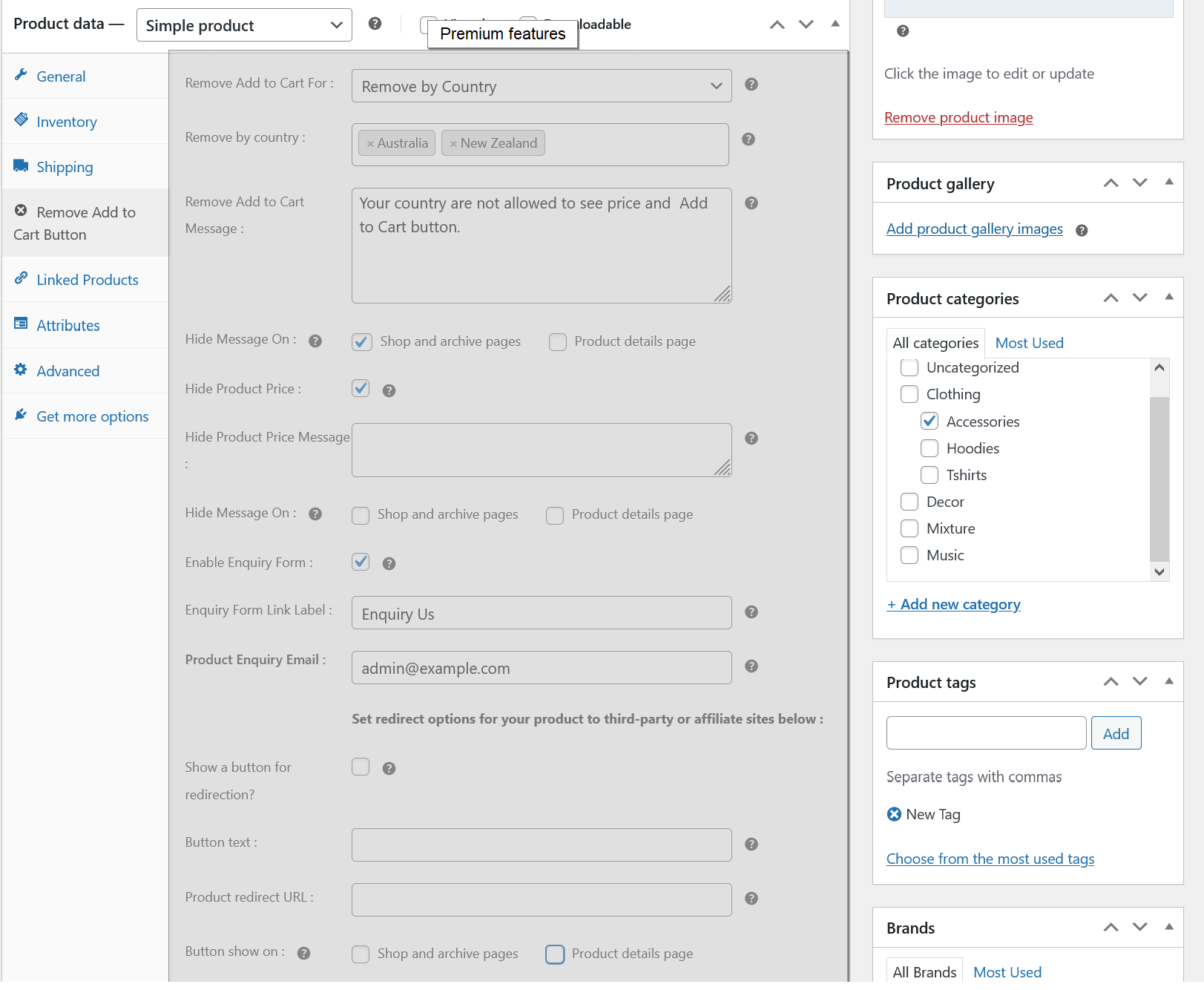
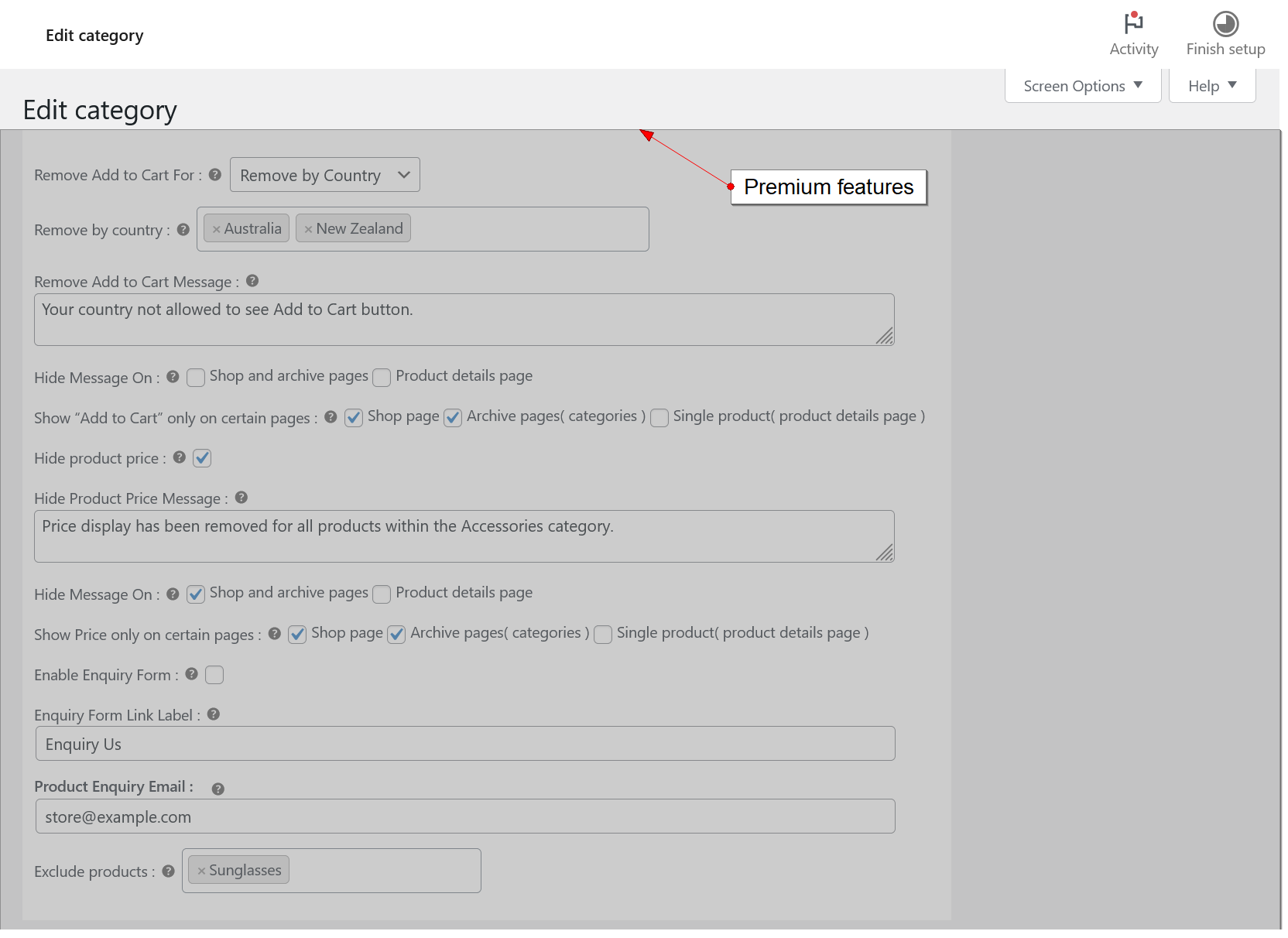
Premium Features
Upgrade to unlock powerful advanced controls:
- All free features.
- Apply rules based on User Roles (e.g. wholesalers, customers)
- Apply rules based on Customer Country
- Set rules for specific product categories
- Exclude specific products from rules
- Show Product Enquiry Form instead of Add to Cart
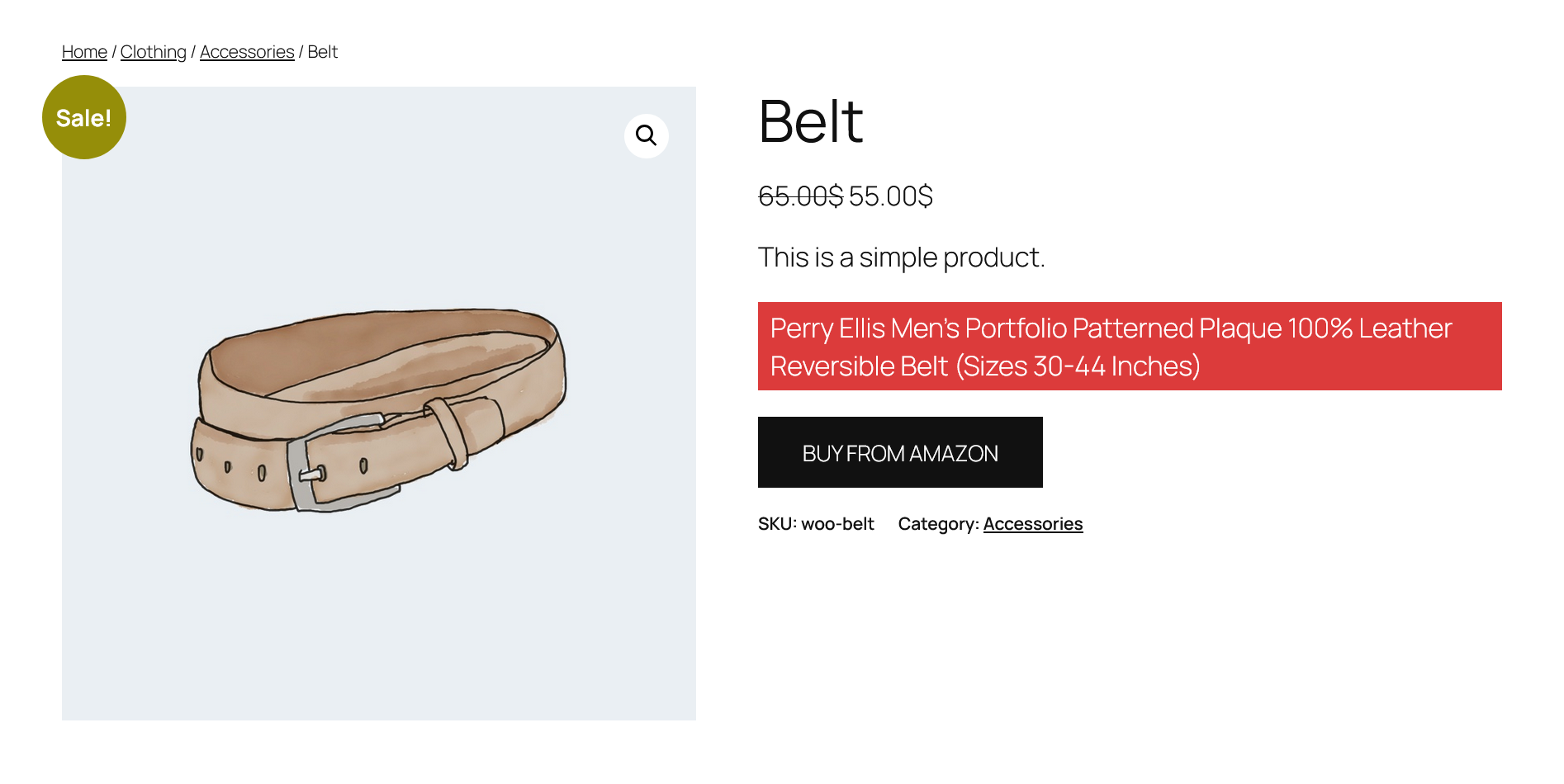
- Replace Add to Cart with external / affiliate link
- Control where messages appear (shop, category, product page)
- Show Add to Cart and Price only on selected pages
- Customize stock messages per product
- Priority email support
Skjermbilder




Installasjon
- Unzip the plugin and upload the
remove-add-to-cart-button-woocommercefolder to the/wp-content/plugins/directory - Activate the plugin through the ‘Plugins’ menu in WordPress
- To change/modify plugin global settings, go to
WooCommerce > Settings > Visibility Settingstab from WordPress admin area - You are ready to use plugin
Ofte stilte spørsmål
-
Yes. You can Remove Add to Cart for visitors (not logged-in users) and show a login button instead.
-
Can I create a “Login to view price” setup?
-
Yes. Hide product prices and display a custom message like “Login to view price”.
-
Can I turn my store into catalog mode?
-
Yes. Remove Add to Cart and checkout to create a catalog-only WooCommerce store.
-
Yes (Premium). You can allow users to send enquiries instead of purchasing.
-
Can I apply rules by specific product categories?
-
Yes, but it is our premium feature. You need to upgrade to premium to get this feature.
-
Can I apply rules by user role or country?
-
Yes (Premium). You can target specific users or regions.
-
Can I redirect products to external or affiliate links?
-
Yes (Premium). Replace Add to Cart with a custom external link.
Vurderinger
Det er ingen omtaler av denne utvidelsen.
Bidragsytere og utviklere
«Remove Add to Cart Button for WooCommerce» er programvare med åpen kildekode. Følgende personer har bidratt til denne utvidelsen:
Bidragsytere
Oversett «Remove Add to Cart Button for WooCommerce» til ditt språk.
Interessert i utvikling?
Bla gjennom koden, sjekk ut SVN-repositoriet, eller abonner på utviklingsloggen med RSS.
Endringslogg
2.1.9
- Improved settings labels and descriptions for better clarity and usability.
- Enhanced UI design for a more professional and user-friendly experience.
- Updated Freemius SDK to the latest version.
- Tested and ensured compatibility with the latest WordPress and WooCommerce versions.
2.1.8
- Set text alignment, padding and font size for custom messages.
- Show «Add to Cart» and Price only on certain pages ( shop page, archive pages( categories ) and single product( product details page ) ).
- Add freemius latest version SDK.
- Compatibility check with WordPress and WooCommerce latest version.
2.1.7
- Change the default Out of Stock and Backorder messages( global settings ).
- Change the default Out of Stock and Backorder messages for individual products.
- Security Fix: Added nonce verification to prevent CSRF.
- Security Fix: Improved data sanitization and output escaping to prevent XSS.
2.1.6
- Have options to set text and background color for the custom messages.
- Add freemius latest version SDK.
- Compatibility check with WP and WooCommerce latest version.
2.1.5
- Have options to show/hide custom messages from shop page, category pages and product details page.
- Add freemius latest version SDK.
- Compatibility check with WP and WooCommerce latest version.
2.1.4
- Prevent access to the cart and checkout page
- Set a redirect URL for the cart and checkout page
- Add freemius latest version SDK.
- Compatibility check with WP and WooCommerce latest version.
2.1.3
- Add freemius latest version SDK.
- Compatibility check with WP and WooCommerce latest version.
2.1.2
- add freemius latest version SDK.
- Compatibility check with WP and WooCommerce latest version.
2.1.1
- Hide add to cart button from woocommerce blocks product grid item html
- Compatibility check with WP and WooCommerce latest version.
2.1.0
- fix js issue.
- add freemius latest version SDK.
- compatibility check with WP and WooCommerce latest version.
1.0.9
- add freemius latest version SDK.
- compatibility check with WP and WooCommerce latest version.
1.0.8
- Support html message.
- Set text or html message when Product price is hidden.
- add freemius latest version sdk.
- compatibility check with WP and WooCommerce latest version.
1.0.7
- fix variable product price hide issue.
- compatibility check with WP and WooCommerce latest version.
1.0.6
- Hide product price based on selected condition.
- compatibility check with WP and WooCommerce latest version.
1.0.5
- fix Add to Cart button issue for block theme.
- add freemius latest version sdk.
- compatibility check with WP latest version.
1.0.4
- fix undefined index issue.
- add freemius latest version sdk.
- compatibility check with WP latest version.
1.0.3
- add freemius latest version sdk.
- compatibility check with WP latest version.
1.0.2
- add freemius latest version sdk.
- add a link using plugin_action_links filter function.
- compatibility check with WP latest version.
1.0.1
- add freemius latest version.
- add css for hyperlink.
- compatibility check with WP latest version.
1.0.0
- Initial release.