
Beskrivelse
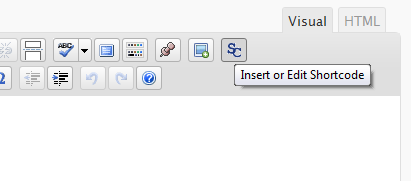
The Generic WP Shortcode Editor plugin gives to TinyMCE the ability to create or edit shortcodes in a visual way, instead of editing the code directly.
Skjermbilder

Installasjon
- Upload the entire folder
shortcode-editorto the/wp-content/plugins/directory - Activate the plugin through the ‘Plugins’ menu in WordPress
- Search for the [SC] button in TinyMCE toolbar
Ofte stilte spørsmål
- There are other plugins that adds buttons to manipulate shortcodes. Is this a problem?
-
Some plugins that work with shortcodes adds their own buttons to TinyMCE and we try to respect it, using a lower priority when adding the TinyMCE hooks.
- When editing, we can see the`sc_id` property in all shortcodes. What is this?
-
This property is used internally by the plugin and it is removed from all shortcodes when you submit the form.
Vurderinger
Det er ingen omtaler av denne utvidelsen.
Bidragsytere og utviklere
«TinyMCE Generic WP Shortcode Editor» er programvare med åpen kildekode. Følgende personer har bidratt til denne utvidelsen:
Bidragsytere
Oversett «TinyMCE Generic WP Shortcode Editor» til ditt språk.
Interessert i utvikling?
Bla gjennom koden, sjekk ut SVN-repositoriet, eller abonner på utviklingsloggen med RSS.
Endringslogg
1.0
First release.