
Beskrivelse
A free and easy-to-use two-factor authentication plugin for WordPress
Add an extra layer of security to your WordPress website login and protect your users. Enable two-factor authentication (2FA), the best protection against password leaks, automated password guessing, and brute force attacks.
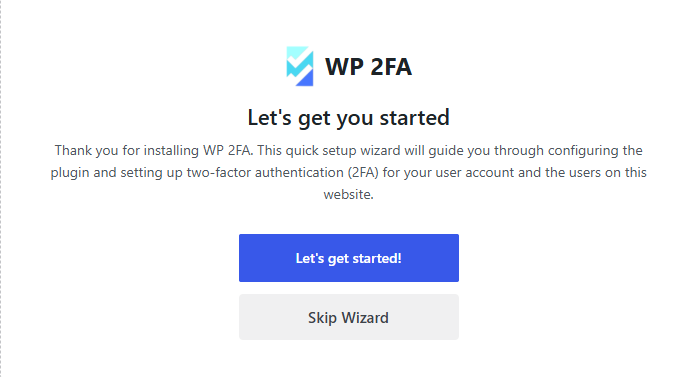
Use the WP 2FA plugin to enable two-factor authentication for your WordPress administrator, enforce 2FA for all your website users, or for users with specific roles. This plugin is very easy to use; everything can be configured via wizards with clear instructions, so even non-technical users can set up 2FA without requiring technical assistance.
🔒 WP 2FA key plugin features and capabilities
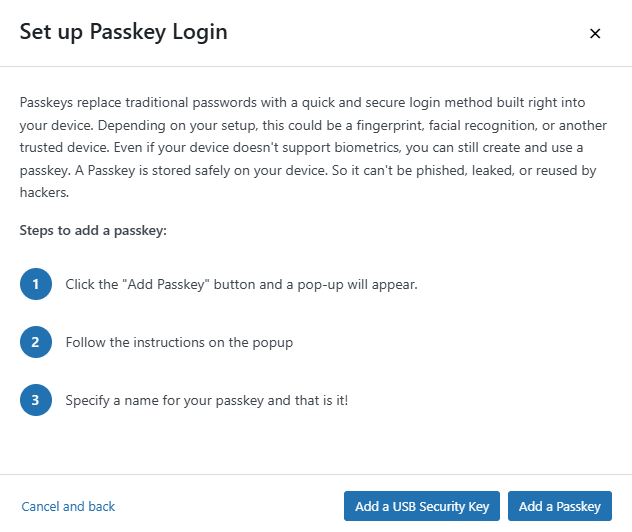
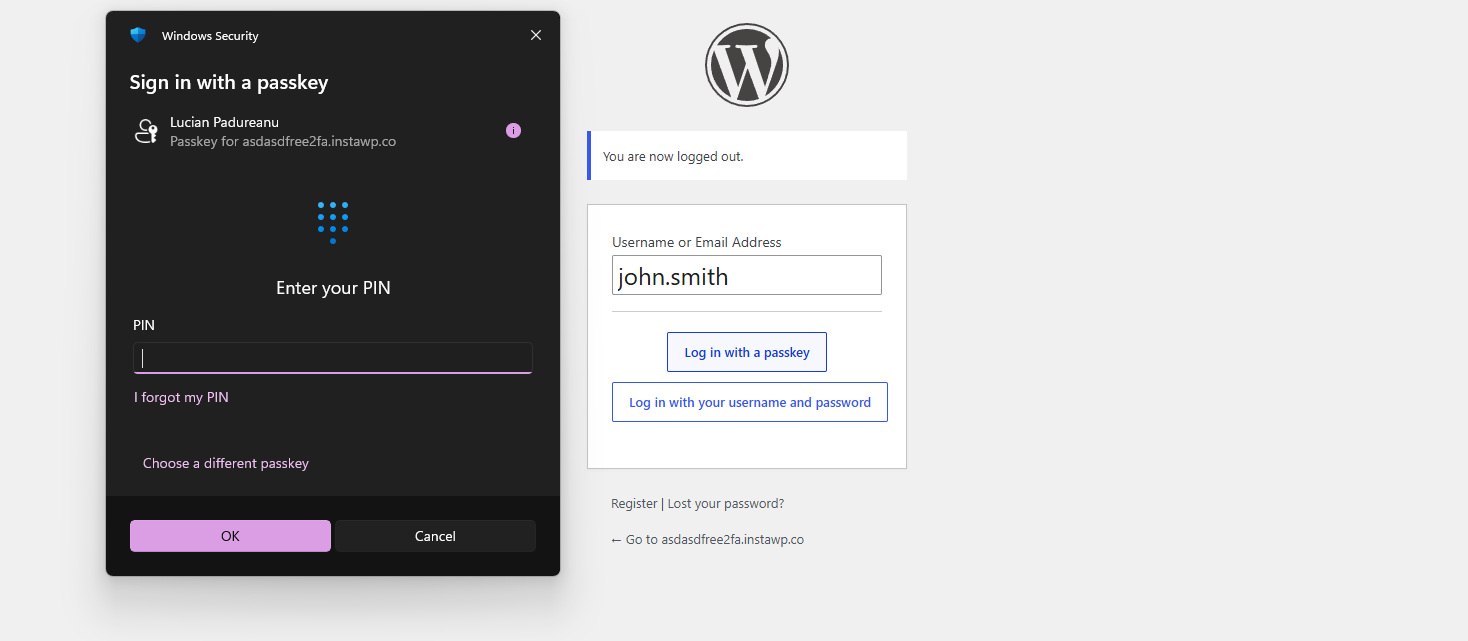
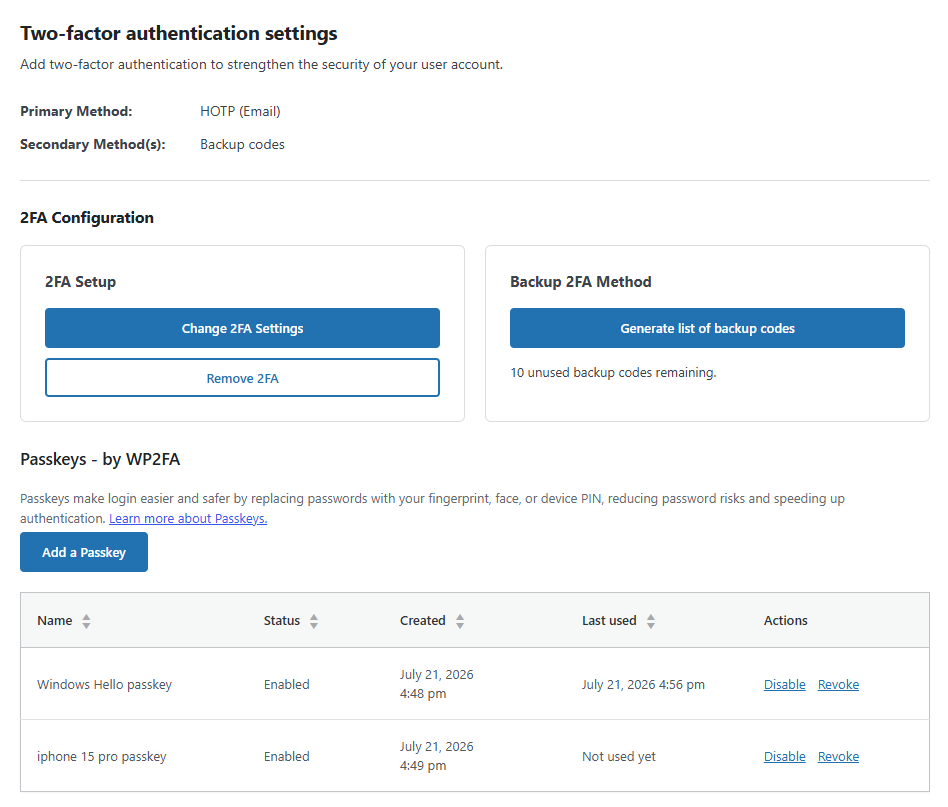
- Passkeys support for passwordless logins
- Free two-factor authentication (2FA) for all users
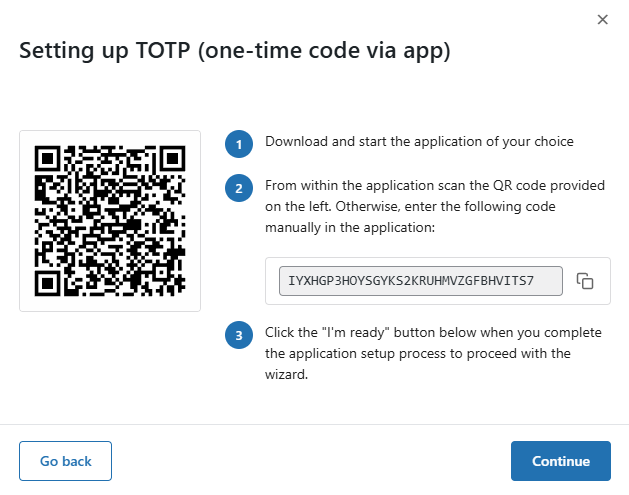
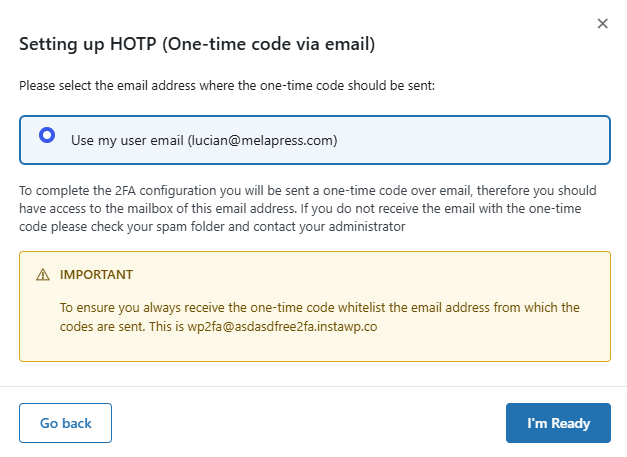
- Multiple 2FA methods supported, including authenticator app (TOTP) and code over email
- Developer API to integrate any alternative 2FA method (WhatsApp, OTP Token, etc.)
- Universal 2FA app support – works with Google Authenticator, Authy, and any TOTP-compatible app
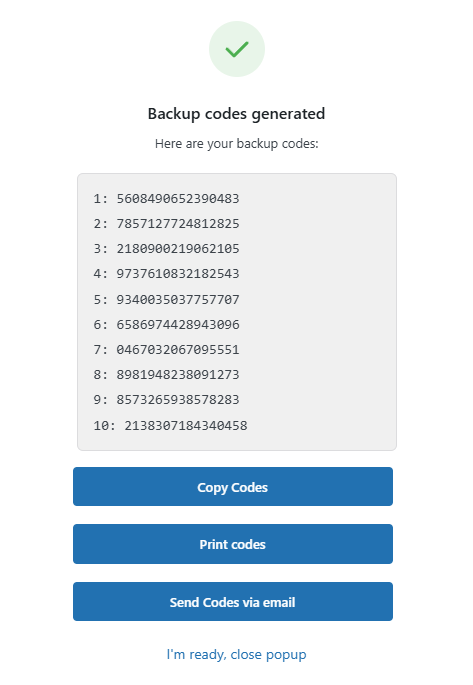
- Backup codes (16 digits) for recovery access
- Wizard-driven setup – no technical knowledge required
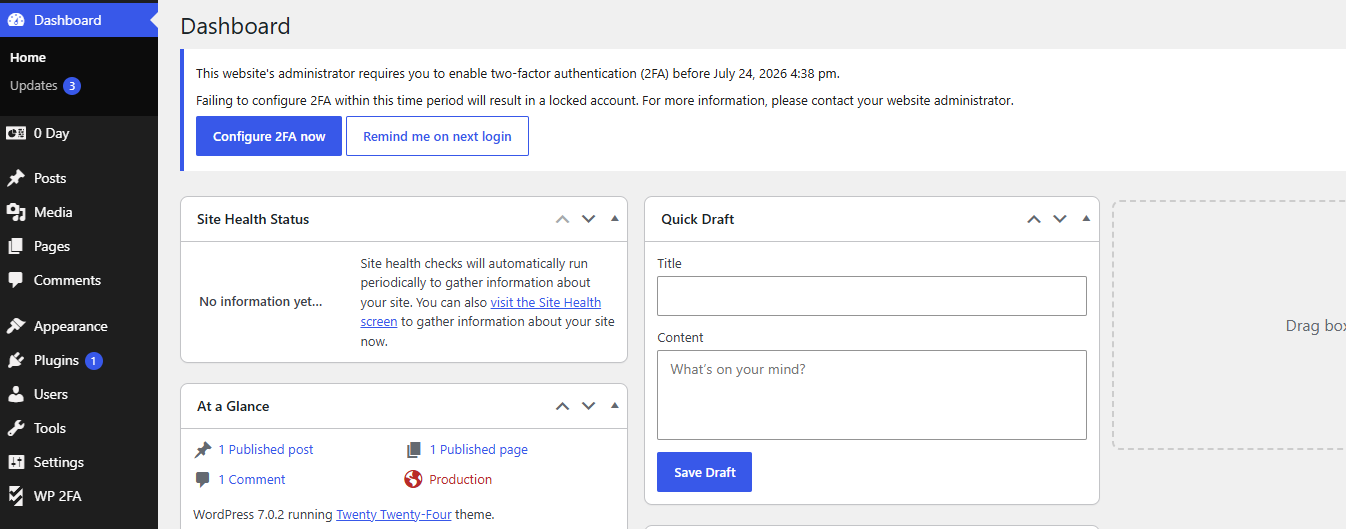
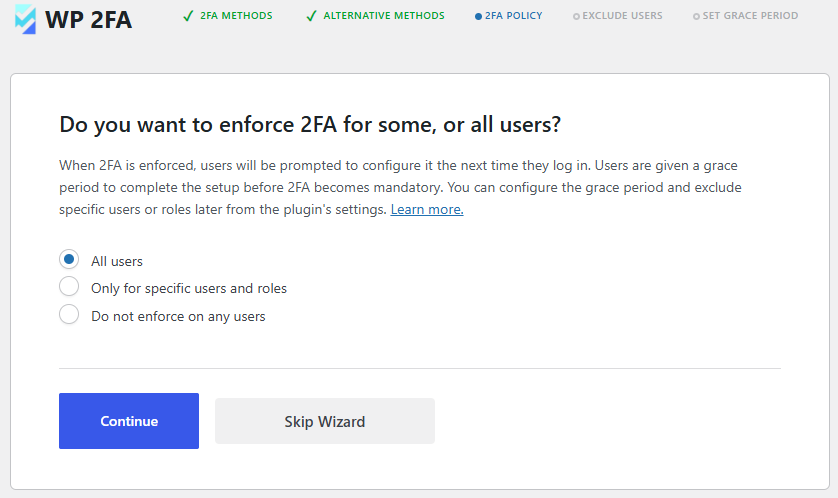
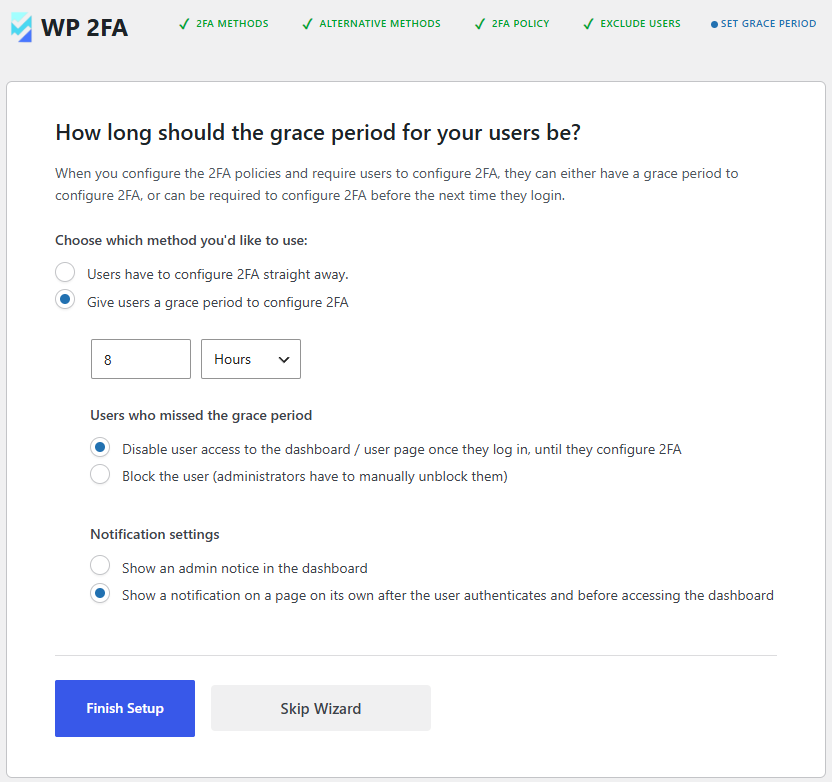
- 2FA policies to enforce setup with grace periods or instant activation
- REST API endpoints for custom integrations and headless WordPress setups
- Dashboard-free setup – users can configure 2FA without WP admin access
- Editable email templates for full customization
- Much more!
Features | Getting Started | Get the Premium!
💎 Upgrade to WP 2FA Premium and get even more benefits
The premium version of WP 2FA comes bundled with even more features to take your WordPress website login security to the next level.
With the premium edition of WP 2FA, you get more 2FA methods, 1-click integration with WooCommerce, trusted devices feature, extensive white labeling capabilities, and much more!
Premium features list
- Everything in the free version
- Full white labeling capabilities to change all text and visuals in the wizards, emails, SMS, and 2FA pages
- Support for multiple passkeys per user for flexible passwordless logins
- Zero-setup email 2FA that automatically enrolls users without manual configuration
- YubiKey hardware key support for enterprise-grade security
- Additional 2FA methods such as SMS, email link, and more
- Trusted devices so users can log in without 2FA for a configured period
- Require 2FA on password reset to strengthen account protection
- Allow next user login without 2FA to help recover accounts locked out of authentication
- One-click WooCommerce integration to enable 2FA for customers and store admins
- And much more!
Refer to the WP 2FA plugin features and benefits page to learn more about the benefits of upgrading to WP 2FA Premium.
🛠️ Free and premium support
Support for the free edition of WP 2FA is free on the WordPress support forums. Premium world-class support via one-to-one email is available to the Premium users – upgrade to premium to benefit from email support.
For any other queries, feedback, or if you simply want to get in touch with us, please use our contact form.
MAINTAINED & SUPPORTED BY MELAPRESS
Melapress develops high-quality WordPress management and security plugins, such as Melapress Login Security, Melapress Role Editor, and WP Activity Log; the #1 user-rated activity log plugin for WordPress.
Browse our list of WordPress security and administration plugins to see how our plugins can help you better manage and improve the security and administration of your WordPress websites and users.
Installing WP 2FA
From within WordPress
- Navigate to ‘Plugins’ > ‘Add New’
- Search for ‘WP 2FA’
- Install & activate WP 2FA from your Plugins page
Manually
- Download the plugin from the WordPress plugins repository
- Unzip the zip file and upload the folder to the ‘/wp-content/plugins/ directory’
- Activate the WP 2FA plugin through the ‘Plugins’ menu in WordPress
As featured on:
Skjermbilder
Ofte stilte spørsmål
Does the plugin send any data to Melapress?
No, the plugin does not send any data to us whatsoever. The only data we receive is license data from the premium edition of the plugin.
What 2FA methods are available with the plugin?
The free edition of WP 2FA includes the following 2FA methods: Authenticator app 2FA and code over email. This allows you to use Google Authenticator OTP The premium edition adds YubiKey, one-click email link, SMS 2FA, and Authy push notifications.
How can I integrate two-factor authentication (2FA) into my custom login process or AJAX-based form?
WP 2FA includes a REST API that allows developers to enable and verify 2FA during custom authentication flows, such as AJAX-based login forms, mobile apps, or headless WordPress websites. Refer to the REST API in WP 2FA documentation for more information.
How can I ensure I do not get locked out?
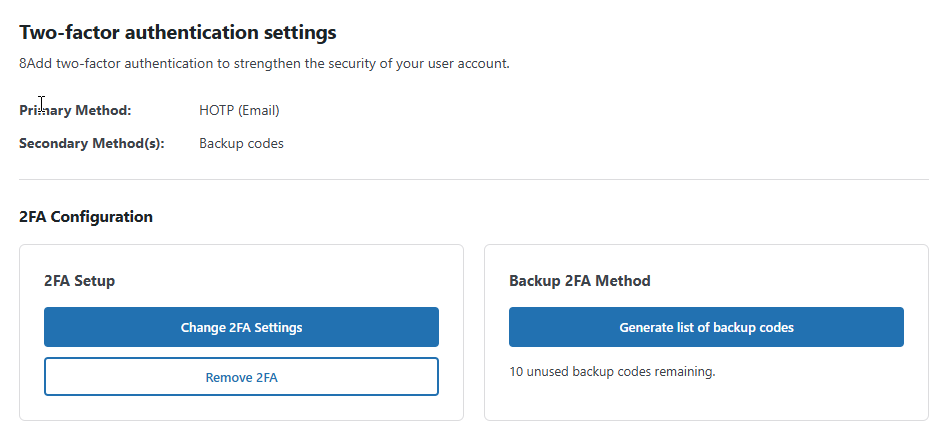
WP 2FA includes backup authentication methods so that if the primary authentication method fails, you and your users can still log in. The free version of the plugin includes backup codes, which can be configured during 2FA configuration or at any point after that from the profile page. The premium edition adds 2FA backup codes over email.
What happens if I get locked out?
In the unlikely event that you are unable to supply your 2FA code, there are several steps you can take to gain access to your WordPress dashboard. First, check if there is another administrator who can reset your 2FA. If this is not possible, manually deactivate the plugin, log in without 2FA, re-activate the plugin, and then reconfigure your 2FA.
Does WP 2FA support multi-site networks?
Yes, WP 2FA is multisite compatible. The plugin can be activated at the network level. 2FA policies can be enforced on all users, a subsection of users, or per site on the network. It also supports network setups with different domains.
Does the plugin receive updates?
We update the plugin fairly regularly to ensure the plugin continues to run in tip-top shape while adding new features from time to time.
Does the plugin support Google Authenticator?
Yes, WP 2FA fully supports Google Authenticator on WordPress. WP 2FA also supports many other 2FA authenticator apps.
Can I get support if I get stuck?
Support for the free edition of the plugin is provided only via the WordPress.org support forums. You can also refer to our support pages for all the technical and product documentation.
If you are using the Premium edition, you get direct access to our support team via one-to-one email support.
How can I report security bugs?
You can report security bugs through the Patchstack Vulnerability Disclosure Program. Please use this form. For more details, please refer to our Melapress plugins security program.
Vurderinger


Bidragsytere og utviklere
«WP 2FA – Two-factor authentication for WordPress» er programvare med åpen kildekode. Følgende personer har bidratt til denne utvidelsen:
Bidragsytere

«WP 2FA – Two-factor authentication for WordPress» har blitt oversatt til 16 språk. Takk til oversetterne for deres bidrag.
Oversett «WP 2FA – Two-factor authentication for WordPress» til ditt språk.
Interessert i utvikling?
Bla gjennom koden, sjekk ut SVN-repositoriet, eller abonner på utviklingsloggen med RSS.
Endringslogg
4.2.0 (2026-10-05)
-
New features & functionality
- Added automatic migration of authenticator app (TOTP) configurations from Wordfence Login Security. Users migrate when they log in, and administrators can track progress and see when migration is complete.
- Added smart tag controls to the email and SMS template editors under White labeling.
- Added an optional setup wizard step to install Melapress Login Security in the background. Installation is disabled by default and requires administrator approval.
- Added WordPress.org Live Preview support for the free edition through WordPress Playground.
-
Security fixes
- Fixed a CSRF vulnerability affecting REST request handling in WP 2FA 4.1.0 that could allow unauthorized actions through a logged-in administrator. Thanks to Filip Kowalski for responsibly reporting this issue through Patchstack.
- Fixed a customer-reported multisite issue where an unresolved user role could remove the user’s configured 2FA method across the network and stop 2FA prompts.
-
Functionality & plugin improvements
- Raised the minimum required WordPress version from 5.5 to 5.7 to match the functions used by the plugin.
- Improved settings import validation to reject invalid 2FA configuration data.
- Settings imports now keep the “Limit access to the plugin settings” restriction in effect.
- Aligned multisite settings export permissions with import permissions, requiring network administrator access.
- Aligned permissions for removing 2FA and unlocking users on multisite with WordPress user-editing permissions.
- Improved the “Limit access to the plugin settings” option so it consistently restricts other administrators in both interfaces.
- Improved validation and CSS output handling for custom login page colors and logo URLs.
- Passkey sign-in REST routes now register their declared arguments correctly, allowing WordPress to apply the intended validation.
- Authy OneTouch logins now respect the
wp_2fa_remembermefilter, matching the standard login flow. - Default email templates now use
{wp_admin_email}for the administrator contact address instead of the plugin’s sender address, without replacing customized templates. - Authy settings are now hidden on installations where Authy has not already been configured.
- Expanded white-label customization to cover the panel showing a user’s currently configured 2FA method on their profile.
- Added information under White labeling about changing the 2FA login page URL with Melapress Login Security.
- Updated setup wizard button sizes to make the Continue action more prominent.
- Clarified the setup wizard text for grace periods, account blocking, and configuration reminders.
- Updated the 2FA reconfiguration dialog to match the new interface.
- Improved translation support by using complete sentences and proper plural forms.
- Added Dutch translation files.
- Added support for the Easy Digital Downloads (EDD) licensing module.
- Admin notices from other Melapress plugins can now appear on WP 2FA pages.
-
Bug fixes
- Fixed settings imports leaving settings created after an export unchanged instead of restoring the exported configuration.
- Corrected the status labels shown for created, updated, and unchanged settings after an import.
- Corrected integer and boolean validation, including handling of valid
0andfalsevalues, and addressed PHP 7.4 compatibility in the validator. - Fixed test emails leaving supported subject tags and the
{backup_codes}placeholder unreplaced. Backup-code previews use sample codes rather than real recovery codes. - Fixed a PHP undefined-variable warning when an invalid Yubico token causes a parsing error.
- Fixed white-label placeholder replacement altering custom CSS rules and generating
Array to string conversionwarnings. - Fixed the default “User account unlocked” email missing the site name and closing text, and corrected its HTML formatting.
- Fixed failed email and SMS sends being recorded as successful, which could prevent users from retrying.
- Fixed Twilio connection errors, server errors, and invalid responses being treated as successful SMS sends.
- Fixed repeated loading of the email 2FA screen sending excessive code emails and repeatedly invalidating earlier codes.
- Fixed plugin deletion failing or remaining stuck when
DISABLE_2FA_LOGINis enabled. - Removed redundant Go back and Continue buttons from the method selection screen after upgrading existing installations.
- Fixed the report generation progress screen showing an incorrect total user count.
- Fixed reports classifying users as “Configured (but not required)” when 2FA is required for all users and the excluded-users list is empty.
- Fixed PHP warnings from
openssl_decrypt()when malformed codes reach the out-of-band login handler. - Fixed missing grace period information in login notices for users signing in with passkeys.
- Fixed REST-based 2FA logins ignoring the WordPress “Remember Me” selection.
- Fixed the malformed URL for the passkey profile script that caused a 404 error on the WooCommerce My Account 2FA page.
- Fixed interrupted user policy updates being marked as complete, preventing later attempts to refresh the user’s policy state.
- Restored one-time code tag replacement in email subject lines.
- Fixed zero-setup email 2FA being assigned to and required for users whose roles are excluded from 2FA.
- Fixed passkey configuration buttons not following the setting that enables or disables WP 2FA styling.
- Stopped loading passkey assets on the WooCommerce My Account 2FA page when passkeys are disabled by the applicable policy.
- Fixed fatal errors during QR code generation when the PHP
iconvextension is unavailable. - Fixed missing PHP
xmlwritersupport causing fatal errors on the Profile and Edit User pages.
Refer to the complete plugin changelog for more detailed information about what was new, improved and fixed in previous version updates of WP 2FA.