

Beskrivelse
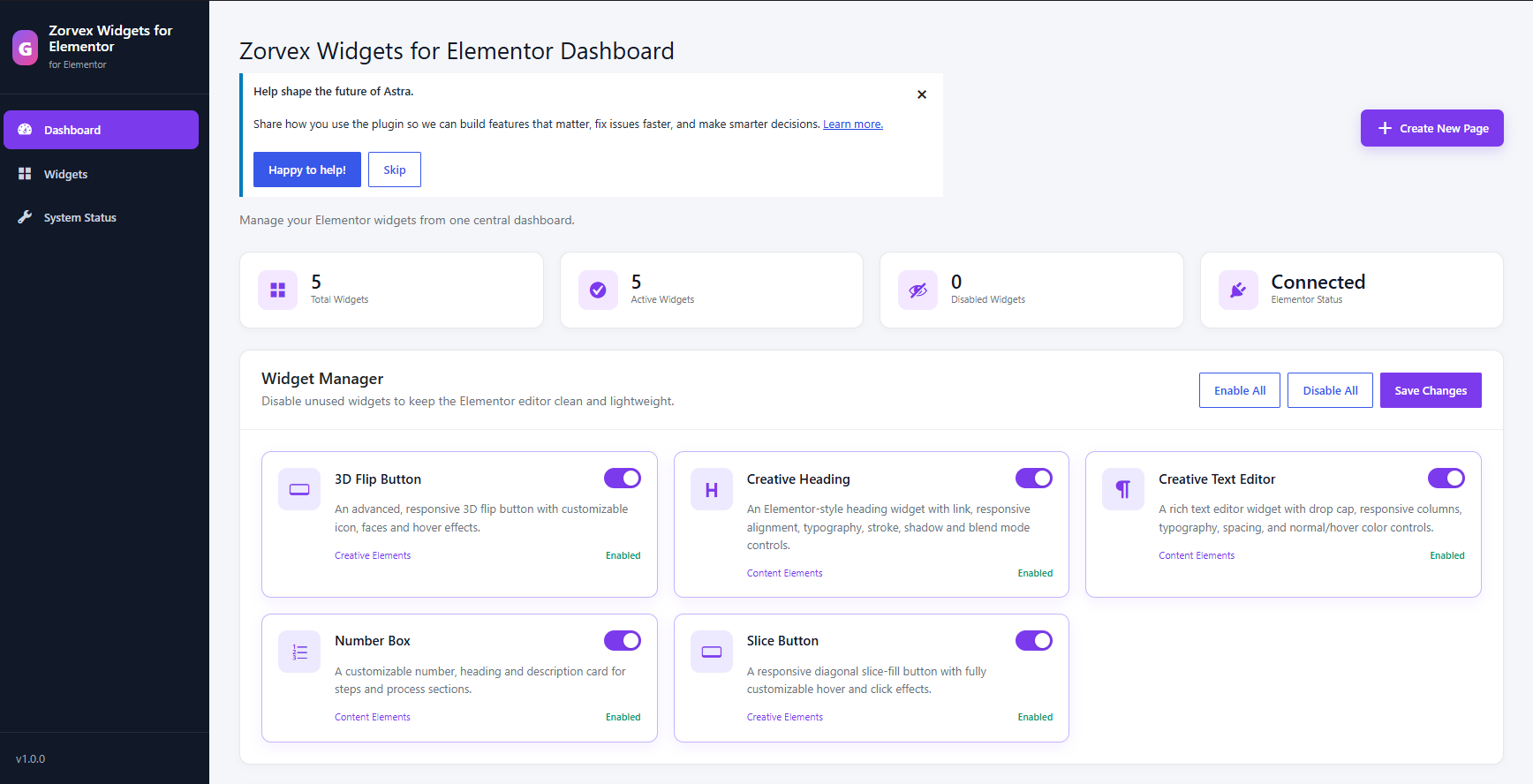
Zorvex Widgets for Elementor extends Elementor with a modular collection of widgets and a centralized dashboard where administrators can enable or disable individual widgets.
Included widgets:
- 3D Flip Button
- Slice Button
- Creative Heading
- Creative Text Editor
- Number Box
- Menu Icon
The plugin registers widget assets only when Elementor requests them and does not include tracking, advertising, or remote service calls.
Skjermbilder
Installasjon
- Install and activate Elementor.
- Upload the
zorvex-widgets-for-elementorfolder to/wp-content/plugins/, or install the plugin ZIP from Plugins > Add New > Upload Plugin. - Activate Zorvex Widgets for Elementor.
- Open Zorvex Widgets for Elementor in the WordPress admin menu to enable or disable widgets.
- Edit a page with Elementor and locate the Zorvex Widgets for Elementor widget category.
Ofte stilte spørsmål
-
Does this plugin require Elementor?
-
Yes. Elementor must be installed and activated to use the widgets.
-
Can individual widgets be disabled?
-
Yes. Open the Zorvex Widgets for Elementor dashboard and use the Widget Manager.
-
Does the plugin send data to external services?
-
No. The plugin contains no analytics, tracking, advertising, or remote API calls.
Vurderinger
Det er ingen omtaler av denne utvidelsen.
Bidragsytere og utviklere
«Zorvex Widgets for Elementor» er programvare med åpen kildekode. Følgende personer har bidratt til denne utvidelsen:
Bidragsytere
Oversett «Zorvex Widgets for Elementor» til ditt språk.
Interessert i utvikling?
Bla gjennom koden, sjekk ut SVN-repositoriet, eller abonner på utviklingsloggen med RSS.
Endringslogg
1.0.0
- Added Creative Heading and Creative Text Editor widgets.
- Added responsive styling and hover controls.
- Improved paragraph spacing behavior.
- Standardized plugin structure, naming, security, internationalization, and WordPress.org metadata.